
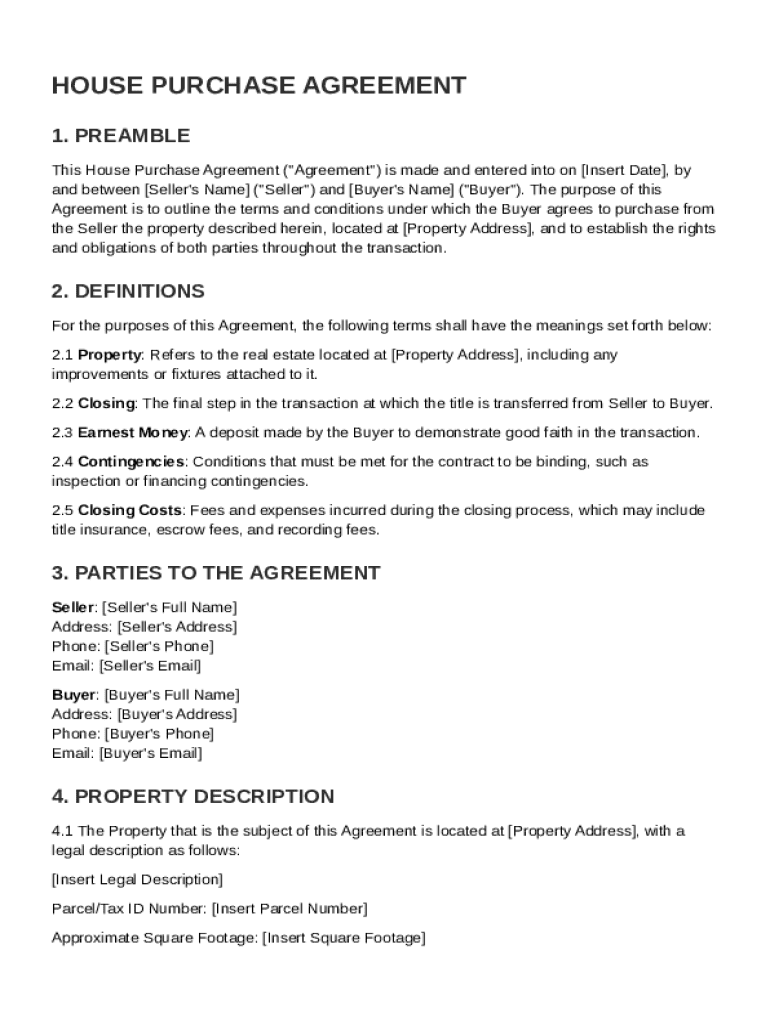







Key Elements of the House Purchase Contract Template
The House Purchase Contract Template is a comprehensive document designed to outline the terms of a real estate transaction between a buyer and a seller. Key elements of the contract include:
- Property Details: The specific address, legal description, and identification of the property being sold. This ensures clarity on the exact property involved and avoids any potential disputes over what is being transferred.
- Purchase Price and Payment Terms: The agreed-upon sales price, along with any deposits, down payment requirements, and the structure of payment over the term to the closing date. Payment terms often include conditions for cash payment, mortgage arrangements, or other financing methods.
- Contingencies: Important conditions that must be met for the sale to proceed. These can include satisfactory home inspections, financing approvals, and clearances on title searches. Contingencies protect both parties by ensuring specific requirements are fulfilled before the contract becomes binding.
- Dispute Resolution Methods: Provisions detailing how disputes are to be resolved, such as through mediation or arbitration, rather than court litigation. This section can help streamline potential conflicts and provide a clear path to resolution.
Steps to Complete the House Purchase Contract Template
Completing a House Purchase Contract Template involves several stages:
- Gather Necessary Information: Collect all essential details, including names and contact information of the buyer and seller, property description, and financial terms.
- Input Purchase Details: Fill in the agreed purchase price, deposit amounts, and method of payment intended. Also, ensure contingencies and existing conditions are recorded accurately.
- Include Dates and Deadlines: Clearly state deadlines for each stage, including the inspection period, financing approval deadlines, and closing date to keep the transaction on track.
- Review and Sign: Both parties should thoroughly review the contract details, seek legal advice if necessary, and sign the document to formalize the agreement.
Legal Use of the House Purchase Contract Template
In the United States, the House Purchase Contract Template is utilized as a legally binding agreement once signed, assuming all contractual standards are met:
- Compliance with State Laws: Each state may have specific requirements, such as additional disclosures or mandatory clauses. A contract must adhere to these rules to be enforceable.
- Validity of Electronic Signatures: Digital signatures are valid under the ESIGN Act, ensuring that electronically signed contracts hold the same weight as those signed in pen.
State-Specific Rules for the House Purchase Contract Template
Real estate laws can vary significantly among states, affecting how a House Purchase Contract Template is utilized:
- Disclosure Requirements: Some states have more stringent disclosure requirements concerning property defects or environmental hazards, which must be included in the contract.
- Title Transfer Procedures: The process for transferring title and obtaining necessary title insurance can differ, impacting the timeline and specific phrasing needed in the contract.
Important Terms Related to House Purchase Contract Template
Understanding critical terminology within the House Purchase Contract Template can aid in effectively navigating the real estate transaction:
- Earnest Money: A deposit made to demonstrate a buyer's commitment to proceeding with the purchase; it can be forfeited if conditions are not met.
- Escrow: A neutral third party that holds funds and oversees the fulfillment of all terms before closing.
- Contingency Clauses: Conditional statements that allow a party to exit the contract without penalty if certain requirements are not satisfied.
Examples of Using the House Purchase Contract Template
The House Purchase Contract Template can be tailored to suit numerous scenarios:
- Multiple-Offer Situations: The contract can be customized with clauses to indicate a buyer’s priority status, enhancing their appeal in competitive markets.
- Contingent Sales: If a buyer's purchase is contingent upon the sale of their current home, this can be clearly articulated to prevent misunderstandings or penalties.
Software Compatibility for House Purchase Contract Template
Utilizing document management software like DocHub provides a streamlined process for handling the House Purchase Contract Template:
- Editing and Sharing: Easily modify contract fields, add signatures, or share the document for review in real time, ensuring precision and collaboration.
- Cloud Storage Integration: Seamlessly save and access documents via platforms such as Google Drive, facilitating an organized record-keeping system.
Digital vs. Paper Version of the House Purchase Contract Template
Deciding between a digital and a paper version of the House Purchase Contract Template involves:
- Convenience and Flexibility: Digital versions offer ease of access and the ability to edit or sign from anywhere, crucial for remote or busy individuals.
- Security: Digital contracts can have enhanced security features, such as access controls and encryption, protecting sensitive information from unauthorized access.




