Type text, add images, blackout confidential details, add comments, highlights and more.
02. Sign it in a few clicks
Draw your signature, type it, upload its image, or use your mobile device as a signature pad.
03. Share your form with others
Send credit dispute letter template via email, link, or fax. You can also download it, export it or print it out.
How to use or fill out how to write a dispute letter with our platform
Ease of Setup
DocHub User Ratings on G2
Ease of Use
DocHub User Ratings on G2
Click ‘Get Form’ to open the dispute letter template in the editor.
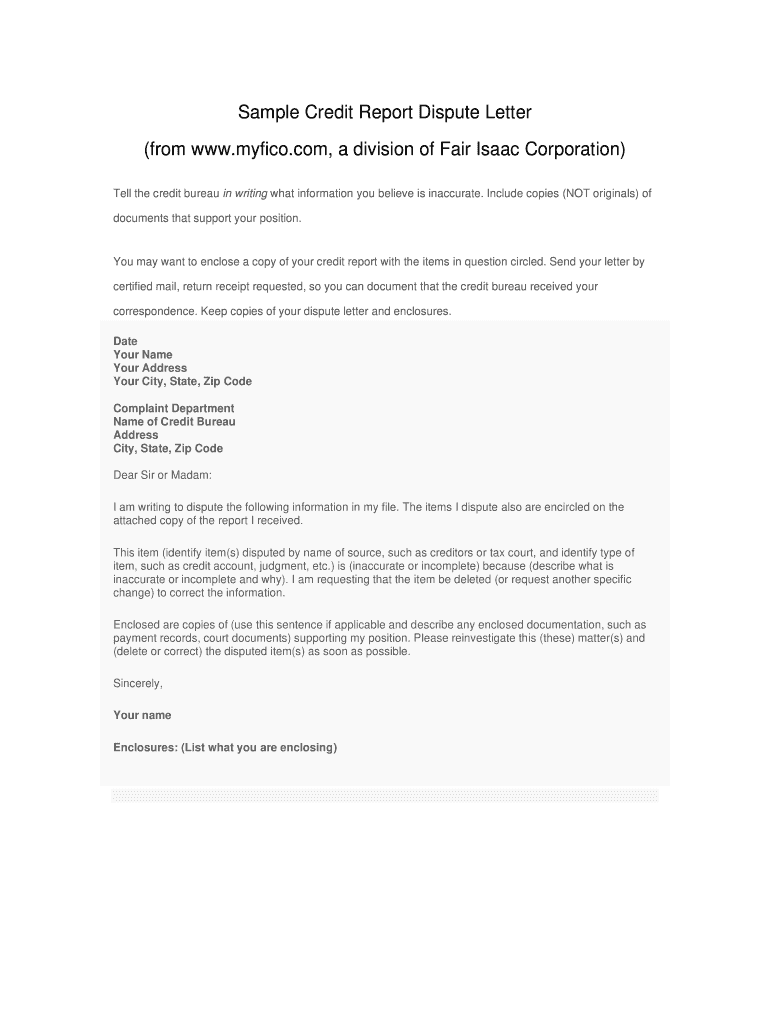
Begin by entering the date at the top of the letter. This is important for record-keeping.
Fill in your name and address details, ensuring accuracy for effective communication with the credit bureau.
Next, input the credit bureau's name and address in the designated fields. Double-check this information to avoid delays.
In the body of the letter, clearly state that you are disputing specific information. Identify each disputed item by name and type, explaining why it is inaccurate or incomplete.
Mention any enclosed documents that support your claim. Use our platform’s upload feature to attach these files easily.
Conclude with a polite request for reinvestigation and ensure you sign off with your name before sending.
Start using our platform today to create your dispute letter online for free!
Fill out how to write a dispute letter online It's free
How to write a dispute letter to a creditorHow to write a dispute letter to a companyCredit dispute letters that workPersonal dispute letter sampleHow to write a dispute letter for a creditFactual dispute letter sampleHow to write a dispute letter for a credit cardFree dispute letter template
Security and compliance
At DocHub, your data security is our priority. We follow HIPAA, SOC2, GDPR, and other standards, so you can work on your documents with confidence.
If a person has offended, harassed, or intimidated you, a useful first step is to draft a letter describing the offense. You can decide later whether or notRead more
1. In the sample letter, fill in your personal information. Edit the information in [brackets] to address the specific inaccuracies that you are disputing.
Even better, confirming letters create a stronger evidentiary position in the event of a dispute. This practice serves two functions. First, a confirming letterRead more
Cookie consent notice
This site uses cookies to enhance site navigation and personalize your experience.
By using this site you agree to our use of cookies as described in our Privacy Notice.
You can modify your selections by visiting our Cookie and Advertising Notice.