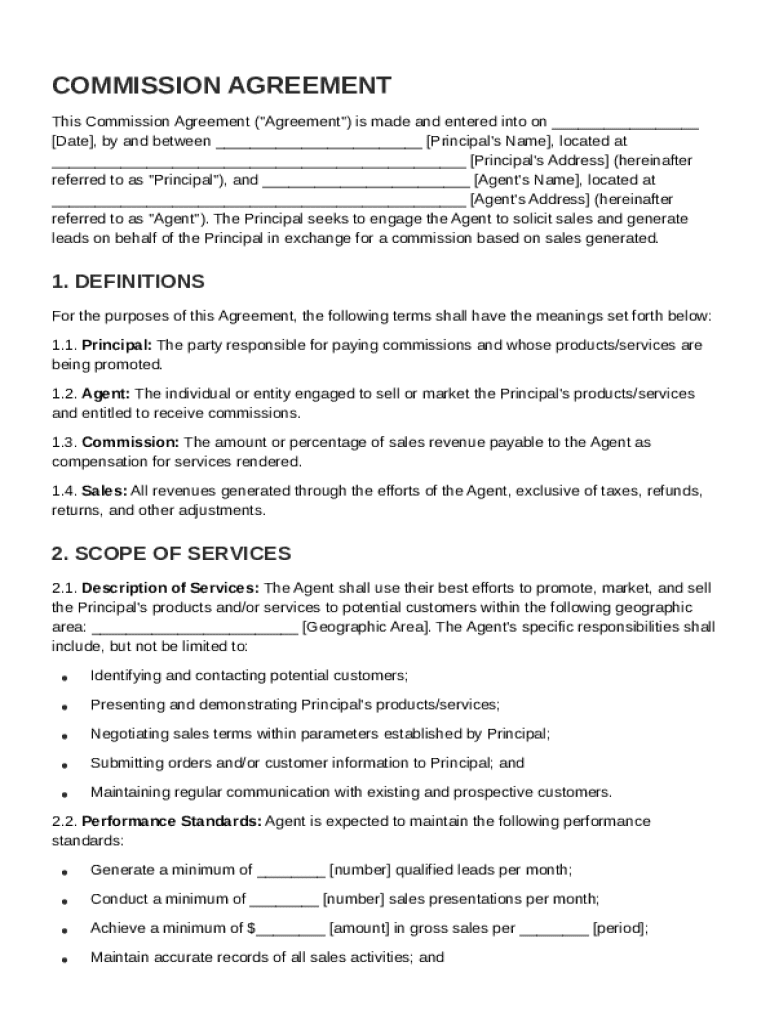







Definition & Meaning
A Commission Agreement Template is a document used to outline the terms and conditions between a principal and an agent for conducting business activities, such as sales or lead generation. This form serves to establish key elements like the commission structure, roles of involved parties, confidentiality clauses, and terms for dispute resolution. By defining these aspects clearly, it aims to facilitate a transparent and professional relationship, ensuring the agent is fairly compensated based on their performance.
Key Components
- Commission Structure: Specifies how the commission is calculated, either as a percentage of sales or a fixed amount.
- Roles & Responsibilities: Outlines the duties and expectations for both parties.
- Confidentiality Obligations: Ensures sensitive information is protected.
- Termination Conditions: Provides guidelines for ending the relationship.
- Dispute Resolution: Establishes methods for resolving disagreements peacefully.
Having a well-structured Commission Agreement Template helps both the principal and the agent understand their obligations, which minimizes misunderstandings and potential disputes.
Key Elements of the Commission Agreement Template
The Commission Agreement Template is composed of several critical sections, each serving a distinct purpose in clarifying the terms of collaboration between the parties involved.
Commission Payment Terms
- Payment Schedule: Defines when commissions will be paid—this could be monthly, quarterly, or upon receipt of payment by the principal.
- Eligibility for Commission: Indicates under what conditions the agent is eligible to receive commission, such as a minimum sale threshold.
- Deductions and Adjustments: Describes any potential deductions or adjustments that might be made to commission payments due to cancellations or returns.
Performance Expectations
- Sales Targets: Sets specific sales targets or quotas agents need to meet.
- Lead Management: Describes how leads should be handled and reported back to the principal.
Confidentiality and Non-Compete Clauses
- Information Security: Affirms that all company information must remain confidential.
- Non-Compete: States whether the agent can engage with competing businesses during or after the agreement term.
Understanding these elements allows both parties to ensure the agreement aligns with their business needs and goals.
Legal Use of the Commission Agreement Template
The Commission Agreement Template is designed to be legally binding and enforceable, provided it complies with relevant laws and regulations. It’s crucial for both parties to comprehend its legal implications to avoid any issues.
Legal Requirements
- Compliance with ESIGN Act: Ensures electronic signatures used within the agreement are legally recognized.
- State-Specific Laws: Must adhere to specific regulations depending on the jurisdiction within the United States.
Use Cases
- Sales Contracts: Frequently used in industries like real estate, insurance, and direct sales.
- Contractors and Freelancers: Applicable for individuals involved in commission-based roles.
Ensuring legal compliance in writing and executing the agreement protects all parties and affirms the agreement’s enforceability should disputes arise.
Steps to Complete the Commission Agreement Template
Filling out a Commission Agreement Template involves a few methodical steps to ensure accuracy and comprehensive coverage of the terms agreed upon.
- Outline the Parties Involved: Identify and list the principal’s and the agent’s details.
- Define Scope of Work: Clearly define the services the agent is expected to provide.
- Set Commission Terms: Specify the commission rate or percentage and conditions under which it is payable.
- Detail Other Terms: Include sections on confidentiality, termination, and dispute resolution to cover all bases.
- Review and Agree: Both parties should review all terms for clarity and mutual agreement before signing.
By carefully following these steps, the document will accurately reflect the terms and serve as a reliable reference point during the partnership.
Who Typically Uses the Commission Agreement Template
The Commission Agreement Template is versatile and can be used by a variety of individuals and businesses.


Common Users
- Real Estate Brokers: Utilize it to remunerate agents for closed deals.
- Sales Teams: Teams involved in commission structures for sales volumes.
- Freelancers and Consultants: Professionals who work on a commission basis for lead generation or sales.
Understanding who typically employs a Commission Agreement Template can aid businesses in identifying whether they need such a document for their operations.

State-Specific Rules for the Commission Agreement Template
While general guidelines govern the use of the Commission Agreement Template, state-specific rules can also influence its application.
Variations by State
- Commission Rates: Some states may impose limits or specific conditions on allowable commission rates.
- Dispute Resolutions: State laws dictate how disputes are resolved, affecting any clauses related to arbitration or court proceedings.
Businesses should ensure compliance with state-specific legislation when using a Commission Agreement Template to ensure enforceability and coverage of local legal requirements.
Examples of Using the Commission Agreement Template
A variety of real-world scenarios illustrate the practical application of a Commission Agreement Template.
Practical Examples
- Insurance Sales: An insurance agent working under a commission structure to sell policies.
- Business Partnerships: Collaborations in which one party generates leads and earns commissions from sales.
- Event Organizers: Individuals who receive a commission for bringing in attendees or sponsors to events.
These examples highlight how flexible and beneficial a Commission Agreement Template can be in various business contexts, ensuring clarity and fairness in commission-based work.
Important Terms Related to the Commission Agreement Template
Understanding certain terms within the Commission Agreement Template can help deepen comprehension and application of the document.
Essential Terms
- Net Sales: The total sales amount after deductions, such as returns or discounts, used to calculate commission.
- Residuals: Ongoing commissions earned over time from sales made in the past.
- Gross Profit Margin: Sometimes used as an alternative metric to base commissions instead of revenue.
Being familiar with these terms aids users in determining their arrangements and ensures precise communication regarding commission-based agreements.