







Definition & Meaning
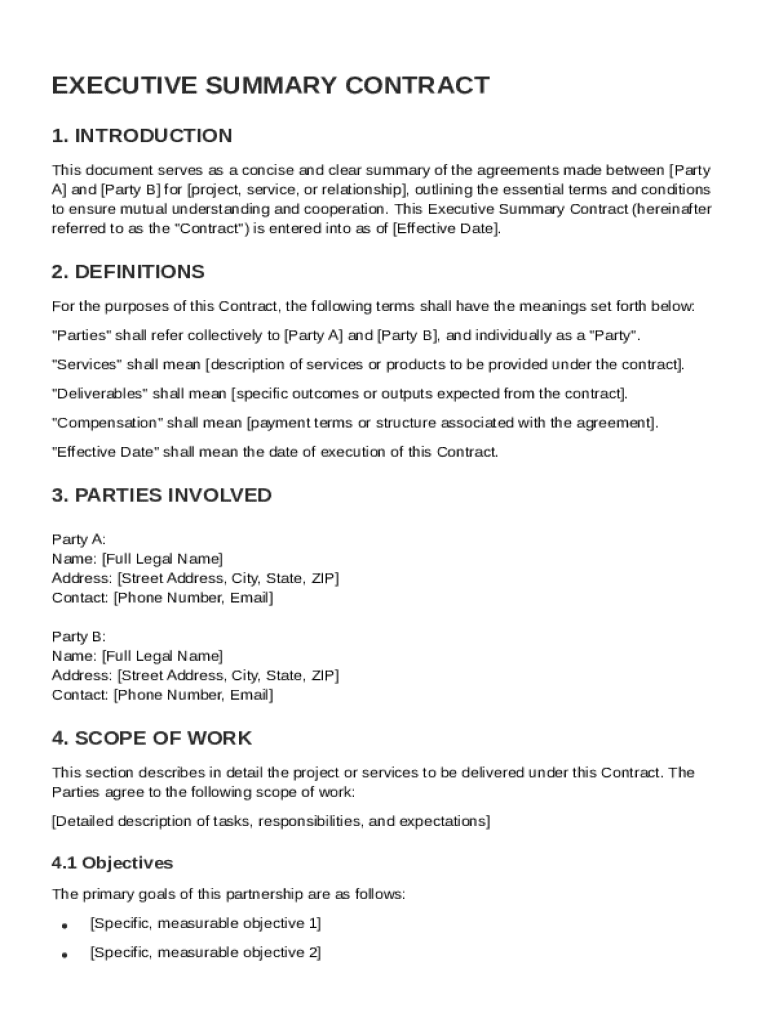
An Executive Summary Contract Template serves as a concise document for formalizing agreements between parties, such as businesses or individuals, involved in a specific project or service. This template provides a high-level overview of critical contract elements, including the scope of work, payment terms, performance metrics, confidentiality, and dispute resolution. By offering a snapshot of the agreement, it aids parties in understanding their responsibilities and commitments without delving into exhaustive details that a full contract would entail. It is particularly useful in ensuring that all involved parties have a mutual understanding before proceeding further in the contractual process.
Key Elements of the Executive Summary Contract Template
The Executive Summary Contract Template encompasses core components that are vital for a comprehensive understanding of contractual obligations:
- Scope of Work: Clearly outlines the specific tasks and responsibilities each party agrees to perform.
- Payment Terms: Details the agreed monetary compensation, payment schedule, and conditions for release of funds.
- Confidentiality: Lays out requirements for maintaining the privacy of sensitive information exchanged between parties.
- Performance Metrics: Defines targets and benchmarks for evaluating performance, ensuring accountability and quality assurance.
- Dispute Resolution: Establishes the method for resolving conflicts, be it through arbitration, mediation, or legal proceedings.
Each of these elements is crucial to ensuring all parties are aligned and mitigating potential misunderstandings.
How to Use the Executive Summary Contract Template
Using the Executive Summary Contract Template involves several steps to ensure its proper application:
- Review the Template: Begin by thoroughly reading the template to understand its structure and content.
- Customize Content: Tailor the template to align with the specific details of your project or service, adjusting sections such as services offered, deadlines, and financial terms.
- Consult Stakeholders: Discuss the draft with all involved parties to confirm their agreement with the terms.
- Review Legal Terms: Ensure legal compliance by reviewing clauses related to confidentiality, liability, and dispute resolution.
- Finalize and Execute: Once modifications are concluded, execute the document with signatures from all parties, indicating acceptance.
This step-by-step process ensures the template is effectively utilized to establish a binding agreement.
Important Terms Related to Executive Summary Contract Template
Understanding key terminology within the Executive Summary Contract Template is essential for ensuring clarity and legality:
- Breach of Contract: Failure to perform any term of a contract without a legitimate legal excuse.
- Indemnification: Protection against loss or damage for which the other party may be held accountable.
- Force Majeure: Events beyond control, such as natural disasters, preventing a party from fulfilling contract obligations.
- Waiver: Voluntary relinquishment of a known right; important for amending or overlooking specific contract terms.
- Jurisdiction: Legal authority under which the contract will be enforced, often including geographical location.
These terms provide critical insights and set the foundation for interpreting the contract’s enforceability.
Legal Use of the Executive Summary Contract Template
The legal utility of the Executive Summary Contract Template involves ensuring that agreements adhere to relevant laws and industry standards. Utilized correctly, it serves as a legally binding document that protects parties in various transactions:
- Compliance with the ESIGN Act: Ensures electronic signatures on the document are legally recognized.
- Integration into Legal Contracts: Functions as a preliminary document that summarizes key points before drafting a comprehensive legal contract.
- Evidence in Dispute Resolution: Acts as documented proof of the agreed terms in the case of conflict or misunderstanding.
Legal considerations should be kept forefront during the drafting process to safeguard parties’ interests effectively.
Who Typically Uses the Executive Summary Contract Template
The Executive Summary Contract Template is primarily utilized by:
- Businesses: Small to medium enterprises and corporations looking to establish business agreements swiftly.
- Consultants: Independent professionals providing services where a concise understanding of terms is necessary.
- Project Managers: Professionals managing projects with multiple stakeholders, needing clear and high-level project summaries.
- Legal Professionals: Attorneys drafting preliminary agreements before detailed contract creation.
These user groups benefit from the template’s ability to facilitate clear communication and understanding of the contract scope.


Steps to Complete the Executive Summary Contract Template
Completing the Executive Summary Contract Template involves a systematic approach:
- Identify Parties Involved: Clearly list all parties, including contact information.
- Outline Agreement Terms: Summarize the critical contractual elements, such as deliverables and timelines.
- Set Payment Conditions: Establish detailed payment terms, including methods and schedules.
- Define Confidentiality Obligations: Include clauses to protect proprietary information.
- Establish Dispute Procedures: Agree on mechanisms like negotiation or arbitration for resolving disputes.
- Review and Sign: Ensure all parties review each term comprehensively before signing.
These steps are designed to yield a clear, mutual agreement that all parties understand and consent to.
Software Compatibility
When dealing with digital contracts, ensuring that the Executive Summary Contract Template is compatible with relevant software applications is critical:
- DocHub: The template can be edited, signed, and shared seamlessly.
- Google Workspace Integration: Easily import and export files to and from Google Drive.
- Other Platforms: Compatible with common applications like Microsoft Word or Adobe Acrobat, as long as output is required in PDF or similar formats.
Ensuring software compatibility helps maintain workflow efficiency and document integrity across various digital platforms.




