






Definition & Meaning
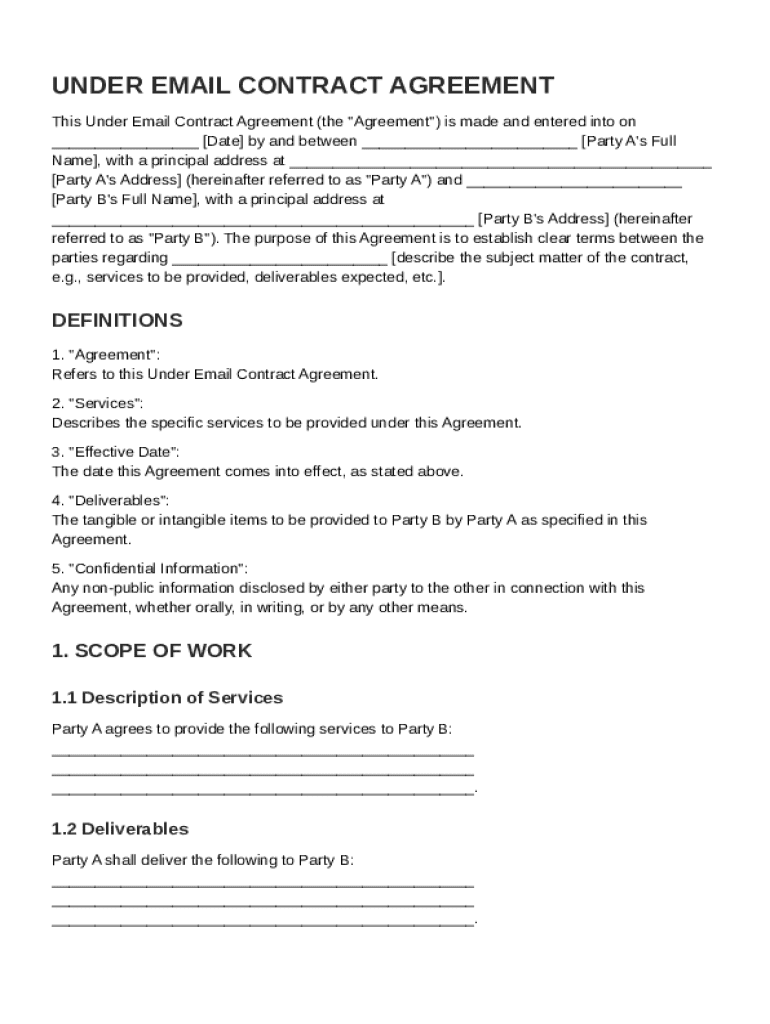
The "Under Email Contract Template" serves as a structured format to outline the terms and conditions of an agreement between two parties when interacting through email communications. It is designed to clearly specify the responsibilities, payment terms, and obligations of the involved parties, ensuring a mutual understanding of the service or product delivery. This template functions within legal frameworks, making it relevant for formalizing agreements where a physical contract is impractical or unnecessary.
Key Elements of the Under Email Contract Template
This contract template encompasses various critical components, making it comprehensive and useful for formal agreements. Key elements include:
- Parties Involved: Specifies the identities and roles of Party A and Party B.
- Scope of Services: Clearly defines the services or products to be delivered.
- Payment Terms: Details the financial obligations, including amounts, due dates, and acceptable payment methods.
- Confidentiality: Mandates the protection of sensitive information shared between parties.
- Dispute Resolution: Provides procedures for resolving conflicts, including mediation or arbitration.
- Legal Jurisdictions: Stipulates the applicable laws and legal settings governing the agreement.
These components ensure that both parties are protected and have a clear understanding of their commitments and rights.
How to Use the Under Email Contract Template
To effectively utilize the Under Email Contract Template, follow these steps:
- Identify the Transaction: Begin by clearly defining the transaction or service to be agreed upon.
- Draft Preliminary Terms: Outline the primary terms, such as payment schedules and deliverables.
- Customize the Template: Use the provided template to insert specific terms that apply to your situation.
- Share with Counterparty: Email the draft to the other party for review.
- Negotiate Amendments: Discuss any necessary changes or modifications to the initial draft.
- Finalize and Sign: Once agreed, both parties should confirm acceptance via a digital or written signature.
This structured approach guarantees clarity and structure in the agreement process, protecting both parties' interests and expectations.
Legal Use of the Under Email Contract Template
The use of an Under Email Contract Template aligns with legal practices by providing a clear, written record of agreements made through email correspondence. This template adheres to legal standards that require clarity in terms and conditions. Such contracts, when executed properly, can uphold in legal settings under applicable contract law principles, provided they include essential elements like agreement, consideration, and mutual consent. Additionally, using electronic signatures compliant with the ESIGN Act adds legal weight.
Who Typically Uses the Under Email Contract Template
The Under Email Contract Template is particularly useful for a variety of professionals and industries. Typical users include:
- Freelancers and Consultants: To formalize agreements with clients regarding services and deliverables.
- Small Businesses: For managing service contracts or supplier agreements without excessive paperwork.
- Remote Teams: Where members are geographically dispersed and need a quick legal format.
- Non-Profits and NGOs: For agreements on partnership or donor commitments.
These users benefit from a user-friendly approach to contract management that promotes efficiency while meeting legal requirements.


Steps to Complete the Under Email Contract Template
Filling out the Under Email Contract Template involves a systematic procedure:
- Introduction Details: Fill in names, roles, and contact information for each party.
- Define Terms: Clearly state the services, expected outcomes, payment terms, and confidentiality clauses.
- Customize Provisions: Adjust clauses for compliance with relevant laws or additional specific requirements.
- Review and Confirm: Double-check details for accuracy and completeness.
- Seek Legal Review: Optionally, have a legal advisor examine the contract for any potential issues.
- Sign and Share: Secure signatures from involved parties and distribute finalized copies electronically.
Following these steps ensures a comprehensive and legally sound agreement.
Important Terms Related to Under Email Contract Template
A clear understanding of relevant terms is crucial for utilizing the template correctly:
- Mutual Consent: Agreement by both parties on outlined terms.
- Consideration: The benefit or value exchanged as part of the agreement.
- Breach: Any violation of the agreed terms.
- Force Majeure: Clauses covering unforeseen events affecting contract fulfillment.
- Termination: Conditions under which either party may dissolve the agreement.
These terms help users navigate the contract’s scope and implications effectively.
Software Compatibility
The Under Email Contract Template is versatile and compatible with numerous digital platforms, easing its integration into existing workflows. It seamlessly works with:
- DocHub: For easy editing, signing, and sharing.
- Google Drive: Facilitates storage and access for Google Workspace users.
- Microsoft Word: Offers opportunities for more detailed editing and customization.
- PDF Readers: Enables viewing across multiple operating systems and devices.
Its adaptability allows users across different environments to implement and manage their contracts efficiently.