
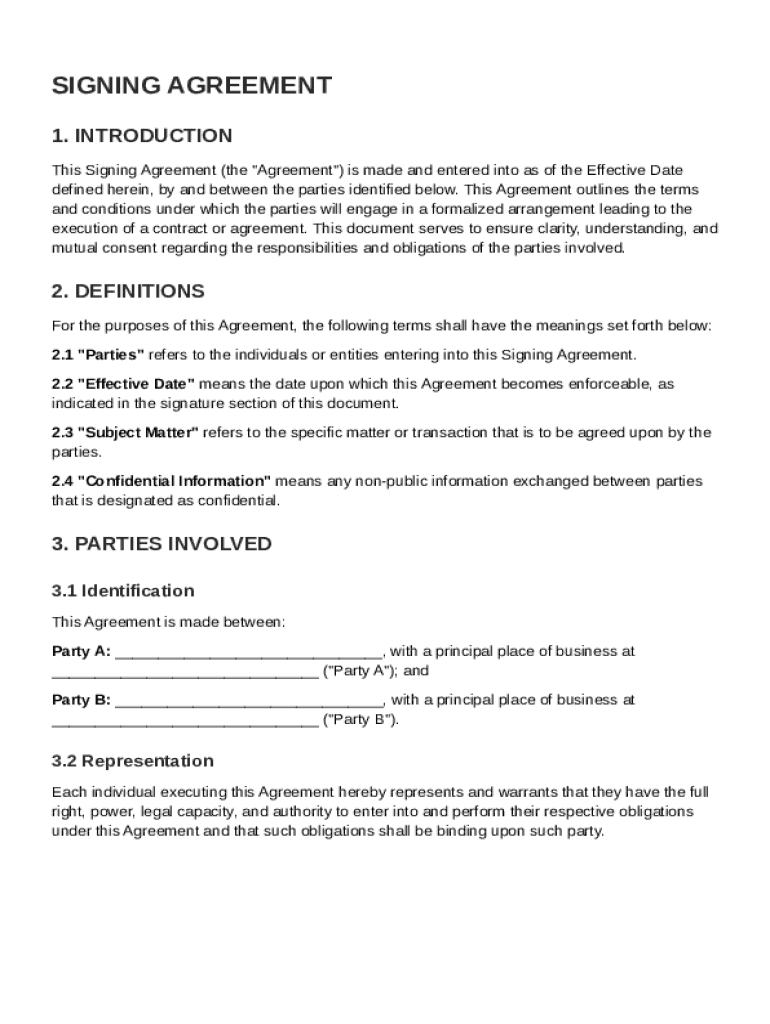







Definition and Meaning
A Signing Agreement Template is a structured document designed to formalize the terms and conditions of an arrangement between two or more parties. This template outlines the responsibilities, confidentiality obligations, and dispute resolution processes. It provides a clear framework that helps ensure mutual consent and understanding, ultimately serving as a legally binding contract once signed. The template is crucial for setting expectations and minimizing misunderstandings, making it a foundational tool in business and personal agreements.
Key Elements of the Signing Agreement Template
The Signing Agreement Template typically includes essential components such as:
- Party Identification: Names and roles of the parties involved.
- Terms and Conditions: Specific obligations and responsibilities each party agrees to.
- Confidentiality Clauses: Provisions to protect sensitive information exchanged during the agreement.
- Dispute Resolution: Mechanisms for resolving disagreements, including mediation or arbitration processes.
- Signatures and Dates: Spaces for signing parties to formalize their consent and agreement to the terms.
These elements ensure that the agreement is both comprehensive and legally enforceable, providing clear guidance on each party's duties and expectations.
How to Use the Signing Agreement Template
To effectively use a signing agreement template, follow these steps:
- Identify the Parties: Clearly state the names and details of all parties involved.
- Define the Agreement Terms: Outline the scope, objectives, and specific terms relevant to the agreement.
- Draft Clauses: Include mandatory clauses such as confidentiality, indemnity, and termination clauses.
- Review and Modify: Customize the template to fit the specific needs and legal requirements of the parties.
- Sign and Date: Have all parties sign and date the document to ensure it is legally binding.
This structured approach helps streamline the agreement process, making it efficient and effective for all parties involved.
Steps to Complete the Signing Agreement Template
Completing a Signing Agreement Template involves several key steps:
- Review Template: Check the template for completeness and relevance to your specific agreement type.
- Fill in Basic Details: Enter party names, agreement dates, and any preliminary information.
- Detail Specific Obligations: Clearly write out each party's roles and responsibilities.
- Draft any Necessary Amendments: Address unique needs or circumstances of the agreement.
- Check Legal Compliance: Ensure the template complies with jurisdiction-specific legal requirements.
- Finalize Document: Proofread for accuracy and completeness, ensuring all sections are filled out before signing.
By following these steps, you ensure the document is prepared accurately and ready for execution.
Who Typically Uses the Signing Agreement Template
Signing Agreement Templates are commonly used by:
- Businesses: For partnerships, vendor agreements, and employee contracts.
- Freelancers: To formalize client relationships and project terms.
- Nonprofits: In creating service agreements and donation-related contracts.
- Individuals: For personal agreements such as lending arrangements or joint ventures.
These templates serve a wide array of sectors, enabling a standardized approach to drafting agreements that hold legal weight.


Legal Use of the Signing Agreement Template
Signing Agreement Templates are designed to comply with applicable legal standards and are instrumental in:
- Formalizing Contracts: Ensuring that agreements are legally binding and enforceable.
- Creating Legal Protection: Providing a documented framework to support claims in case of disputes.
- Complying with Regulations: Meeting industry-specific legal requirements to avoid penalties.
It is essential to adapt templates according to jurisdictional laws to maintain their enforceability and integrity in legal contexts.
State-Specific Rules for the Signing Agreement Template
While Signing Agreement Templates serve a universal function, state-specific regulations may affect the:
- Enforceability: Some states have unique requirements for contracts, such as witnessing or notarization.
- Content Requirements: Specific clauses may be mandated by state law.
- Legal Interpretations: Variations in law can affect how terms are interpreted and enforced.
Adapting the template to meet state-specific rules ensures its legality and effectiveness across different jurisdictions.
Digital vs. Paper Version
Deciding between digital and paper versions of the Signing Agreement Template depends on:
- Convenience and Accessibility: Digital agreements are easier to share and access remotely, which is beneficial for distributed teams.
- Security: Digital signatures may offer more security features such as encryption and audit trails.
- Legal Acceptance: Both versions hold legal weight, but digital documents must comply with electronic signature laws like the ESIGN Act.
Understanding the differences allows users to choose the best format for their needs, ensuring both security and ease of use.




