Definition & Meaning
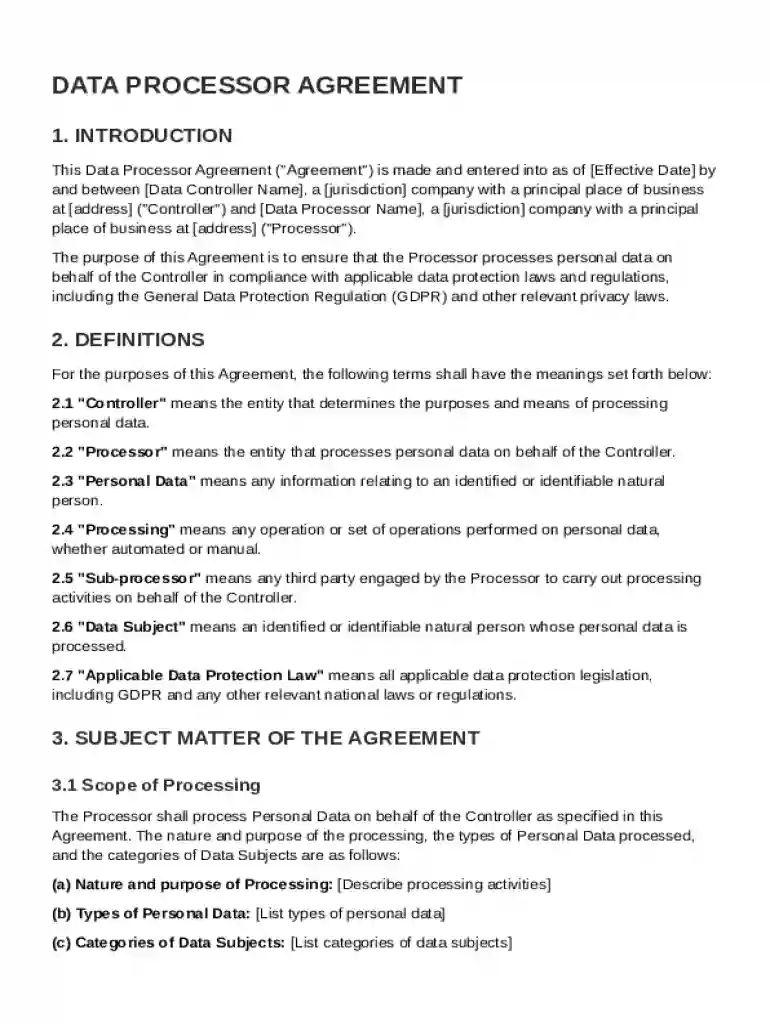
A Data Processor Agreement (DPA) Template outlines the legal relationship between a data controller and a data processor, ensuring compliance with data protection regulations like the GDPR. This agreement specifies the roles and responsibilities of each party in handling personal data, emphasizing protection, privacy, and accountability. It serves as a contract that not only defines operational protocols for data processing but also incorporates security measures to mitigate risks of unauthorized data access or breaches.
Key Components
- Roles and Responsibilities: Defines the obligations of data controllers, who determine the purposes and means of processing personal data, and data processors, who handle data on behalf of controllers.
- Security Measures: Lists technical and organizational measures that must be in place to protect personal data.
- Sub-Processing: Addresses conditions under which data processors can engage third parties (sub-processors) and the requirements for doing so.
Key Elements of the Data Processor Agreement Template
The DPA Template includes several critical clauses that must be tailored to the specifics of the data processing relationship.
Data Subject Rights
- Access: Ensures individuals can access their personal data.
- Rectification and Erasure: Provides mechanisms for correcting or deleting data when necessary.
- Restriction: Outlines conditions for limiting data processing activities.
Breach Notification
- Timeline for Notification: Specifies the timeframe within which processors must inform controllers of any data breaches.
- Content of Notification: Details the type of information that must be provided, such as the nature and scope of the breach, affected data, and mitigation steps.
Termination Conditions
- Breach of Terms: Includes provisions for terminating the agreement if either party fails to comply with the DPA's terms.
- Data Return or Deletion: Outlines procedures for returning or permanently deleting personal data upon termination.
How to Use the Data Processor Agreement Template
The template is a blueprint to draft a customized DPA, fitting the specific needs of the involved parties.
- Review Existing Contracts: Examine current agreements between controllers and processors to identify clauses that need updating or are missing.
- Adapt the Template: Modify template sections to reflect particular processing activities, security requirements, and jurisdictions.
- Legal Consultation: Collaborate with legal experts to ensure compliance with local and international regulations.
Customization Tips
- Include Specifics: Tailor content to specify particular data categories processed and the duration of data processing activities.
- Clarify Responsibilities: Clearly outline which party is responsible for each obligation or task.
States-Specific Rules for the Data Processor Agreement Template
Different U.S. states may have additional requirements or variations, influencing how DPAs should be drafted and enforced.
California Consumer Privacy Act (CCPA)
- Consumer Rights: Emphasizes the right of Californians to know what personal data is collected about them and the option to request deletion.
- Exemptions and Obligations: Certain businesses must comply with additional criteria, such as disclosing data sales.
Virginia Consumer Data Protection Act (VCDPA)
- Sensitive Data Handling: Requires explicit consent for processing sensitive data categories, impacting how DPAs need to manage such data.
- Data Protection Assessments: Mandates risk assessments for certain processing activities, which should be reflected in the DPA.
Legal Use of the Data Processor Agreement Template
The DPA Template must be drafted and used in compliance with prevailing legal standards to be enforceable and protective.
GDPR Compliance
- Lawfulness and Transparency: Ensures processing activities are transparent and have a lawful basis.
- Processor-Controller Agreements: Mandates that controllers and processors draft and maintain DPAs specifying all essential data handling terms.
U.S. Legal Considerations
- Contractual Agreements: DPAs are binding legal contracts, underscoring the importance of precise language and compliance with U.S. contract law.
- Amendments and Updates: Regularly revise DPAs to incorporate new legal requirements and protect against evolving data threats.
Examples of Using the Data Processor Agreement Template
Real-world scenarios highlight how DPAs are operationalized across various industries.
Technology Firms
- Cloud Service Providers: Must document data storage, access controls, and the handling of breach incidents in their DPAs.
- Software Developers: Include clauses concerning data captured through applications, focusing on end-user privacy.
Healthcare Organizations
- Patient Data Management: Incorporate specific requirements for patient data privacy, such as those under HIPAA, into the DPA.
- Third-Party Vendors: Clearly delineate data responsibilities and liability between healthcare providers and suppliers.
Steps to Complete the Data Processor Agreement Template
- Identify Parties: Clearly name the data controller and processor, including their contact details.
- Scope of Processing: Define the nature, purpose, and duration of data processing, alongside the categories of data subjects involved.
- Security Requirements: Enumerate security measures technology and organizational practices designed to protect personal data.
- Approval and Execution: Ensure both parties review the agreement, provide feedback, and sign.
Execution Checklist
- Accuracy Verification: Double-check all processing details for accuracy and completeness.
- Signatures: Obtain formal consent from all relevant parties to enforce the DPA legally.
Small and Medium Enterprises (SMEs)
- Data Sharing with Vendors: Use DPAs to frame data sharing agreements with service providers.
- Outsourced IT Services: Ensure external IT companies comply with data protection standards.
Large Corporations
- Global Operations: Implement DPAs across different regions to unify data protection practices.
- Complex Supply Chains: Seamlessly integrate DPAs into multi-layered supplier relationships to manage data compliance effectively.