






Definition & Meaning
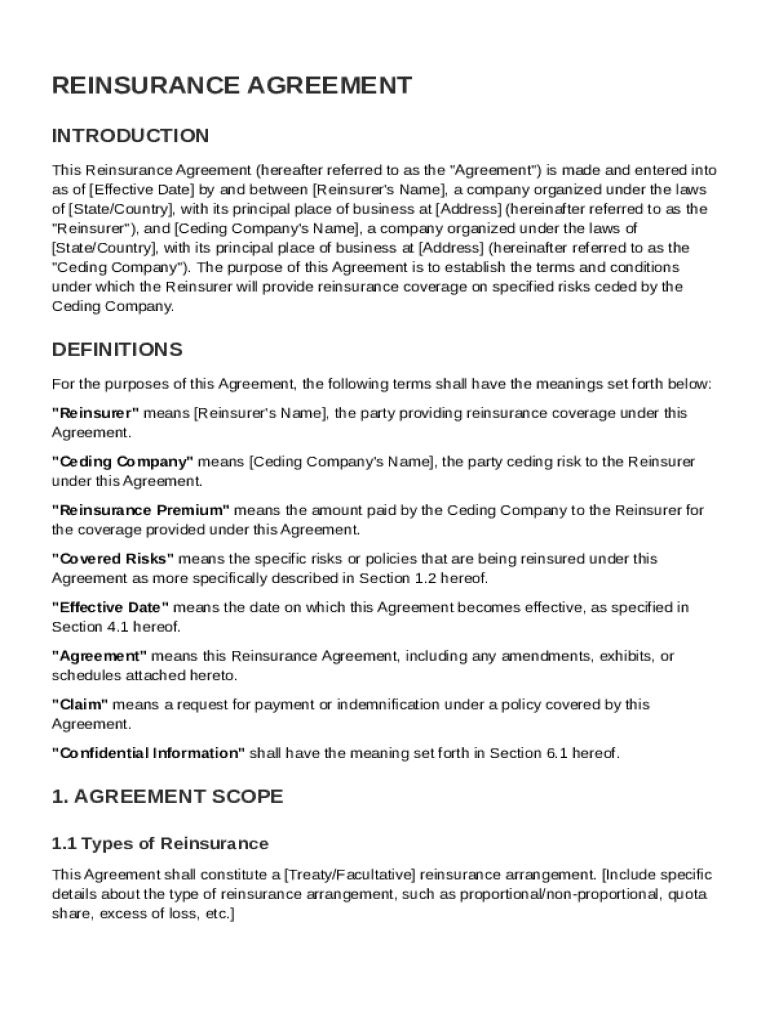
The Reinsurance Agreement Template is a legal document that outlines the terms and conditions under which a reinsurer provides reinsurance coverage to a ceding company for specified risks. It serves to formalize the relationship between the two parties in managing risk and defining their financial responsibilities. The document details essential components such as the agreement's scope, premium, and payment terms. It also includes the claims handling procedures crucial for processing any claims that arise under the agreement.
Key Provisions
- Definitions: Establishes the meaning of specific terms used in the agreement.
- Agreement Scope: Outlines the coverage limits, exclusions, and conditions under which reinsurance is provided.
- Premium and Payment Terms: Specifies the amount, frequency, and method of premium payments.
Key Elements of the Reinsurance Agreement Template
The Reinsurance Agreement Template includes several critical sections to ensure comprehensive coverage and clarity for both parties involved.
Agreement Scope
This section specifies the risks covered and the extent of liability of the reinsurer. It sets clear boundaries on what is covered, ensuring both parties are aligned in understanding the limits and responsibilities.
Claims Handling Procedures
Includes steps and protocols for reporting claims, assessing losses, and processing payments. Effective claims handling is pivotal to maintaining trust and smoothly resolving disputes.
Duration and Termination Rights
Outlines the period for which the agreement is valid and details the conditions under which it may be terminated by either party, ensuring flexibility and protection for both the reinsurer and the ceding company.
How to Use the Reinsurance Agreement Template
Using the Reinsurance Agreement Template efficiently requires an understanding of its structure and purpose.
Steps to Use
- Review Definitions: Familiarize yourself with the specific terminology and definitions.
- Assess Agreement Scope: Ensure the coverage aligns with your organization's risk needs.
- Negotiate Terms: Discuss premium payments and claims procedures to ensure mutual agreement.
- Finalize Document: Thoroughly check for any errors or omissions before finalizing.
Steps to Complete the Reinsurance Agreement Template
Completing the template involves several important steps to ensure accuracy and legal compliance.
Step-by-Step Process
- Preliminary Review: Evaluate existing reinsurance needs against the template structure.
- Customizing the Agreement: Tailor sections specific to the ceding company's risks and requirements.
- Legal Consultation: Consult with legal experts to ensure provisions meet industry standards and legal requirements.
- Signatures and Execution: Obtain signatures from authorized representatives of both parties.
Legal Use of the Reinsurance Agreement Template
Understanding the legal implications of using the Reinsurance Agreement Template is imperative for compliance and operational integrity.
Legal Considerations
- Adherence to Regulations: Ensure the agreement complies with federal and state insurance laws and regulations.
- Confidentiality Provisions: Maintain the confidentiality of sensitive information as set forth in the agreement.
Important Terms Related to Reinsurance Agreement Template
Familiarity with key terms can improve understanding and execution of the agreement.
Essential Terms
- Reinsurer: The company that provides reinsurance coverage.
- Ceding Company: The original insurer that transfers risk through reinsurance.
- Retention: The portion of risk retained by the original insurer before reinsurance coverage kicks in.
State-Specific Rules for the Reinsurance Agreement Template
Reinsurance agreements may be subject to different rules depending on the state in which they are executed.
Variations by State
- Licensing Requirements: Ensure both reinsurer and ceding company meet state-specific licensing obligations.
- Reporting Requirements: Adhere to state mandates for financial and operational reporting to regulatory authorities.
Examples of Using the Reinsurance Agreement Template
Practical examples demonstrate how the template can be applied in real-world scenarios.
Practical Applications
- Catastrophe Reinsurance: Used by insurance companies to protect against massive claims resulting from natural disasters.
- Facultative Reinsurance: Applicable for a single risk or set of risks, tailored to specific needs of the ceding company.