AUTOMATIC BILL PAYMENT ENROLLMENT FORM 2026

Get Form
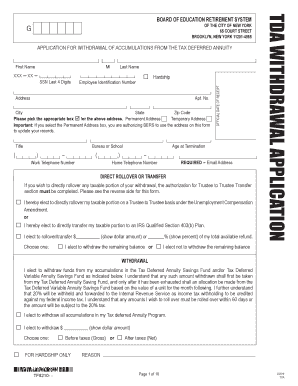
AUTOMATIC BILL PAYMENT ENROLLMENT FORM Preview on Page 1

Here's how it works

01. Edit your form online
Type text, add images, blackout confidential details, add comments, highlights and more.
02. Sign it in a few clicks
Draw your signature, type it, upload its image, or use your mobile device as a signature pad.
03. Share your form with others
Send it via email, link, or fax. You can also download it, export it or print it out.

How to modify AUTOMATIC BILL PAYMENT ENROLLMENT FORM in PDF format online

Form edit decoration
9.5
Ease of Setup
DocHub User Ratings on G2
9.0
Ease of Use
DocHub User Ratings on G2

Working on documents with our feature-rich and user-friendly PDF editor is simple. Make the steps below to complete AUTOMATIC BILL PAYMENT ENROLLMENT FORM online easily and quickly:

  1. Log in to your account. Sign up with your email and password or register a free account to try the product prior to choosing the subscription.
  2. Import a form. Drag and drop the file from your device or add it from other services, like Google Drive, OneDrive, Dropbox, or an external link.
  3. Edit AUTOMATIC BILL PAYMENT ENROLLMENT FORM. Easily add and underline text, insert images, checkmarks, and signs, drop new fillable fields, and rearrange or remove pages from your document.
  4. Get the AUTOMATIC BILL PAYMENT ENROLLMENT FORM accomplished. Download your modified document, export it to the cloud, print it from the editor, or share it with other people via a Shareable link or as an email attachment.

Benefit from DocHub, the most straightforward editor to quickly handle your paperwork online!

be ready to get more

Complete this form in 5 minutes or less

Get form

Got questions?

We have answers to the most popular questions from our customers. If you can't find an answer to your question, please contact us.
Contact us
A customer can schedule an automatic bill payment in several ways: through their bank/financial institution, through a vendors website, or through cloud-based accounting software, to list a few. Regular payments can be authorized through the credit card, debit card, checking/savings account, or money market account.
How to set up automatic payments Log in to your online banking account. Navigate to the bill pay section. Add the vendor or service provider as a payee. Set up recurring payments by specifying the amount and frequency. Choose the date for payments to be processed.
What Is the Safest Way To Set Up Automatic Payments? Review your bank statements regularly. Make sure you have sufficient funds. Schedule payments around your pay cycle. Take advantage of alerts and notifications. Look into your overdraft protection options.
Heres how automated payments commonly function: Direct payments: The payer provides their bank information to the biller, who then sets up automatic withdrawals on the due date. Bill payment systems: Through a banks online payment system, bills automatically are paid by specifying the amount, payee, and date.
How to Set Up Automatic Payments Log in to your banks online banking portal through its website or mobile app. Navigate to the Bill Payment page of the site. Click Add A New Payee. Enter the company name. Add your account number with the company.
be ready to get more

Complete this form in 5 minutes or less

Get form

People also ask

An automatic bill payment is a scheduled money transfer arranged to pay a recurring bill on a predetermined date. Typically, these payments are made from a banking, brokerage, or mutual fund account to vendors. These payments are often established directly with the company receiving the payment.
Automatic payment options allow you to send payments on a specific day every month. You simply set the amount you want paid and the date you want the money sent. Automatic payments can be a helpful tool for bills that remain constant each month like a mortgage payment, car loan or student loan.

Related links