
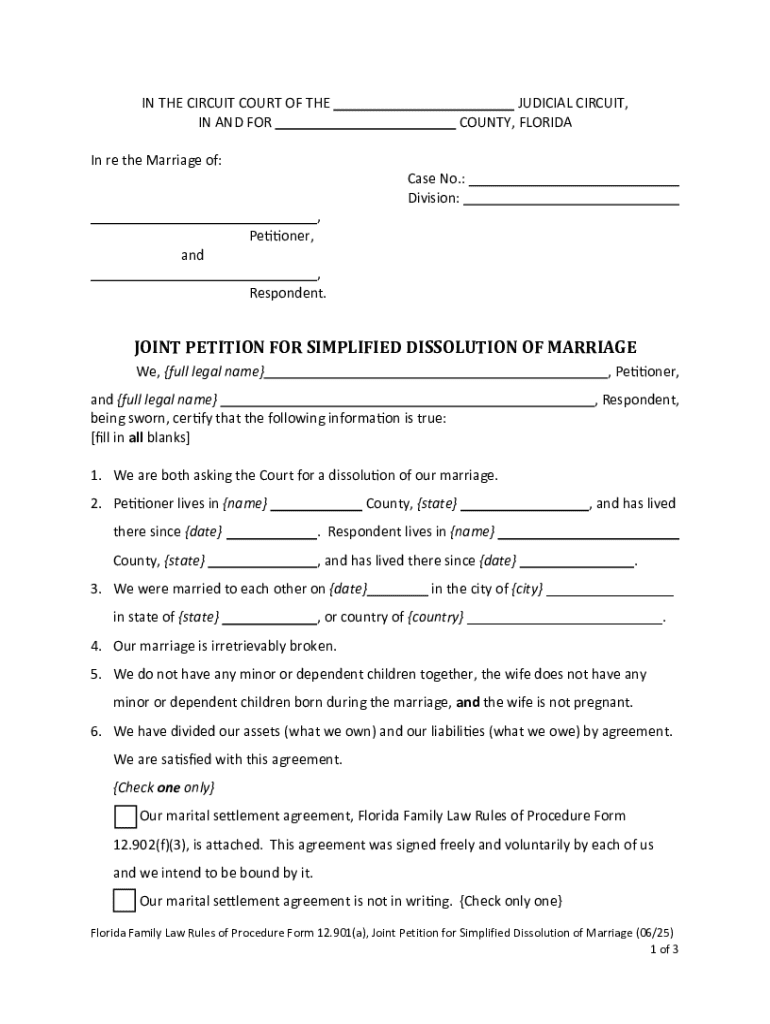







Definition & Meaning
Form online refers to the digital version of any form that can be accessed and completed over the internet. This format allows users to fill out and submit documents electronically, eliminating the need for physical paperwork. The main advantage of online forms is the convenience they offer, as they can be accessed from anywhere with an internet connection. Online forms can range from simple contact forms to complex legal documents, making them versatile tools for personal and business use. They often include features like automatic data validation and are designed to be user-friendly, ensuring that users provide all necessary information correctly.
How to Use the Form Online
Using an online form involves several straightforward steps. Generally, users begin by accessing the form through a web browser. Most platforms offer a user-friendly interface, with forms being divided into sections for ease of completion. Users can typically fill in text fields, select options from dropdown menus, and upload necessary documents directly through the form interface. The ability to save progress and return to the form later is often available, providing flexibility. Once all required fields are completed and reviewed for accuracy, users can submit the form electronically, often receiving a confirmation of receipt immediately.
Steps to Complete the Form Online
- Access the Form: Navigate to the website hosting the form and locate the specific form needed.
- Fill Out the Necessary Fields: Complete each section of the form, starting with basic information and progressing to more specific questions.
- Review Entries: Before submission, review all entries to ensure accuracy.
- Attach Supporting Documents: Upload any required documents, such as identification proofs or financial statements, as specified in the form instructions.
- Submit the Form: Once all sections are complete and verified, submit the form electronically.
- Confirm Submission: Look for a submission confirmation, either as a webpage notice or an email, to verify successful form transmission.
Key Elements of the Form Online
Online forms consist of several key elements designed to facilitate user interaction and data collection. Key elements include:
- Text Fields: For entering personal data such as names, addresses, and dates.
- Checkboxes and Radio Buttons: For selecting one or more options from a predefined list.
- Dropdown Menus: To provide a list of options from which users can make a selection.
- File Upload Options: Allow users to attach necessary documents directly to the form.
- Submit Button: The final step in the process, allowing for form submission upon completion.
Important Terms Related to Form Online
Understanding the terminology associated with online forms can enhance the user's ability to complete them accurately:
- Digital Signature: An electronic form of signature ensuring the authenticity and integrity of a document.
- Authentication: The process by which a user verifies their identity before accessing or submitting the form.
- Encryption: A method of securing data, ensuring that information entered into the form remains confidential.
- User Interface: The part of the form that users interact with, designed for ease of use and functionality.
Legal Use of the Form Online
Online forms hold legal significance and are often used for formal applications, contracts, or official agreements. They must comply with digital transaction laws, such as the ESIGN Act in the U.S., which ensures that electronic forms and signatures have the same legal standing as their paper counterparts. Users should ensure that any online form they use is hosted by credible platforms with strong data protection measures in place. Legal compliance also requires that forms include disclosures or notices that users must agree to before submission, to ensure informed consent.
Examples of Using the Form Online
Online forms are used in various scenarios across different sectors. Examples include:
- Job Applications: Candidates submit resumes and cover letters through company websites.
- Tax Filings: Individuals and businesses can file taxes through IRS e-file systems.
- Legal Agreements: Contractual agreements and acknowledgment forms signed electronically.
- Customer Feedback: Surveys and feedback forms allow customers to provide input on products or services.
State-Specific Rules for the Form Online
Different states may have specific regulations regarding the use of online forms, especially for legal or official documents. It is essential for users to verify that online forms meet state requirements. For instance, state-specific tax forms must align with local tax laws and guidelines. Other documents, like marriage licenses or property deeds, may also have unique state-specific submission procedures and requirements. Users should consult with the issuing authority or legal advisors to ensure compliance with any state-specific rules regarding online form submissions.
Software Compatibility (TurboTax, QuickBooks, etc.)
Certain online forms, especially those related to financial and accounting data, are compatible with software applications like TurboTax or QuickBooks. This integration allows users to import relevant data directly into the software, streamlining tax preparation or financial reporting processes. Compatibility ensures that information is transferred accurately, minimizing the risk of errors. Software often includes tools for error-checking and audit trails, providing users with enhanced reliability during submission. Users should verify software requirements and compatibility before beginning the form submission process to ensure a seamless experience.




