
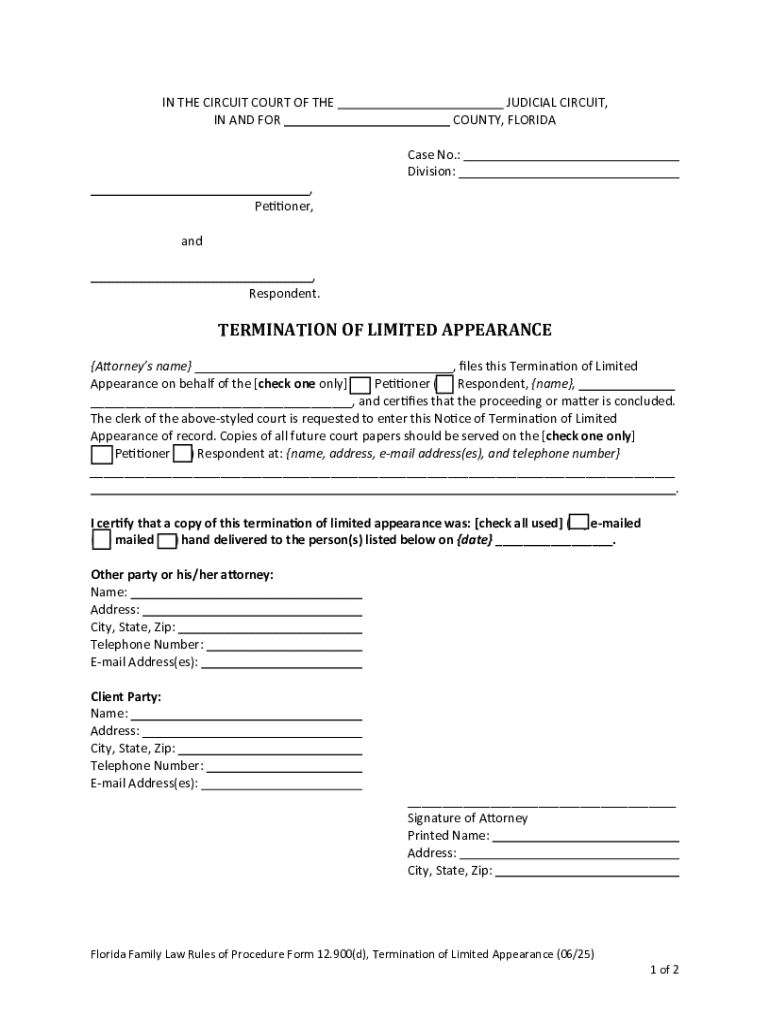







Definition and Purpose of Online Forms
Online forms are digital versions of paper forms that allow users to fill out, submit, or manage information electronically. These forms serve various purposes, including data collection, surveys, applications, feedback submissions, and document signing. The move towards digital forms enhances convenience by allowing users to submit information anytime and from anywhere, improving response times and data accuracy. Online forms can include features such as autocomplete, validation, and conditional logic to streamline the user experience and reduce errors.
How to Use Forms Online
Using forms online is straightforward but requires careful attention to detail to ensure accurate and complete submissions. Here’s a typical process:
- Access the Form: Locate the form online through a provided URL, platform, or document management system like DocHub.
- Read Instructions: Thoroughly review instructions to understand requirements and guidelines specific to the form.
- Fill in Details: Enter required information in designated fields. This may include text, numbers, dates, selections from dropdown menus, or uploaded documents.
- Review: Carefully review all entries to ensure all information is correct and complete.
- Submit: Click the submit button, ensuring the data is captured and processed correctly. Confirmation emails or messages typically follow successful submissions, serving as records of the transaction.
Obtaining Forms Online
Accessing forms online involves identifying the correct source or platform offering the form. Here are common methods:
- Official Websites: Many organizations, such as government agencies, educational institutions, and businesses, host forms on their official websites.
- Document Management Platforms: Platforms like DocHub provide templates for various forms, offering customizable solutions for a wide array of needs.
- Email Requests: Some forms can be obtained by submitting a request via email to the appropriate department or personnel. This is common in corporate and administrative settings.
Steps to Complete an Online Form
Completing an online form accurately involves several crucial steps:
- Preparation: Gather all necessary information and documents before starting.
- Login/Account Creation: If required, create an account or log in to access the form.
- Fill Out the Form: Follow each section of the form carefully, entering data into each field.
- Attachments: Upload any required documents or images, ensuring they meet specified formats and size limits.
- Validation: Use form validation tools to check for incomplete or incorrect entries.
- Review and Edit: Carefully review all input for accuracy and completeness. Edit as needed.
- Submit and Save: Submit the form, and save or print copies of the completed form confirmed by acknowledgment of receipt.
Advantages of Using Forms Online
Opting to use online forms offers several benefits:
- Convenience: Users can complete forms from any location with internet access.
- Efficiency: Helps in quickly collecting responses without the need for physical paperwork.
- Accuracy: Real-time data validation minimizes errors, ensuring data integrity.
- Environmental Impact: Reduces paper use, contributing to eco-friendly practices.
- Tracking: Easily track submissions with timestamps and audit trails, valuable for both individual and organizational use.
Common Users of Online Forms
Online forms cater to a diverse range of users across different sectors:
- Businesses: Use for applications, surveys, client intake forms, feedback, and electronic contracts.
- Educational Institutions: Faculty and students use online forms for applications, registrations, assessments, and feedback.
- Government Agencies: For public use in applications, permits, and reporting.
- Non-Profit Organizations: Use for donor management, event registrations, and volunteer sign-ups.


Important Terms Related to Online Forms
Navigating online forms often requires familiarity with specific terminology:
- Field: An individual area where data is inputted.
- Validation: Process of checking data input against required formats to ensure accuracy.
- Autocomplete: Feature that predicts and automatically fills in specific data fields based on previous entries.
- Dropdown: A selectable list of options within a field.
- Signature Field: Area designated for digital or electronic signatures.
Legal Aspects of Online Forms
Online forms are bound by various legal considerations, especially those involving digital signatures and data protection:
- Privacy Laws: Compliance with regulations such as GDPR and CCPA to protect user data.
- Digital Signatures: Must meet legal standards like the ESIGN Act in the United States, ensuring electronically signed documents are legally binding.
- Data Security: Must implement robust encryption and security protocols to safeguard data during transmission and storage.
Key Elements of Effective Online Forms
Well-designed online forms should include the following features:
- User-Friendly Design: Intuitive layout and navigation make it easy for users to fill out forms without confusion.
- Clear Instructions: Precise guidelines for filling in each field to prevent mistakes.
- Accessible Format: Designed for accessibility, allowing use by individuals with disabilities, following standards like WCAG.
- Error Messaging: Provides real-time feedback to guide users in correcting incorrectly entered data.
- Responsive Design: Ensures forms function correctly on various devices, including smartphones and tablets.




