






Definition and Meaning of Form Online
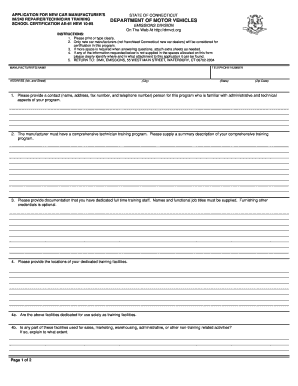
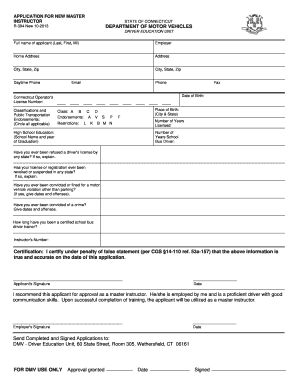
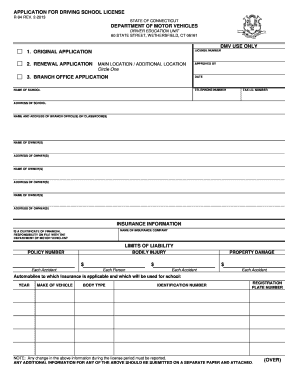
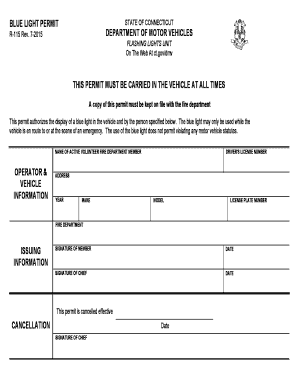
The concept of a "form online" refers to digital forms that individuals and businesses can use to submit information electronically, replacing traditional paper-based forms. These forms can encompass various documents, from tax filings, applications, and legal agreements, to registration forms. By providing a seamless and efficient way to capture and manage information, the use of online forms has revolutionized how data is collected and processed.
How to Use the Form Online
Using a form online typically involves:
-
Accessing the Form: Navigate to the relevant website or platform where the online form is hosted. DocHub, for example, allows users to access forms directly from its interface.
-
Filling Out Fields: Input the required information into designated fields. This can include text boxes for names and addresses, dropdown menus for selection-based responses, and signature fields for e-signatures.
-
Validation: Ensure all necessary fields are completed accurately before submission. Many online platforms, including DocHub, provide a mechanism for validation to prevent incomplete form submissions.
-
Submitting the Form: Once filled, submit the form through the platform. Some forms may provide a confirmation or a tracking number upon successful submission.
Steps to Complete the Form Online
Completing a form online involves several detailed steps:
-
Preparation: Gather all required documentation and information before starting the form. This ensures you have all necessary details at hand.
-
Review Instructions: Carefully read through any instructions or guidelines provided with the form to understand the requirements and avoid mistakes.
-
Input Data: Enter data into the form accurately. Pay attention to required fields and data formats, such as dates and numerical entries.
-
Review and Edit: Double-check all information entered for accuracy and completeness. Correct any errors before final submission.
-
Save a Copy: If the platform allows, save a copy of the completed form for your records, either by downloading it or receiving a confirmation receipt via email.
Why Should You Form Online
Using online forms offers multiple advantages:
-
Efficiency: Online forms significantly reduce processing time. Automated systems can quickly validate submissions and integrate them into databases.
-
Convenience: Users can fill out and submit forms anytime, anywhere, eliminating the need for in-person visits or mailing physical copies.
-
Cost-Effectiveness: Digital processing reduces printing and mailing costs associated with paper forms.
-
Accuracy: Built-in validation tools help minimize errors that occur with manual data entry.
Key Elements of the Form Online
Key elements often found in online forms include:
-
Form Fields: These are the areas where users input their information. They can appear as text boxes, checkboxes, or dropdown lists.
-
Validation Mechanisms: Ensure that the data entered meets required formats and criteria, preventing misinformation.
-
Submission Capabilities: Often include options for direct submission, and some may provide immediate confirmation or tracking.
-
Security Features: Online forms incorporate security protocols like encryption to protect sensitive information.
State-Specific Rules for the Form Online
When dealing with state-specific forms, it's essential to understand that each state may have distinct requirements. For example:
-
Varying Data Requirements: Information required might differ based on state regulations. Always check the specific state's guidelines before filling out forms.
-
Submission Processes: Some states may offer additional online submission options or mandate physical submissions for certain documents.
-
Special Requirements: Ensure compliance with any unique aspects, such as additional documentation or specific filing deadlines.
Software Compatibility
When using online forms, especially for tax or legal purposes, software compatibility plays a critical role. Platforms like DocHub offer compatibility with various file types (e.g., PDF, DOC):
-
Integration Capabilities: Easily integrate with software like Google Workspace, TurboTax, or QuickBooks for seamless workflow management.
-
Cross-Platform Access: Access forms across different devices and operating systems, maintaining consistency and ease of use.
-
File Export Options: Possibility to export completed forms in a variety of formats suitable for your requirements.
Digital vs. Paper Version
Choosing between digital and paper versions of forms involves considering several factors:
-
Accessibility: Digital forms are readily accessible and do not require physical storage space.
-
Environmental Impact: Digital forms eliminate the need for paper, contributing to environmental sustainability efforts.
-
Time Efficiency: Online submissions are processed faster than traditional mailing, providing quicker feedback and response times.