Definition and Meaning of RMU Form
An RMU form, also known as a Request for Maintenance and Upgrade form, is a document used for requesting specific improvements or maintenance tasks within an organization. Although associated primarily with facilities management, the form is used across various sectors to streamline requests for operational enhancements and upkeep.
- Purpose: The RMU form facilitates efficient communication between departments needing improvements and the teams responsible for executing these tasks. It formalizes requests, ensuring they are recorded, tracked, and completed in a timely manner.
- Standard Features: Typically includes sections for detailing the required task, specifying urgency, and outlining any constraints or dependencies.
How to Use the Image of RMU Form
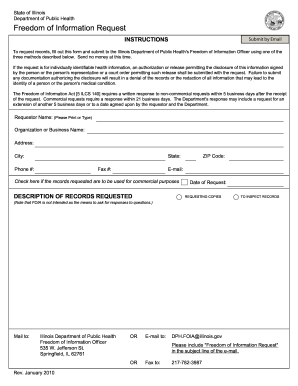
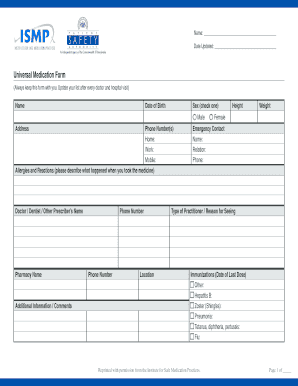
Using the image of an RMU form ensures accuracy in filling out and submitting requests. It serves as a visual guide for completing the form correctly. Here's how to utilize it effectively:
- Understanding Layout: Study the sections of the form through the image to become familiar with its structure, such as task description, priority level, and contact information.
- Identification of Requirements: Use the image to identify mandatory fields and optional sections, ensuring you don't miss any critical information.
- Consistency Check: Refer back to the image to check your filled form against the correct template, ensuring that the information is placed in the right fields.
Steps to Complete the RMU Form
Completing an RMU form involves several essential steps to ensure the information is comprehensive and precise:
-
Task Identification:
- Describe the maintenance or upgrade required.
- Specify location and affected areas.
-
Priority Assignment:
- Indicate urgency level (e.g., high, medium, low).
- Provide justification for the priority assigned.
-
Requester Information:
- Include contact details: name, department, and contact number.
- List any team members involved in the request.
-
Approval Section:
- Identify any approvers and ensure their sections are signed.
- Ensure the approval section is left for required signatures.
-
Submission:
- Confirm all sections are filled and signed.
- Determine submission method (e.g., online, mail, or in-person).
Required Documents for RMU Form Submission
To accompany your RMU form submission, gather and include all necessary documents to enhance processing speed and ensure comprehensive data provision:
- Supporting Evidence: Include photographs or technical reports that justify the need for the request.
- Previous Maintenance Records: Attach any history of prior related maintenance to provide context.
- Cost Estimates: Provide quotes from vendors or contractors if external resources are required.
Who Typically Uses the Image of RMU Form
The RMU form is utilized across various roles within an organization, ensuring requests are documented and processed efficiently:


Facilities Managers
- Oversee the processing and implementation of requests.
- Ensure resources are allocated effectively to approved tasks.
Employees and Department Heads
- Initiate requests for necessary upgrades or maintenance to optimize their working environments.
- Ensure their department's operational needs are met through structured request submissions.
IT and Technical Staff
- Use the form to request technological upgrades or maintenance.
- Ensure systems are up-to-date and functioning efficiently through organized documentation.
State-Specific Rules for RMU Form
Although the RMU form is generally standardized, specific rules may vary by state or entity, influencing how requests are submitted and processed:
- Regulatory Compliances: Some states might mandate additional compliance checks for certain maintenance tasks.
- Approval Hierarchies: Different states may have varied approval chain requirements, affecting who needs to authorize the request before it proceeds.
- Environmental Impact Statements: States with stringent environmental laws may require additional documentation assessing environmental impacts from proposed upgrades or maintenance.
Example Scenarios for Using the RMU Form
The RMU form is versatile and applied across different scenarios within an organization:
- Facility Upgrades: Use the form to request renovations, such as office space refresh or expansion.
- Equipment Maintenance: Submit a request for routine or emergency repairs to minimize downtime.
- Technology Enhancement: Utilize the form to update software, acquire new hardware, or implement new technology systems.
Digital vs. Paper Version of the RMU Form
Choosing between digital and paper versions of the RMU form depends on organizational preferences and available resources:
-
Digital Version:
- Pros: Easy to track, reduces paper waste, and ensures rapid communication and processing.
- Cons: Requires technical infrastructure and digital literacy.
-
Paper Version:
- Pros: No technical infrastructure required.
- Cons: Slower processing, potential for physical loss or damage, environmental impact due to paper use.
These sections provide an exhaustive overview of the image of RMU forms, demonstrating their utility across different sectors and ensuring comprehensive knowledge for effective use and submission.