




01. Edit your form online
Type text, add images, blackout confidential details, add comments, highlights and more.

Type text, add images, blackout confidential details, add comments, highlights and more.

Draw your signature, type it, upload its image, or use your mobile device as a signature pad.

Send it via email, link, or fax. You can also download it, export it or print it out.
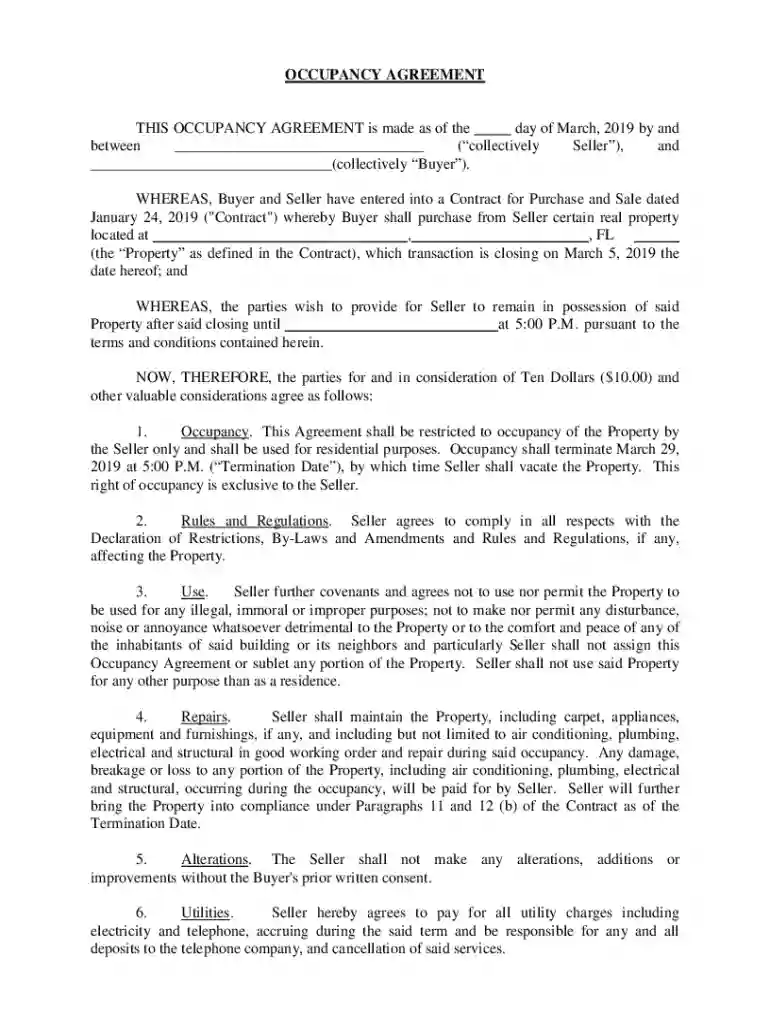
A Post Occupancy Agreement doc is a legal contract between a property seller and buyer allowing the seller to remain in the sold property for a designated period after the closing date. This document details the conditions and responsibilities during this temporary occupancy period, ensuring all parties understand their obligations concerning maintenance, utility payments, and property conditions. Typically, the agreement specifies clear timelines, indemnification clauses, and conditions under which the property should be maintained and returned. The absence of rent during this period is often highlighted, however, this can vary based on specific agreements.
The Post Occupancy Agreement doc is composed of several critical elements designed to protect both the buyer's and seller's interests:
These elements establish a clear framework for occupancy, mitigating potential disputes or misunderstandings post-sale.
Completing the Post Occupancy Agreement doc involves specific steps to ensure it is legally binding and comprehensive:
These steps ensure the document is precise, comprehensive, and enforceable.
The rules and requirements for a Post Occupancy Agreement doc can vary significantly from state to state, affecting specific clauses:
Understanding these state-specific rules helps in drafting agreements that comply with local laws and minimize legal risks.
Utilizing a Post Occupancy Agreement doc legally involves adhering to various guidelines:
Compliance with these legal standards protects both buyer and seller from potential disputes or legal complications.
Post Occupancy Agreement docs are primarily used by:
These parties use this document to clarify occupancy conditions post-sale, ensuring smooth transitions and protecting their interests.


Real-world applications often reflect the practical use of a Post Occupancy Agreement doc:
These scenarios illustrate the flexibility and practical utility of such agreements in real estate transactions.
Understanding key terms within the Post Occupancy Agreement doc ensures clarity:
Familiarity with these terms aids in comprehending the nuances and enforcement of the agreement, ensuring both parties understand their contractual obligations.
At DocHub, your data security is our priority. We follow HIPAA, SOC2, GDPR, and other standards, so you can work on your documents with confidence.




Mgmt #14-AE Agreement.doc. Page 1 of 23. TITLE: ADMINISTRATION OF AGREEMENT Post Occupancy Inspection Report. Total. $. 11.1.2 For Additional ServicesRead more
May 22, 2026 Real estate and construction ➜ Definition meaning ✔️ Standards implementation ✔️ Drivers barriers ✔️ Read article.


