







Definition and Meaning of Forms Online
Forms online refer to digital documents that can be accessed, filled out, and submitted through the internet. These forms streamline processes such as applications, claims, and other paperwork by eliminating the need for physical copies. They are integral to various sectors, including insurance, tax, legal, and business industries, providing users with a fast and efficient way to handle documentation.
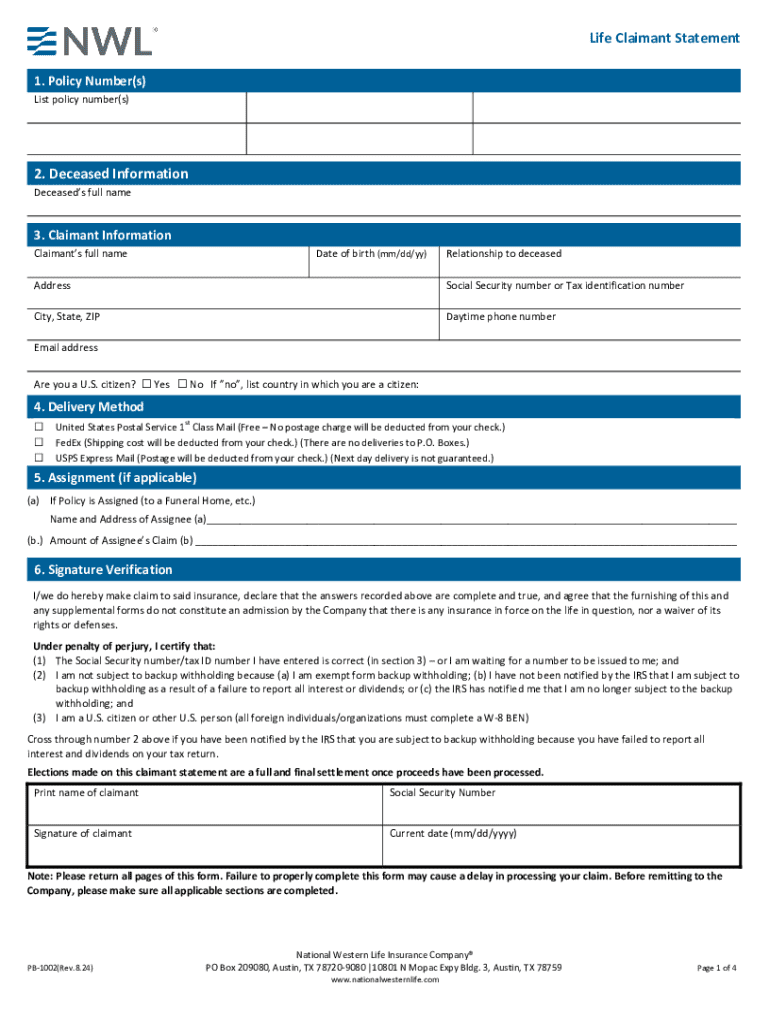
Forms like the Life Claimant Statement form from the National Western Life Insurance Company exemplify this, as they allow individuals to claim insurance benefits following a policyholder's death. The ease of accessing and submitting these forms online ensures a smoother and more timely transaction process.
How to Use Forms Online
Using forms online involves several straightforward steps that can significantly improve user experience compared to traditional methods:
-
Access the Form: Visit the official website hosting the form, such as DocHub, which offers comprehensive tools for managing digital documents.
-
Fill Out the Required Fields: Input the necessary information directly into the online form. This typically includes personal information, details pertinent to the purpose of the form, and any additional data required by the issuing organization.
-
Review and Edit: Ensure that all entries are accurate and completed. Most platforms, including DocHub, allow for easy editing and saving of documents.
-
Submit the Form: Once completed, submit the form directly through the platform. Many services provide a confirmation email or notification once the submission is successful.
Online platforms often offer features like tracking status, making it convenient to follow the progress of a submission and ensuring all submission requirements are met.
How to Obtain Forms Online
To obtain forms online, one typically needs to follow these steps:
-
Identify the Form Required: Determine the specific form needed for your purpose, such as a tax form or an insurance claim form.
-
Navigate to Official Websites: Visit the relevant government or organization’s website. Many organizations, including the IRS or insurance companies like National Western Life, host forms on their sites.
-
Search and Download: Use search features on these sites to find and download the necessary forms. Many forms are available in PDF format and can be accessed directly on platforms like DocHub.
Efficient retrieval of forms online reduces time and simplifies the process by eliminating the need to physically visit offices or outlets.
Steps to Complete the Form Online
Completing an online form typically involves several key steps:
-
Read Instructions: Begin by carefully reading all provided instructions to ensure you understand what is needed.
-
Fill in Personal Details: Enter your personal information such as name, address, and contact details in the specified fields.
-
Provide Specific Data: Depending on the form, this may include financial information, employment status, or other relevant details. For the Life Claimant Statement, you would include information about the deceased and your claims.
-
Add e-Signature: Online platforms often allow for digital signatures, ensuring the legal authenticity of the document. DocHub, for instance, provides multiple ways to create and apply signatures.
-
Double-Check Entries: Before submission, review the form for accuracy and completion. Online tools generally allow users to save drafts, making it possible to return later if required.
Completing forms online streamlines the documentation process, enhancing accuracy and efficiency by leveraging digital tools.
Why You Should Use Forms Online
There are several significant benefits to using forms online:
- Convenience: Access and complete forms from any location with internet access, eliminating travel or postage costs.
- Time Efficiency: Streamline processes through digital entry and immediate submission, which is faster than traditional mailing.
- Accuracy: Online forms often reduce errors through embedded checks and prompts, ensuring that all required fields are filled out.
- Security: Many platforms, like DocHub, employ robust security measures such as SSL encryption to protect data.
By utilizing online forms, individuals and businesses can increase productivity and reduce the cumbersome nature of paperwork.
Important Terms Related to Forms Online
Understanding the terminology associated with online forms is crucial. Key terms include:
- Interactive Fields: Sections on a form where users input data. These may include checkboxes, text fields, and dropdown menus.
- Electronic Signature (e-Signature): A digital version of a handwritten signature, legally recognized as binding.
- File Format: The format in which a document is saved or exported, such as PDF, DOC, or TXT.
- Encryption: A security measure that scrambles data to protect it during transfer and storage, ensuring confidentiality.
Being familiar with these terms can enhance the user’s ability to effectively complete and manage online forms.
Legal Use of Forms Online
Using forms online is legally acceptable and widely recognized. Legal issues can arise if forms are not completed accurately or in accordance with specific requirements. Many forms include disclaimers about the legal consequences of providing false information.
- Many institutions adopt e-signatures, which are compliant with laws such as the ESIGN Act, confirming their legality as equivalent to traditional signatures.
- State-specific considerations may apply, especially for forms related to legal or insurance claims, where jurisdictional laws might dictate additional requirements or variations in form structure.
Ensuring compliance with legal standards is crucial when handling sensitive information online.
Key Elements of Forms Online
Online forms consist of several critical elements that enhance functionality and user experience:
- Intuitive Layout: Clear and organized structure that guides users through form completion efficiently.
- Data Validation: Automated checks that ensure all required fields are filled out correctly, reducing errors.
- Flexible Submission Options: Choices for submitting forms electronically through various digital platforms.
- Responsive Design: Compatibility with both desktop and mobile devices, allowing access from a range of devices.
These elements collectively make online forms a practical solution for individuals and businesses handling important documentation.




