Application for a Certificate of Approval 2026

Get Form
Application for a Certificate of Approval Preview on Page 1
Here's how it works

01. Edit your form online
Type text, add images, blackout confidential details, add comments, highlights and more.
02. Sign it in a few clicks
Draw your signature, type it, upload its image, or use your mobile device as a signature pad.
03. Share your form with others
Send it via email, link, or fax. You can also download it, export it or print it out.

How to use or fill out Application for a Certificate of Approval with DocHub
Form edit decoration
9.5
Ease of Setup
DocHub User Ratings on G2
9.0
Ease of Use
DocHub User Ratings on G2
  1. Click ‘Get Form’ to open the Application for a Certificate of Approval in our editor.
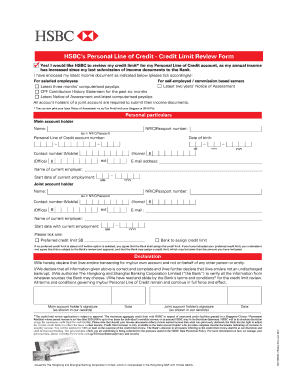
  2. Begin by filling out Section 1, where you will select the class or classes of work you are applying for. Ensure you tick all that apply.
  3. In Section 2, provide your personal details including your name, date of birth, and contact information. Make sure to print clearly in CAPITALS.
  4. Proceed to Section 3 and enter your photo identification details. Remember to attach a passport-style photo as per the specified requirements.
  5. In Section 4, answer all disqualification criteria questions honestly. If applicable, provide additional information about your character or circumstances.
  6. Complete Sections 5 through 8 by providing any overseas convictions if necessary, selecting your preferred pickup location for the certificate, and certifying that all information is correct.
  7. Finally, review your application using our platform’s tools to ensure all fields are completed before submitting it along with the required payment.

Start using our platform today to fill out your Application for a Certificate of Approval easily and efficiently!
be ready to get more

Complete this form in 5 minutes or less

Get form

Got questions?

We have answers to the most popular questions from our customers. If you can't find an answer to your question, please contact us.
Contact us
Subject Line: Be clear and specific; e.g., Your [Course Name] Certificate of Completion. Greeting: Personalize with the recipients name. Purpose: State the reason for the email upfront. Certificate Details: Include course name, completion date, and any honors.
Certificate of approval means a document or tag issued and/or attached by the inspector to the inspected material, piping, or appliance installation, filled out, together with date, address of the premises, and signed by the inspector.
How to write an application letter Research the company and job opening. Use a professional format. State the position youre applying for. Explain why youre the best fit for the job. Summarize your qualifications. Mention why you want the job. Include a professional closing.
Here are the essential parts of the letter: Your address (top left corner) Date. Recipients designation and institution address (e.g., Principal, Registrar) Subject: Request for Degree Certificate. Salutation (Respected Sir/Madam) Body: State your name, course, batch/year, roll number, and reason for request.
Heres a simple breakdown of what to include: Start with a Proper Format. Structure your letter professionally: Get to the Point Quickly. In the first paragraph, mention what you completed and clearly request the certificate. Include All Relevant Details. Keep It Polite and Professional. Say Thank You.
be ready to get more

Complete this form in 5 minutes or less

Get form

People also ask

To write one, follow these steps: Begin with the recipients address and yours, followed by the date. Include a clear subject line stating the documents purpose. Write a concise body explaining the reason for submission and list the enclosed documents. End with a professional closing and your signature.
Information youll need to provide Provide a summary of the completed work that will be covered by the completion certificate. Include the date the work was completed. Upload a copy of the latest version of the following agreed documents when you apply for a completion certificate: drawings and plans.

Related links