Type text, add images, blackout confidential details, add comments, highlights and more.
02. Sign it in a few clicks
Draw your signature, type it, upload its image, or use your mobile device as a signature pad.
03. Share your form with others
Send it via email, link, or fax. You can also download it, export it or print it out.
How to use or fill out Request to locate missing border check records - the NZTA Vehicle with our platform
Ease of Setup
DocHub User Ratings on G2
Ease of Use
DocHub User Ratings on G2
Click ‘Get Form’ to open it in the editor.
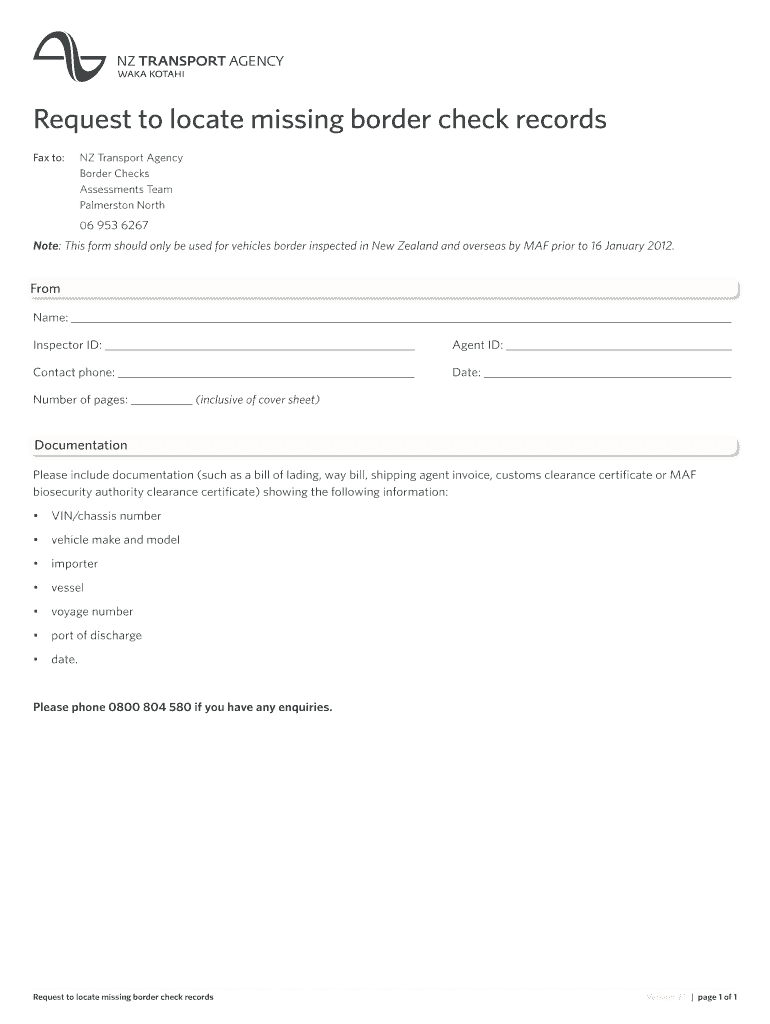
Begin by filling in your name and Inspector ID in the 'From' section. This identifies you as the requester.
Next, enter your Agent ID and contact phone number. This information is crucial for any follow-up communication.
Indicate the date of your request and the total number of pages being submitted, including the cover sheet.
In the Documentation section, ensure you attach relevant documents such as a bill of lading or customs clearance certificate. These should clearly display essential details like VIN/chassis number, vehicle make and model, importer, vessel, voyage number, port of discharge, and date.
Review all entered information for accuracy before submitting your request.
Start using our platform today to easily complete your Request to locate missing border check records!
Fill out Request to locate missing border check records - the NZTA Vehicle online It's free
Evaluation of Alternative Work Zone Signing Final Report
Many work zones require lane closures, and road users need to be notified of these closures through appropriate upstream signage. A literature review prepared
Guidelines for Virtual transportation ManaGeMent Center
by D Lukasik 2014 Cited by 4 This document is disseminated under the sponsorship of the. Department of Transportation in the interest of information exchange.
Cookie consent notice
This site uses cookies to enhance site navigation and personalize your experience.
By using this site you agree to our use of cookies as described in our Privacy Notice.
You can modify your selections by visiting our Cookie and Advertising Notice.