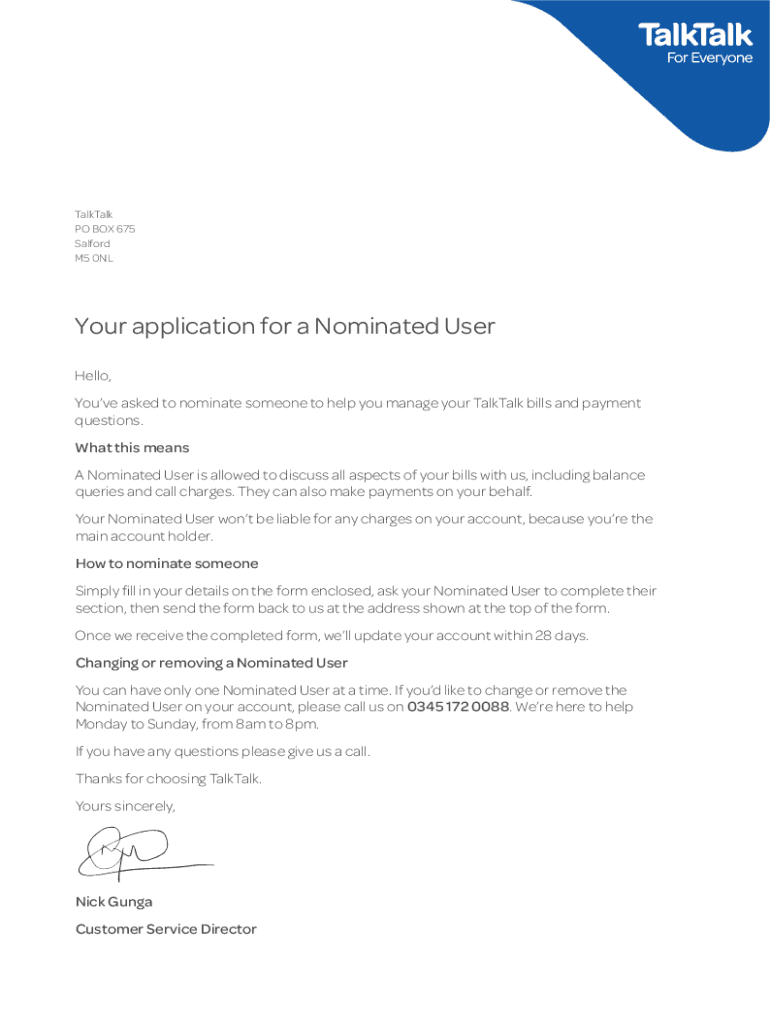







Definition & Meaning
The TalkTalk Nominated User Form is a document intended to authorize an individual, known as the "Nominated User," to manage certain account responsibilities on behalf of the main TalkTalk account holder. The form serves as a written agreement acknowledging this transfer of responsibilities, which may include handling billing inquiries, making changes to account settings, or managing payment arrangements. By filling out this form, the main account holder formally grants permission to the Nominated User, ensuring clear communication and authority boundaries.
How to Use the TalkTalk Nominated User Form
Using the TalkTalk Nominated User Form involves several clear steps. Primarily, the main account holder fills out the form, specifying the individual they wish to nominate. Key details required include both parties' names and contact information, as well as the specific permissions being granted to the Nominated User. Once completed, the form should be signed by both parties to validate the arrangement. After execution, the form is typically submitted to TalkTalk for processing. The process helps streamline account management by designating responsibilities to a trusted individual, easing the burden on the primary account holder.
How to Obtain the TalkTalk Nominated User Form
To obtain the TalkTalk Nominated User Form, visit the TalkTalk official website or contact their customer service directly. The form is available for download in both printable and fillable online formats, ensuring ease of access depending on your preference. For those who prefer digital methods, the form can be filled out and submitted online through platforms like DocHub. This flexibility caters to diverse user needs, whether they require immediate access online or prefer the tactile familiarity of a paper form.
Steps to Complete the TalkTalk Nominated User Form
Completing the TalkTalk Nominated User Form involves a precise sequence of actions:
- Details Verification: Verify that personal information such as the account holder's name and contact details are accurately entered.
- Specification of Nominated User: Input the details of the person you wish to nominate, ensuring clarity on their full name and contact information.
- Define Permissions: Clearly outline the specific permissions granted to the Nominated User, detailing their responsibilities and any limitations.
- Signatures: Both the main account holder and the Nominated User must sign the form to confirm the agreement's authenticity.
- Submission: Submit the form via the preferred method, either online through platforms like DocHub or by mailing it to TalkTalk's designated address. This ensures formal processing and documentation of the nomination.
Benefits of Using the TalkTalk Nominated User Form
Utilizing the TalkTalk Nominated User Form provides numerous advantages. It formalizes delegation of account management tasks, helping the main account holder delegate duties efficiently. This can be especially useful for individuals with multiple responsibilities or for those who travel frequently and require assistance managing accounts. Additionally, the form enhances organizational accountability, ensuring both parties are clear on authorized actions, thus minimizing potential disputes or misunderstandings.
Legal Use of the TalkTalk Nominated User Form
The TalkTalk Nominated User Form carries legal weight once both parties have signed it. This document creates an enforceable agreement, adhering to relevant legal statutes and consumer protection laws. It is crucial to ensure that all parties thoroughly understand and abide by the terms outlined in the document, as these conditions will govern the relationship between the parties and their interactions with TalkTalk. Misuse or violation of this agreement could lead to legal consequences or revocation of the Nominated User's privileges.
Key Elements of the TalkTalk Nominated User Form
The form comprises several critical sections that require careful attention:
- Account Holder Information: Essential details about the main account holder, including name, address, and contact information.
- Nominated User Information: Similar details for the designated individual, ensuring clear identification.
- Permissions Granted: A detailed list of the responsibilities and permissions given to the Nominated User.
- Signatures: Signature lines for both parties involved, signifying agreement and understanding of the outlined terms.
- Submission Instructions: Directions on how to properly submit the form to ensure it is received and processed correctly by TalkTalk.
Examples of Using the TalkTalk Nominated User Form
There are numerous practical examples in which the TalkTalk Nominated User Form proves invaluable. For instance, elderly individuals may wish to nominate a family member to assist with managing their account, ensuring bills are paid on time and changes are communicated accurately. Similarly, professionals who are often on business trips might designate an assistant or co-worker as a Nominated User, facilitating uninterrupted and efficient account management even when they are unavailable. These scenarios illustrate the form's adaptability and usefulness for various personal and professional contexts.
Digital vs. Paper Version
The TalkTalk Nominated User Form is available in both digital and paper formats, each offering distinct advantages. The digital version, accessible on platforms like DocHub, allows for immediate editing and submission, eliminating the need for printing and mailing, thus saving time and resources. It also offers features like real-time collaboration and digital signature collection. Conversely, the paper version is ideal for those who prefer a physical document or do not have reliable internet access. Choosing between these options depends on the user's personal preference and technological access.
Document Security Features
Ensuring the security of the TalkTalk Nominated User Form is paramount. The digital form benefits from robust encryption protocols, such as 256-bit SSL encryption, protecting sensitive user information during online submission and storage. Additionally, platforms like DocHub require authentication protocols like OAuth 2.0, to securely access and manage documents. For both digital and paper forms, it is advisable to include a password and carefully control access to the document, especially when transmitting the form between parties, to maintain privacy and security.