







Definition & Meaning
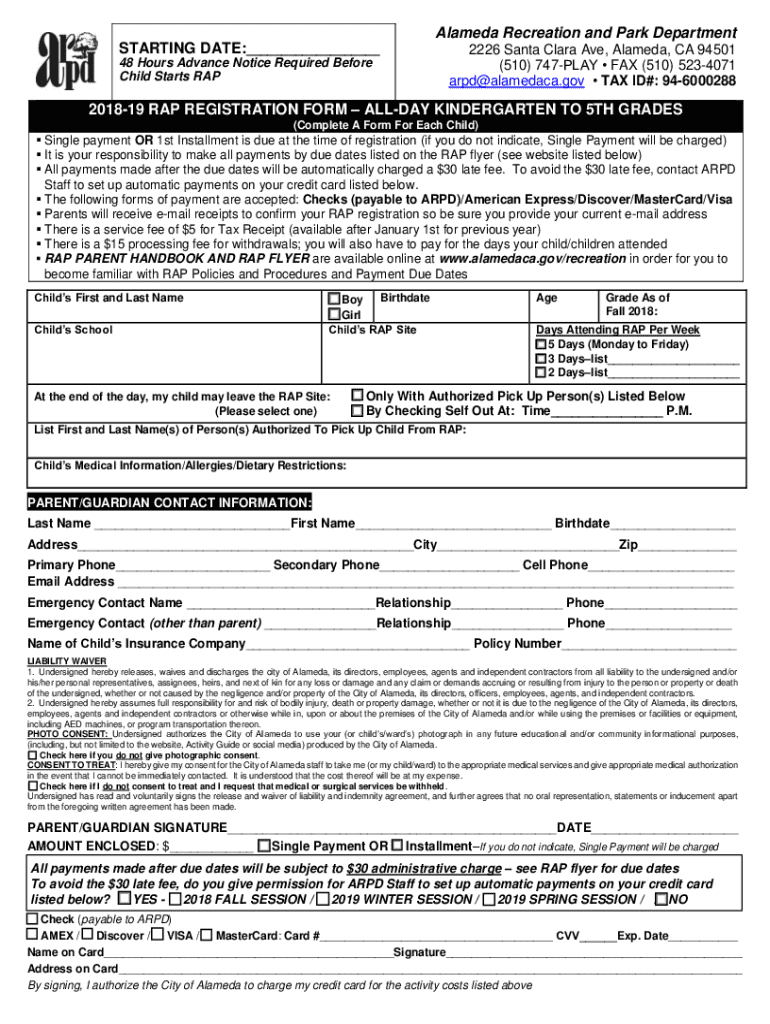
The term "form online" refers to any digital document that can be filled out, submitted, or processed over the internet. Such forms are an integral part of modern workflows, facilitating everything from simple feedback collection to complex application processes. In the context of DocHub, an online form is a dynamic tool that enables users to input, edit, and submit data electronically, streamlining tasks that were traditionally paper-based. This online format reduces the need for physical storage and improves accessibility, making data management efficient for both individuals and organizations.
Common Usage Scenarios
- Registration Forms: Used extensively for events, workshops, and educational enrollments to capture participant details.
- Application Forms: Employed by various sectors like real estate, job recruitment, and financial industries to gather detailed applicant information.
- Feedback and Surveys: Businesses and researchers use these forms to collect consumer opinions, feedback, and data essential for decision-making.
- Legal and Compliance Documents: Online forms help collect legally binding information, such as consent forms and compliance agreements.
Steps to Complete the Form Online
Filling out a form online through DocHub is a straightforward process designed for user convenience and accuracy.
- Access the Form: Begin by opening the required form in a web browser compatible with DocHub. This can be done by importing the form from your cloud storage or directly from your device.
- Fill Out Required Sections: Use interactive fields such as text boxes, checkboxes, and dropdown menus to input information. Required fields are typically marked, ensuring you've provided all necessary details before submission.
- Upload Supporting Documents: If the form requires additional documentation, upload relevant files directly on the platform.
- Review and Edit: Before finalizing, review all your entries for accuracy. DocHub allows for easy editing and amending of information without starting over.
- Add Signatures: For forms needing official endorsement, add your digital signature. DocHub provides multiple signature options:
- Draw using mouse or trackpad
- Type and select a font style
- Upload an image of your handwritten signature
- Submit or Export the Form: After completing the form, submit it directly via DocHub or export the completed document to your desired location, such as Google Drive or your email.
Error Prevention Tips
- Ensure all mandatory fields are completed to avoid rejection.
- Use clear, concise language to improve form processing efficiency.
- Double-check all entries for spelling mistakes and numerical inaccuracies.
Key Elements of the Form Online
Online forms on DocHub contain specific elements designed to enhance functionality and user interactions.
- Interactive Fields: Includes text boxes, checkboxes, signature fields, and dropdown menus that guide users in providing the required information.
- Customization Options: Fields can be tailored based on user needs, such as setting character limits or making fields mandatory.
- Real-Time Collaboration: Allows multiple users to access and edit forms simultaneously, ensuring up-to-date information for all team members.
- Security Features: Includes password protection and encryption to safeguard sensitive information during transfer and storage.
Advanced Features
- Conditional Logic: Design forms that change in response to specific inputs, streamlining the user experience by revealing only relevant fields.
- Automated Calculations: Set up fields to automatically compute totals or averages, reducing the need for manual calculations.
- Form Templates: Use pre-designed templates to save time and ensure consistency across similar forms.
Who Typically Uses the Form Online
Online forms are versatile tools used by various demographics and industries to streamline their data collection processes.
- Businesses and Corporations: Utilize for internal processes like employee onboarding, client intake forms, or feedback surveys.
- Educational Institutions: Employ for enrollment processes, exams, or parental consents.
- Healthcare Providers: Use digital forms to handle patient check-ins, medical histories, or consent forms.
- Government Agencies and Legal Entities: Implement for applications, permits, and compliance documentation.


Examples of Use Cases
- Small Business Owners: Streamline customer feedback collection without paper trails.
- HR Departments: Manage applications and employee information efficiently.
- Researchers and Academics: Conduct surveys and collect data for studies with ease.
Legal Use of the Form Online
Ensuring compliance with legal standards is critical when using online forms, particularly when handling sensitive information or requiring signatures.
- Legally Binding Signatures: DocHub provides electronic signature capabilities compliant with the ESIGN Act, making them legally valid and enforceable.
- Consent and Data Privacy: Ensure forms include necessary consent clauses, particularly when collecting personally identifiable information (PII).
- Audit Trails: Maintain a secure record of form submissions, edits, and signatory actions, which can be critical in legal disputes or audits.
Important Legal Considerations
- Verify that forms meet industry-specific compliance standards such as HIPAA for healthcare or FERPA for education.
- Implement robust security measures, such as data encryption and secure access protocols, to protect information.
Required Documents
Submitting an online form often necessitates the inclusion of additional documents that support or validate the information provided within the form.
- Identification Documents: Such as driver's licenses or passports for verification purposes.
- Financial Records: May include bank statements, income proof, or tax returns, especially in applications for financial products or services.
- Authorization Letters: When acting on behalf of another party, legal documents granting permission to submit or manage information may be required.
Tips for Document Preparation
- Ensure all documents are up-to-date and clear, as outdated or illegible documents might delay processing.
- Convert supporting documents into accepted file formats like PDF for easy uploading and compatibility with most platforms.
Examples of Using the Form Online
Online forms serve versatile roles across diverse sectors, each with unique requirements and advantages.
- Customer Onboarding in Finance: Financial firms utilize online forms to streamline customer onboarding, offering features like document uploads and electronic signatures to enhance the client experience.
- Job Recruitment: Companies simplify the recruitment process by allowing candidates to apply online, where they can upload resumes and certificates directly into their application form.
- Event Registrations: By using online forms, organizations can efficiently manage event registrations by quickly collecting attendee information, preferences, and payment details, allowing for seamless logistical arrangements.
Practical Case Studies
- A Real Estate Agency: Transitioned to using online forms for tenant applications, significantly reducing the time required for screening and approval processes.
- University Enrollment: Online admission forms have helped a university manage applicants from international locations efficiently, handling educational documents and student essays seamlessly.
Software Compatibility
Online forms often need to integrate seamlessly with various software solutions to maximize their utility and operational efficiency.
- Cloud Storage Integration: Forms can be easily stored, accessed, and shared via cloud services like Google Drive, Dropbox, and OneDrive.
- Business Software Compatibility: Many online forms are compatible with widely-used business software like QuickBooks and CRM systems to facilitate tasks like importing customer data or synchronizing records.
- Email Service Connections: Direct integration with email services ensures completed forms can be distributed or submitted without leaving the platform, enhancing communication and tracking efficiency.
Enhancing Workflows
- By integrating with project management tools, online forms streamline task assignments based on form submissions, ensuring quick response and execution.
- Compatibility with analytics software can also offer insights into form usage, completion rates, and user demographics, assisting with strategic planning.
These sections together provide an expansive overview of the functionalities, benefits, and specific use-cases for online forms, as relevant to the offerings from DocHub. Each section is designed to equip users with the necessary understanding to effectively utilize online forms within their respective workflows.




