






Definition & Meaning
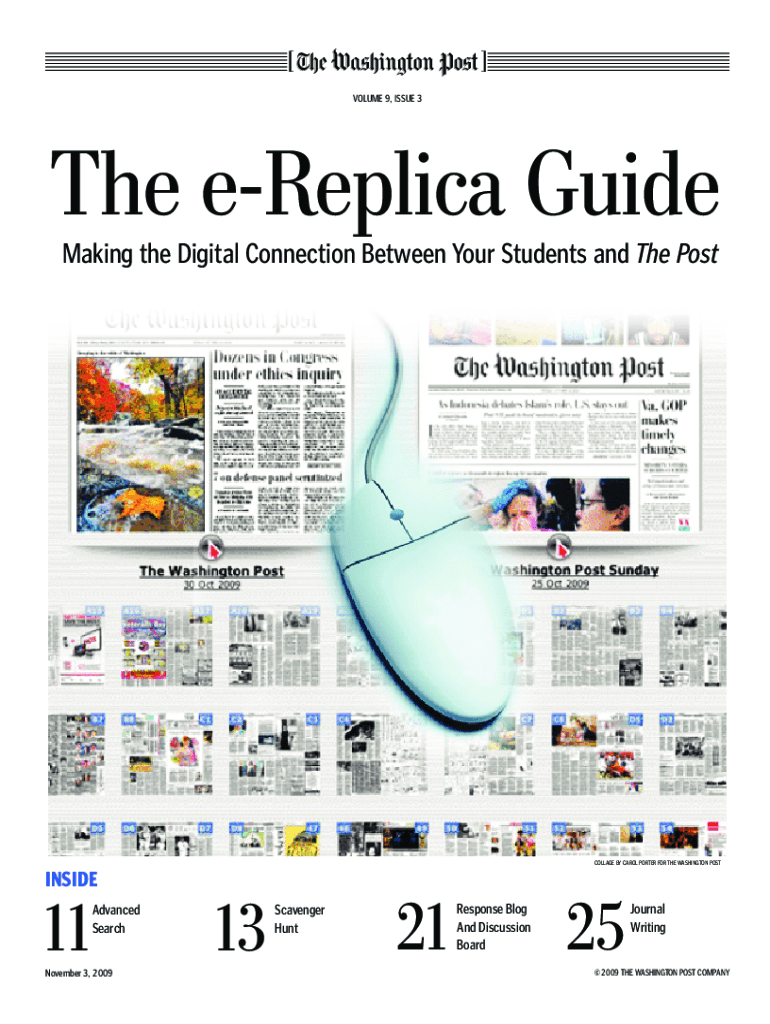
The "e-Replica Guide" refers to a digital resource designed to help users effectively incorporate e-replica editions of publications into their activities. An e-replica is a digital facsimile of a print edition, mirroring the layout, articles, advertisements, and content available in the physical version. This guide essentially assists users in navigating and utilizing these digital editions, maximizing the interactive and environmentally friendly nature of e-replicas.
How to Use the e-Replica Guide
Using the e-Replica Guide involves a simple process that caters to both novice and experienced users. First, familiarize yourself with the interface of the e-replica edition. For educators, this may involve exploring lesson plans and interactive activities that align with the curriculum. For general users, understanding navigation tools within the digital edition is key.
- Interactive Features: Take advantage of the multimedia elements such as videos, audio clips, and hyperlinks embedded in articles to deepen understanding.
- Annotation Tools: Use highlighting, notes, and bookmarking features to personalize and retain information.
- Search Functionality: Utilize the search bar to quickly find specific articles or topics within the e-replica.
Key Elements of the e-Replica Guide
The e-Replica Guide highlights crucial components that users need to understand in order to fully leverage their digital editions:
- Navigation: Includes a detailed overview of the interface, toolbar functions, and navigation methods like zooming and scrolling.
- Content Access: Explanation of how to access archived editions, if available, and set up email alerts for new issues.
- Customization Options: Instructions on setting user preferences for font size, layout view (two-page spread or single page), and language settings.
Examples of Using the e-Replica Guide
The practical application of the e-Replica Guide can be seen across various settings:
- Educational Use: Teachers can assign digital newspaper articles to students, incorporating current events into classroom discussions and enhancing media literacy.
- Research: Researchers may use e-replicas to access historical data and advertisements that reflect social and economic trends over time.
- Business Applications: Companies might leverage industry-specific e-replica content for market analysis and competitor reviews.
Legally Binding Electronic Signatures
The e-Replica Guide remains attuned to legal standards, especially when dealing with digitally enriched content. Documents that necessitate signatures can be easily processed through platforms offering legally binding electronic signature features, complying with activities like contract agreements.
- Security Measures: Ensuring the security of electronic documents through encrypted signature processes.
- Verification: Methods to verify signer identity and action trails detailing the signature process.
Digital vs. Paper Version
Examining the benefits and limitations of the digital version compared to traditional print versions provides insight into the evolving nature of publishing:
- Advantages of Digital: Enhanced accessibility, eco-friendliness, and interactive elements that print versions lack.
- Challenges: Potential technological barriers and a learning curve for those unfamiliar with digital tools.
Who Typically Uses the e-Replica Guide
The e-Replica Guide serves a diverse range of users:
- Educators: Employ the guide to integrate digital newspapers into lesson planning, fostering critical thinking skills.
- Students: Utilize e-replicas for access to indispensable educational materials and resources.
- Businesses: Leverage e-replica content to stay informed on industry news and trends.

State-Specific Rules for the e-Replica Guide
A section of the e-Replica Guide may be devoted to outlining state-specific guidelines for integrating e-replicas into educational or business settings:
- Educational Compliance: Ensure digital materials meet state curriculum standards and guidelines.
- Business Usage: Be aware of state regulatory requirements when including e-replica content in reports or presentations.
Software Compatibility (TurboTax, QuickBooks, etc.)
Efficient use of e-replica guides may require software compatibility for downloading, editing, and sharing content:
- Integration: Seamlessly pair e-replica content with platforms like Google Workspace for document management.
- Compatibility: Check that e-replica files are supported by commonly used software tools like QuickBooks for financial documents or TurboTax for tax forms.
Versions or Alternatives to the e-Replica Guide
The e-Replica Guide may exist in various formats, ensuring users have access to the right tools for their specific needs:
- Interactive Editions: Enhanced versions might offer additional features for more engaging user experiences.
- Alternative Guides: Explore complementary resources that provide similar benefits for users looking for alternatives or enhancements.
By focusing on these comprehensive sections, the e-Replica Guide offers users a detailed understanding of how to make the most out of digital publication editions, catering to diverse needs and settings.