Type text, add images, blackout confidential details, add comments, highlights and more.
02. Sign it in a few clicks
Draw your signature, type it, upload its image, or use your mobile device as a signature pad.
03. Share your form with others
Send it via email, link, or fax. You can also download it, export it or print it out.
How to use or fill out FEEDBACK FORM with our platform
Ease of Setup
DocHub User Ratings on G2
Ease of Use
DocHub User Ratings on G2
Click ‘Get Form’ to open the FEEDBACK FORM in the editor.
Begin by filling in the 'Event Location' field. Provide the specific location where the event took place.
Next, enter the name of the 'Committee Chair' responsible for overseeing the event. This helps us identify key contacts.
If applicable, include the name of any 'Sponsoring Individual/Physician' associated with your feedback. This adds context to your comments.
In the section labeled 'Requests, questions, comments, or concerns', provide detailed feedback. Use multiple lines if necessary to express your thoughts clearly.
Sign your name in the designated 'Signature' field to validate your feedback.
Finally, enter today's date in the 'Date' field before submitting your form.
Engage with our platform today and streamline your feedback process for free!
A feedback form is a tool for gathering opinions and feedback from the people who matter most to your successyour customers, stakeholders, patients, or clients.
What are examples of forms of feedback?
Feedback can take many forms such as oral, written, informal, formal, descriptive, evaluative, peer and self-assessed feedback.
Why is a feedback form important?
Feedback forms are critical because they request honest opinions and information you may not know without input from others. These opinions could be on anything from a product to customer service to a brand. The feedback is used to gauge how people feel and to inform business decisions for improvements.
What is the feedback form in college?
Student Feedback Form The feedback includes the information on pedagogy, discipline and teaching ethics. It also includes views on infrastructure like college canteen, laboratory facilities and sports facilities.
How do I create a feedback form?
How to Create an Online Feedback Form? Identify Your Goals: Determine the specific areas you want feedback on. Decide How Youll Use the Feedback: Think about how the data collected will influence your business decisions. Establish Metrics for Success: Define how you will measure the achievement of your objectives.
Related Searches
Feedback form for restaurantFeedback form templateGoogle formsFeedback form for studentsConstructive feedback formFeedback form template WordFeedback form GoogleFeedback form PDF
Related forms
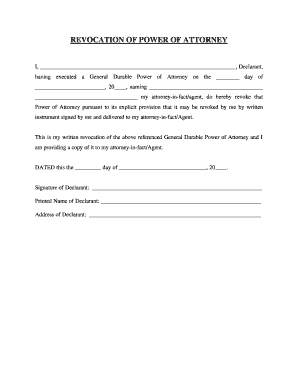
Idaho Revocation of General Durable Power of Attorney
Top Examples of Customer Feedback Survey Questions On a scale of 1 to 5, how would you rate your overall experience with our brand? How would you rate your in-store visit experience today? How likely are you to recommend our brand to others on a scale of 0 to 10? How likely are you to purchase from us again?
Is a feedback form a survey?
Feedback forms are the simpler cousin of surveys Theyre designed to collect quick, real-time feedback, typically relating to a specific experience or event. If youre looking for a fast way to gather opinions, feedback forms are your best bet.
Cookie consent notice
This site uses cookies to enhance site navigation and personalize your experience.
By using this site you agree to our use of cookies as described in our Privacy Notice.
You can modify your selections by visiting our Cookie and Advertising Notice.