
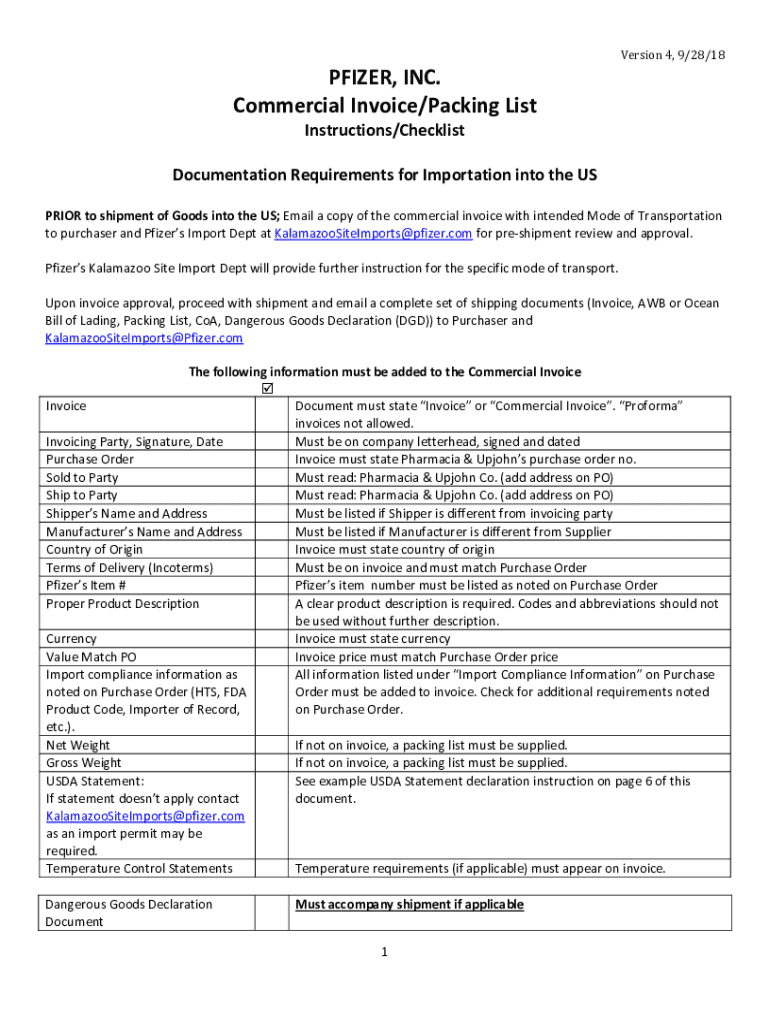







Definition & Meaning
The term "form online" refers to an electronic version of a document typically used for inputting or submitting information over the internet. Online forms are versatile tools that can be used for a wide range of tasks, from simple data entry and surveys to complex legal or financial transactions. They replace traditional paper-based forms by allowing users to provide information digitally, which can be more convenient and efficient. Online forms often support interactive features such as dropdown menus, checkboxes, and signature fields to facilitate user input.
Examples of "form online" include registration forms, feedback surveys, job applications, and tax submissions. These forms are integral to various industries due to their ability to streamline workflows, reduce paper use, and facilitate fast data collection and processing.
How to Use the Form Online
Using a form online involves several straightforward steps. First, you need access to an internet-enabled device such as a computer, tablet, or smartphone. Once you open the form's URL or access it through a web portal, follow these steps:
- Access the Form URL: Navigate to the specific web address where the form is hosted.
- Enter Information: Fill in the requested fields with your details. Use dropdowns and checkboxes to select options where available.
- Upload Documents: If the form requires, upload any necessary documents in supported formats.
- Review for Accuracy: Carefully review all entries to ensure correctness and completeness before submission.
- Submit the Form: Click the submit button to send your filled form to the respective authority or organization.
- Receive Confirmation: Look out for a confirmation message or email to verify that your submission was successful.
Online forms may also include help icons that provide additional guidance for filling out specific sections. Pay attention to any instructions regarding required fields or submission deadlines.
How to Obtain the Form Online
Obtaining a form online usually involves locating and accessing the platform that hosts the form. Here are some steps to guide you:
- Search Online: Use search engines to find the form. Use keywords like "download" or "access" followed by the form's name.
- Visit Official Websites: Go to the official website of the institution or agency that issues the form. This could be government websites for tax forms or corporate websites for internal documents.
- Download or Access: Once located, either download the form to your device in PDF or DOC format or, if it's meant to be filled online, proceed to access it directly through your web browser.
- Register or Sign In: Some forms may require creating an account or signing in for access. Follow the prompts to register if necessary.
- Review Instructions: Read any instructional materials that accompany the form to ensure that you understand all requirements.
Steps to Complete the Form Online
Completing an online form involves filling out the required fields accurately and possibly attaching relevant documents. Here's a more comprehensive breakdown:
- Read Instructions: Before filling out the form, go through any instructions that explain what is required and allowed.
- Fill Out Personal Information: Typically, forms begin with sections asking for personal details such as name, address, and contact information.
- Input Specific Data: Enter the form-specific information as instructed. This might involve answering multiple-choice questions or providing detailed written responses.
- Attach Required Documents: Scan and upload any required documents, such as identification proofs or certificates, ensuring they meet the specified format and size limits.
- Verify Content: Double-check all fields for accuracy, ensuring no required section is left blank or incorrectly completed.
- Consent and Sign: Provide any necessary consent by typing your name or using the electronic signature feature.
- Submit and Save: Hit the submit button to send the form. Save a copy of the filled form and any confirmation response for future reference.
Who Typically Uses the Form Online
Various entities and individuals use online forms to facilitate smooth and efficient information management:
- Businesses: For tasks such as employee onboarding, product registrations, or customer feedback collection.
- Educational Institutions: For student applications, course enrollments, and feedback forms.
- Government Agencies: For tax filings, applying for permits, or registering vehicles.
- Healthcare Providers: For patient registration, collecting medical history, and processing insurance claims.
Online forms cater to specific needs of different sectors, ensuring that they gather relevant and structured data from users seamlessly.


Legal Use of the Form Online
Online forms are often used for legally binding tasks, including but not limited to contract agreements, tax filings, and employment documents. To ensure legality:
- Compliance with Regulations: Forms must comply with regulations like the ESIGN Act, which gives electronic signatures the same legal standing as handwritten signatures.
- Data Privacy: The collection of personal data through forms should adhere to privacy laws such as GDPR in the EU or HIPAA for healthcare in the U.S. Forms must include privacy notices outlining data usage policies.
- Record Keeping: Legal forms usually require submission records to be maintained for a specific period, often stipulated by law or internal policies.
Key Elements of the Form Online
Online forms consist of several key elements that facilitate user interaction and data submission:
- Text Fields: Spaces where users enter textual information.
- Checkboxes & Radio Buttons: Options for users to select one or multiple choices.
- Dropdown Menus: Allow users to select from a pre-defined list of options.
- Signature Fields: Enable users to provide legally binding electronic signatures.
- Validation Rules: Criteria set within the form to limit entries to valid data types or required lengths.
These elements are designed to extensively support the user's ability to provide accurate and complete information.
State-Specific Rules for the Form Online
For forms related to government or official transactions, it's essential to account for state-specific variations:
- Variations in Requirements: Each state may have different rules regarding the use of forms, particularly in areas such as taxation or business registration.
- Differing Deadlines: Submission deadlines can vary, so users must confirm any time-sensitive tasks specific to their state.
- State-Specific Forms: There might be state-specific variations of a form, each tailored to meet regional regulatory frameworks.
Understanding these distinctions is crucial for ensuring compliance with state laws and requirements when using or submitting forms online.
Examples of Using the Form Online
Different sectors utilize online forms to streamline various processes. Here are a few examples:
- Tax Filings: Individuals and businesses use online tax forms to file federal and state taxes. Platforms like TurboTax facilitate this process by integrating relevant forms.
- Job Applications: Companies often require potential candidates to submit their resumes and personal data through online application forms.
- Event Registrations: Event organizers leverage online forms to manage attendee information, enabling easy check-ins and communication.
These real-world applications highlight the versatility and efficiency of online forms in collecting and processing data efficiently across various domains.




