
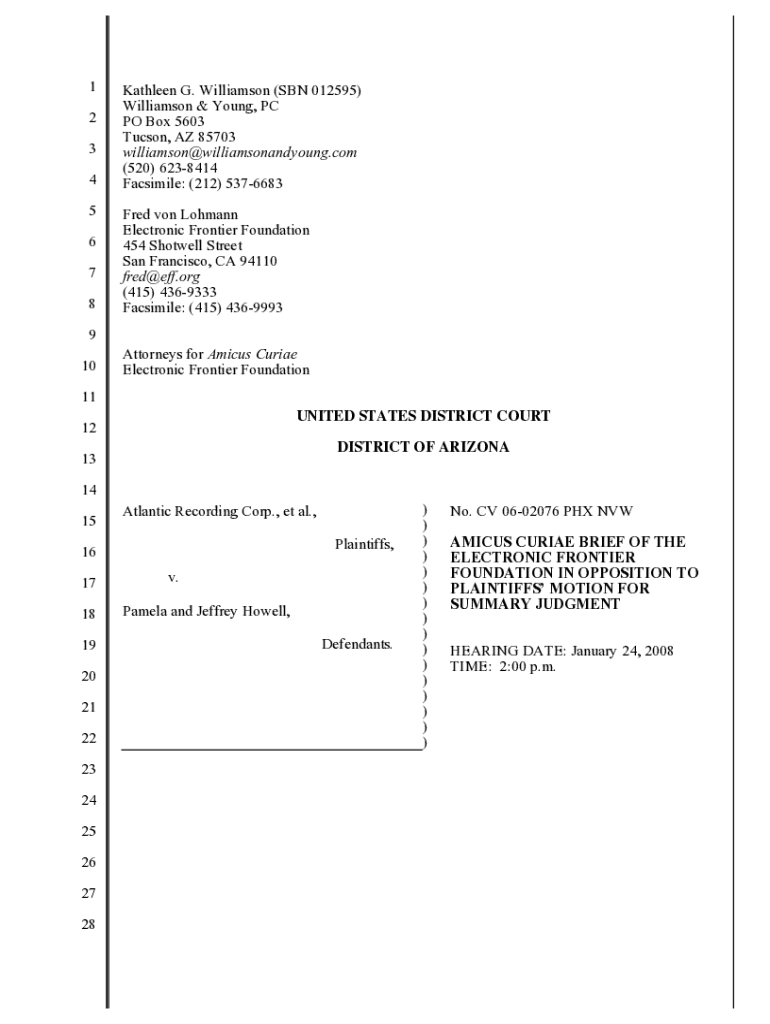







Definition and Purpose of Amicus Brief
An amicus brief, also known as an amicus curiae brief, refers to a document submitted to a court by someone who is not a party to the case. The Electronic Frontier Foundation (EFF) often files these briefs to present information or arguments that can assist the court in making its decision. In the context of the EFF, these briefs are usually aimed at supporting defendants in cases involving digital rights, privacy, and copyright law. The primary goal is to provide additional perspectives or technical information that the court might not consider otherwise, especially in cases that involve complex technology or digital rights issues.
How to Use the Amicus Brief
Understanding how to use an amicus brief effectively is crucial for those seeking to support a particular legal stance in court. Individuals or organizations like the EFF submit an amicus brief to bring additional arguments or insights before the court, usually in high-stakes legal battles. These briefs can highlight broader implications of a case's outcome, particularly in areas involving digital rights or privacy concerns. When planning to use an amicus brief, it's essential to focus on presenting well-researched, concise, and relevant information that can help the court understand complex technical details or foresee the wider consequences of a legal ruling.
Obtaining the Amicus Brief from EFF
To access an amicus brief filed by the Electronic Frontier Foundation, one should start by visiting the EFF's official website. The EFF typically hosts an archive of their filed briefs, organized by case name or legal issue. This resource provides valuable insights into past briefs, allowing legal professionals, researchers, or interested parties to review the EFF's legal arguments and the contexts in which they operate. Accessing these documents requires internet connectivity and familiarity with navigating digital document repositories, making it accessible from anywhere with a reliable connection.
Steps to Complete Your Amicus Brief
Completing an amicus brief involves a structured process to ensure that the document is both impactful and compliant with legal standards. Here are key steps:
- Identify the Case: Determine the legal case you wish to support.
- Research Thoroughly: Gather data, legal precedents, and technical details relevant to the case.
- Draft Your Argument: Write a compelling argument that includes an introduction, the body with key legal points, and a conclusion.
- Review Legal Guidelines: Ensure compliance with court-specific guidelines for filing such briefs.
- Submit the Brief: File the brief with the appropriate court within stipulated deadlines.
This meticulous approach ensures the brief is comprehensive and respected by the court.
Importance of Submitting an Amicus Brief
Submitting an amicus brief plays a vital role in influencing important legal decisions, especially in cases affecting public interest such as digital rights and privacy. For organizations like the EFF, participating in legal discourse through these briefs helps shape the interpretation and application of the law by providing detailed insight and expert opinions from a technical standpoint. This can help protect user rights and set legal precedents that prevent potential overreach or misuse of legal powers, ensuring legal interpretations align with emerging technology realities.
Key Legal Elements in an Amicus Brief
An amicus brief contains several critical legal elements essential for its persuasive power and compliance:
- Statement of Interest: Explains why the filer has a vested interest in the case outcome.
- Legal Arguments: Presents unique perspectives or technical details supporting the case.
- Conclusion: Summarizes the brief's main arguments, urging the court towards a particular interpretation.
Each element must be well-developed and clearly articulated to effectively aid the court in its deliberations.
EFF’s Role in Amicus Briefs
The Electronic Frontier Foundation (EFF) functions as a champion of digital rights by filing amicus briefs in significant cases that could potentially impact users’ digital freedoms. EFF's briefs often address complex issues like electronic surveillance, freedom of speech, and copyright in the digital realm. Through their input, the EFF aims to preserve guidelines that protect individual freedoms, ensure fair use in digital content distribution, and maintain transparency in digital transactions. By consistently contributing to such cases, the EFF helps uphold a legal ecosystem that respects privacy and freedom in an increasingly digital world.
Examples of Effective Utilization of Amicus Briefs
The EFF has demonstrated the potent impact of amicus briefs in cases involving copyright disputes, data privacy, and technology rights. One notable example is their intervention in the case of Jeffrey and Pamela Howell, where the EFF argued against overly broad interpretations of copyright law concerning file-sharing software. Such briefs help courts appreciate the broader digital implications of their rulings, emphasizing the need for a balanced approach to digital content rights that neither stifles innovation nor infringes on user freedoms. This strategic use of amicus briefs exemplifies their effectiveness in shaping legally sound and socially just outcomes.
Legal Use and Implications
Amicus briefs serve as an important tool in the legal landscape, primarily in demonstrating the significance of broader implications a case ruling might set. Legally, these briefs allow non-parties to highlight critical data, expert opinions, and alternative interpretations. Courts can use this material to gain a clearer understanding of complex scenarios, particularly where traditional legal arguments may not suffice. For the EFF, using amicus briefs helps highlight the intersection of law and technology, underscoring the need for judicial decisions that reflect the digital age's unique challenges.




