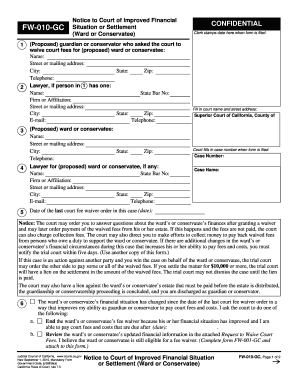
Definition & Purpose of the Form
This form must be submitted to the ServiceHub (POD150) no later than the final date to add a course to facilitate specific academic adjustments, such as course additions or changes, which might impact a student's educational trajectory. Typically used by students aiming to alter their current course lineup, it ensures timely processing of requests before academic deadlines, helping maintain an organized and efficient academic record.
Core Functions of the Form
- Facilitates course additions or modifications within specified deadlines.
- Helps maintain academic integrity by ensuring changes are recorded officially.
- Acts as an official request for changes to a student's academic schedule.
How to Use the Form
Using this form involves a thorough understanding of its structure and submission requirements. It’s essential for students to follow the outlined processes to ensure their requests are processed efficiently. Here’s a detailed breakdown of the steps involved in using this form:
Step-by-Step Use Instructions
- Read the Instructions: Understand the form's purpose and required completion criteria.
- Fill Out Required Fields: Carefully enter personal and academic information as requested.
- Attach Additional Documents: Include any supporting documents that may be necessary to justify the form's submission.
- Review and Sign: Double-check all entered information, then sign the document to validate the request.
- Submit to ServiceHub (POD150): Ensure the form is delivered before the indicated deadline to avoid unnecessary delays or denials.
Key Elements of the Form
Understanding the critical components of this form helps in its accurate completion. Each section of the form has a specific purpose designed for efficient processing:
Critical Sections to Fill
- Student Information: Includes name, student ID, and contact details.
- Course Details: Specifies the courses involved, including codes and names.
- Reason for Submission: Provides space to elaborate on the necessity for the course addition or change.
- Approvals or Signatures: Where required, include academic advisor or departmental approvals.
Who Typically Uses This Form?
This form primarily serves students who need to adjust their course schedule for valid reasons. It caters to the academic administration's need to manage course enrollments effectively.
Typical Users
- Undergraduate Students: Often need to adjust courses due to scheduling conflicts or new requirements.
- Graduate Students: May require course changes to meet specific program mandates.
- Academic Advisors: Assist students in understanding form requirements and ensuring proper filing.
Important Dates and Deadlines
Adhering to submission deadlines is crucial, as processing late forms can result in delays or inability to modify the schedule as desired.
Key Deadlines
- Final Date to Add a Course: This is a critical deadline to ensure that the form is processed within the permitted timeframe.
- ServiceHub Operational Hours: Be aware of the submission hours to plan accordingly.
Examples of Using the Form
Utilizing real-world scenarios helps clarify its application and demonstrate its importance in academic scheduling.
Scenarios
- Conflict Resolution: A student might need to replace a course that conflicts with a newly required program course.
- Curriculum Updates: Adjustments when a program’s curriculum changes require new course additions.
Required Documents
To ensure the form is complete and processed without delays, include all pertinent documents supporting the submission.
Necessary Attachments
- Previous Transcripts: May be needed if previous academic performance impacts course eligibility.
- Advisor Recommendations: Letters or notes from advisors can substantiate the need for course changes.
Form Submission Methods
This form can be submitted through various methods, depending on the student's convenience and accessibility.
Submission Options
- In-Person at ServiceHub (POD150): Direct submission ensures immediate receipt.
- Online Portal: Available for students who prefer electronic submission.
- Mail: In cases where digital or in-person submission is unfeasible.
Penalties for Non-Compliance
Failing to adhere to the form submission guidelines can have consequences for the student's academic progress.
Potential Consequences
- Denial of Course Change Requests: Late submissions might be rejected outright.
- Impact on Academic Standing: Could result in delayed graduation if crucial courses are missed due to non-compliance.