
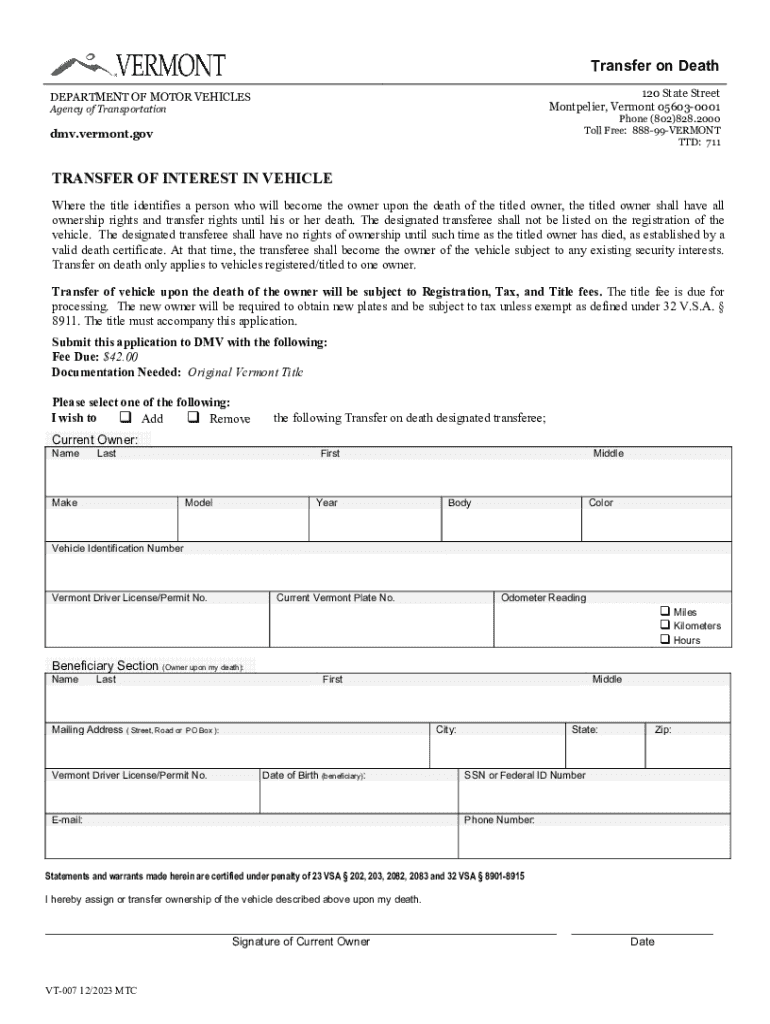







Definition and Meaning
"Form online" refers to digital versions of traditional paper forms that can be filled out, submitted, and sometimes even signed electronically. These digital forms are designed to streamline data collection, improve accessibility, and reduce the use of paper. Online forms are commonly used for various purposes, including applications, registrations, and agreements, and are accessible via the internet. They offer the convenience of being filled out from any location, eliminating the need to physically visit an office or mail paper forms.
Benefits of Using Online Forms
- Convenience: Users can access and complete forms from any device with an internet connection.
- Efficiency: Reduces the time taken to fill out, submit, and process forms.
- Accuracy: Automated fields can minimize errors in data entry.
- Environmentally Friendly: Reduces the need for paper, contributing to environmental conservation.
- Cost-effective: Organizations can save on printing and mailing costs.
How to Use the Form Online
Using an online form involves several straightforward steps that make the process seamless:
- Access the Form: Navigate to the platform or website where the form is hosted (e.g., DocHub).
- Fill Out Required Fields: Enter the necessary information into designated fields. Most online forms will indicate which fields are mandatory.
- Review and Edit: Before submission, review the information for accuracy and completeness. Online forms usually allow for quick edits.
- Submit the Form: Once satisfied with the information provided, submit the form by clicking a designated button (e.g., "Submit" or "Send").
- Receive Confirmation: After submission, users often receive a confirmation notice or email indicating successful receipt of the form.
How to Obtain the Form Online
Obtaining a form online is generally a simple process:
- Visit the Appropriate Website: Forms are typically available on the websites of government agencies, companies, or service providers.
- Locate the Form: Use search functionalities or navigation menus to find the desired form.
- Download or Directly Access the Form: Some forms might need to be downloaded, while others can be filled out directly within a web browser.
Helpful Tips
- Ensure Compatibility: Make sure your device is compatible with the form's software requirements.
- Check for Updates: Ensure you are using the most recent version of the form.
Steps to Complete the Form Online
Completing a form online can vary depending on its complexity and purpose. Here are detailed steps for a general process:
- Identify Necessary Materials: Gather all required information and documents before beginning.
- Open the Form in an Editor: Use platforms like DocHub to open and edit the document.
- Fill In All Required Fields:
- Enter data like names, addresses, and other personal information.
- Use dropdowns and checkboxes to select options where applicable.
- Attach Supporting Documents: If necessary, upload supplementary documents directly to the form.
- Check for Errors: Use built-in tools or visually verify all entries for accuracy.
- Submit the Completed Form: Follow the submission instructions on the platform.
Why Should You Use Forms Online
The decision to use online forms instead of traditional paper forms is often driven by multiple advantages:
- Time-Saving: Reduced need for printing, mailing, or physically delivering forms.
- Expanded Accessibility: Allows individuals to complete forms from remote locations.
- Facilitates Collaboration: Multiple users can access and review forms in real-time.
- Improved Accuracy and Verification: Built-in validation features ensure data integrity.
- Archivable Records: Digital records are easier to store and retrieve than physical documents.
Important Terms Related to Forms Online
Understanding key terminology related to online forms can enhance the user experience:
- Interactive Templates: Predefined online form structures that users can fill out.
- Bulk Data Upload: Functionality allowing multiple entries to be inputted simultaneously.
- Digital Signature: An electronic, legally binding equivalent of a handwritten signature.
- Form Fields Manager: A tool within online form platforms to customize form fields.
- End-to-End Encryption: Security measure that ensures information is securely transmitted.
Legal Use of Forms Online
Forms completed online remain subject to the same legal requirements and rules as their paper counterparts:
- Compliance with Regulations: Forms must meet compliance requirements (e.g., ESIGN Act for electronic signatures).
- Validity of Electronic Signatures: Online platforms like DocHub provide legally binding e-signatures.
- Privacy Protections: Platforms must adhere to data protection laws to ensure user information remains confidential and secure.
Examples of Using Forms Online
Online forms can accommodate a wide range of use cases, including but not limited to:
- Tax Filings: Individuals can file tax returns electronically.
- Job Applications: Employers and applicants use online forms for recruitment processes.
- Legal Agreements: Contracts and agreements can be reviewed, modified, and signed online.
- Surveys and Feedback Forms: Businesses can collect customer feedback quickly and efficiently.
- Event Registrations: Participants can sign up for events through online registration forms.
Understanding the wide applicability and the ease of use provided by online forms underscores their growing presence in various sectors.




