







Definition & Meaning
Understanding the Concept of Online Forms
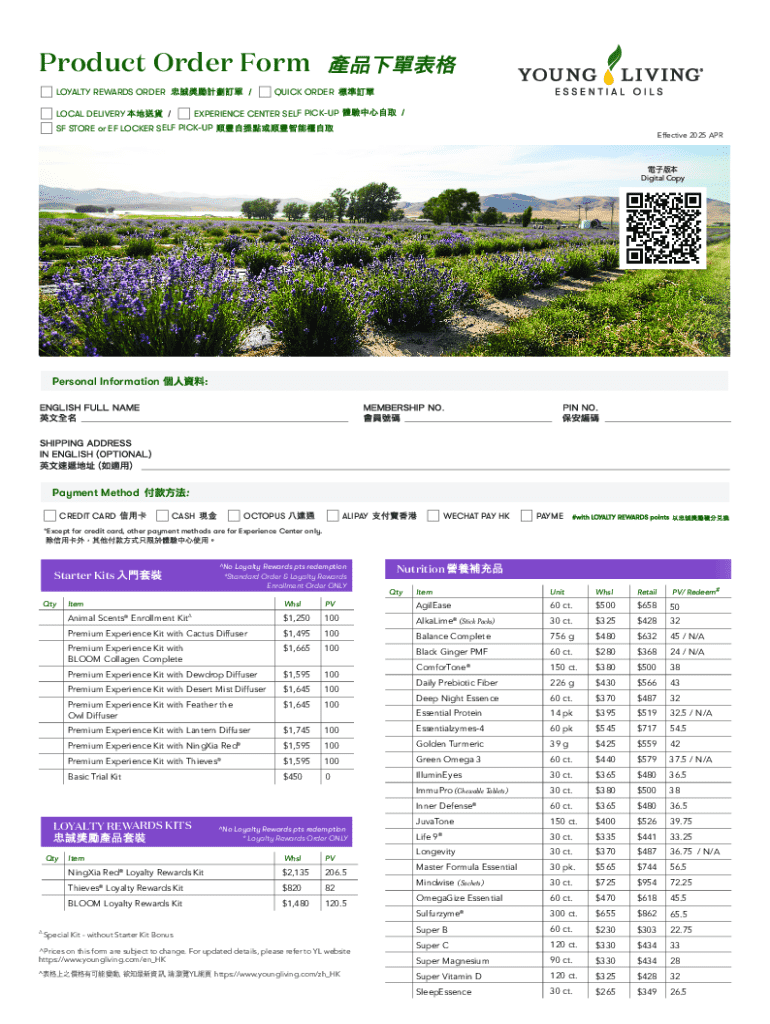
Online forms are digital versions of documents that users can fill out over the internet. They are designed to capture data efficiently and can be used for a variety of purposes, such as applications, surveys, registrations, and more. Online forms eliminate the need for physical paper, streamlining the data collection process. Instead of manually printing, completing, and mailing forms, individuals can fill them out electronically using devices like computers, tablets, or smartphones.
Advantages of Using Online Forms
- Convenience: Online forms can be filled out at any time and from any location.
- Efficiency: They reduce the time needed to process data since information is captured digitally.
- Accessibility: Forms can be accessed by a wider audience, including those with disabilities, through assistive technologies.
- Accuracy: Built-in verification steps reduce the chance of errors during data entry.
How to Use the Form Online
Navigating Online Forms Effectively
To use an online form effectively, start by accessing the desired form through the internet, typically from a specific website or platform like DocHub. Following this, users should review the form's instructions, which will guide them on how to fill each section correctly. The form may have mandatory fields marked with an asterisk (*) that must be completed before submission.
Common Features of Online Forms
Online forms often include features like:
- Text Fields: For entering data such as names, addresses, and other relevant details.
- Checkboxes and Radio Buttons: Allowing users to select one or several options from a list.
- Dropdown Menus: Used to select a single option from a list.
- Signature Fields: Enabling users to sign digitally, which is legally binding in many jurisdictions.
How to Obtain the Form Online
Accessing Online Forms with Ease
Online forms can be obtained from a variety of sources, whether it's a government agency’s website, a business platform, or specialized document management tools like DocHub. Users should verify the authenticity of the source before accessing the form to ensure it is up-to-date and legitimate.
Steps to Acquire the Form
- Identify the Form: Determine the specific form needed based on your purpose.
- Visit the Source: Go to the official website or platform where the form is hosted.
- Download or Direct Access: Depending on the form's design, you may download it for offline completion or fill it out directly online.
Steps to Complete the Form Online
A Comprehensive Guide to Form Completion
Completing an online form involves a series of straightforward steps. Begin by carefully reading any instructions or guidelines provided at the start. This will ensure that all the necessary information is ready and accurately entered. Filling the form involves providing data in designated fields, ensuring that all questions or sections are thoroughly completed.
Step-by-Step Process
- Fill Out Required Fields: Start with the mandatory sections marked with an asterisk (*).
- Use Dropdowns and Checkboxes: Make selections where applicable using provided tools.
- Review and Verify Information: Double-check the information typed for accuracy.
- Digitally Sign if Required: Use the digital signature feature if the form requires authentication.
- Submit the Form: Complete the process by pressing the 'Submit' button. A confirmation message often signifies successful submission.
Key Elements of the Form Online
Essential Components of an Online Form
Certain elements are integral to the effective functioning of an online form. These typically include the header section with form identification details, the main body where data entry occurs, and authentication sections like digital signature fields.
Important Features
- Header Section: Contains the title and version of the form.
- Body: The core part where users input data.
- Instructions and Guidelines: Ensuring users understand how to proceed.
- Signature Field: Captures the user's digital acknowledgment or consent.
Legal Use of the Form Online
Ensuring Compliance through Online Forms
When using online forms, adherence to applicable legal standards is crucial. In the U.S., digital signatures on online forms are accepted under the ESIGN Act, ensuring that online forms have the same legal standing as their paper counterparts.
Legal Implications
- Electronic Signatures: Are legally binding as long as they fulfill the requirements set by relevant legislation.
- Data Privacy: Gathering personal data through online forms should comply with privacy laws like GDPR or CCPA, ensuring user information is handled responsibly.
Who Typically Uses the Form Online


Demographics and Businesses Relying on Online Forms
Online forms are widely used across various sectors. They are adopted by government agencies for tax filing, businesses for customer engagement, educational institutions for admissions, and many other entities seeking streamlined data collection.
Typical Users
- Businesses: For order forms, feedback collection, and employee applications.
- Government Agencies: To facilitate processes like registration, issuing permits, and tax submissions.
- Educational Institutions: For applications and surveys.
Important Terms Related to Form Online
Understanding Key Terminology
Being familiar with critical terms around online forms can enhance comprehension and effective use. These terms help users navigate and complete forms accurately.
Essential Terms
- Digital Signature: An electronic form of a signature that verifies the authenticity of a digital document.
- Validation: The process of checking data for accuracy and compliance with predefined criteria.
- Data Encryption: The practice of securing data to prevent unauthorized access during submission and storage.




