
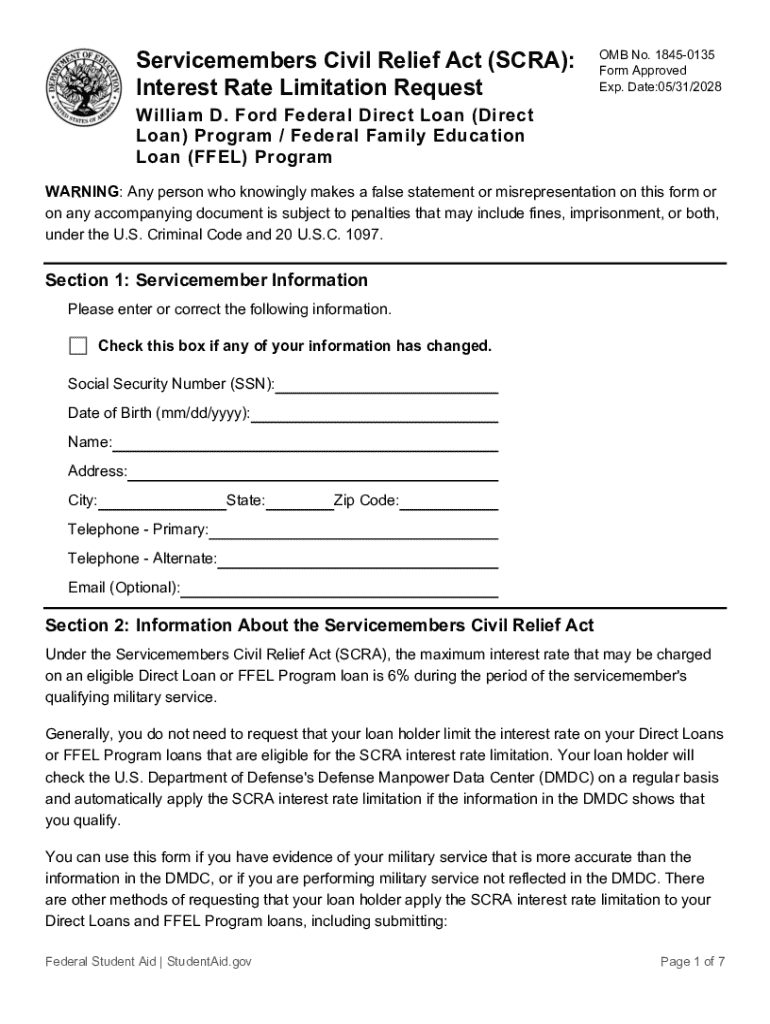







Definition and Meaning
Online forms are digital versions of traditional paper forms, allowing users to fill out, submit, and manage documents electronically. These forms are often used for a variety of purposes, such as applications, registrations, surveys, or any other data collection processes. By being accessible through the internet, online forms offer convenience and flexibility to users who can complete them from anywhere without the need for physical paperwork. This not only streamlines the process but also significantly reduces the time and resources needed to manage the information collected.
How to Use the Form Online
To use a form online, you generally need access to the internet and a compatible device, such as a computer, tablet, or smartphone. Depending on the platform or service offering the form, you may follow these steps:
-
Locate the Form: Begin by finding the website or portal where the form is hosted. This could be a government agency's website, a company's portal, or a dedicated form service like DocHub.
-
Access the Form: Click the specific link or button that directs you to the form. You may need to register or sign in if account access is required.
-
Fill Out the Form: Complete the fields as required. Enter your information accurately to avoid errors. Some forms may provide drop-down menus, checkboxes, or radio buttons for easier input.
-
Review Information: Before submission, carefully review the details you’ve entered to ensure accuracy and completeness.
-
Submit the Form: Once satisfied, click the submit button. Some forms may provide an option to save a draft for later completion.
-
Receive Confirmation: After submission, look for a confirmation notification, email, or reference number for your records.
How to Obtain the Form Online
The process to obtain an online form usually involves these steps:
-
Identify the Provider: Determine who offers the form. This could be a government agency, a business, or an educational institution.
-
Visit the Provider’s Website: Use a search engine or directly enter the known URL to navigate to the official website.
-
Search for the Form: Use the site’s search function or navigate through menus to locate the form you need.
-
Download Option: Some forms may also allow for offline access. Check if there is a download option if you prefer to fill it out without an internet connection initially.
Steps to Complete the Form Online
Filling out an online form can often involve multiple steps depending on its complexity. Here’s a generalized sequence:
-
Preparation: Gather any necessary information or documents you’ll need to complete the form. This might include personal identification numbers, financial data, or previous records.
-
Accessing the Form: Log in or create an account if required. Open the form and begin by reading all instructions carefully.
-
Filling Out Sections: Enter your data in each section or field as required. Use the form’s guides for format or length restrictions.
-
Attachments (if applicable): Upload scanned copies or images of any documents that may be required with your submission.
-
Verification: Use any included functionality to check for errors or missing information.
-
Final Review and Submission: Once reviewed, submit the form. You may be able to print or save a copy of your completed form for your records.
Who Typically Uses the Form Online
A wide array of individuals and entities use online forms for various purposes. The typical users include:
- Individuals: Whether for personal applications, surveys, or registrations, online forms are used to streamline personal tasks.
- Businesses: Companies use these forms for employee onboarding, client intake, feedback forms, and internal processes to enhance efficiency.
- Educational Institutions: Schools and universities leverage online forms for student registration, course enrollments, and event planning.
- Government Agencies: These entities use them to simplify complex bureaucratic processes, such as tax filings or license applications, making services more accessible to the public.


Important Terms Related to Form Online
Understanding specific terms can aid in successfully completing an online form:
- Captcha: A tool used to prevent automated submissions by requiring users to complete a challenge, such as typing characters or selecting specific images.
- Fillable Fields: Designated areas where users input their data, including text boxes, checkboxes, and radio buttons.
- Submission Confirmation: A message or notification confirming that the form has been successfully submitted.
- Encryption: A method of protecting data by converting it into a secure format for transmission and storage.
Key Elements of the Form Online
The main components of an online form usually include:
- Title or Heading: Describes the purpose or name of the form.
- Instructions: Provides guidance on how to correctly complete the form.
- Input Fields: Areas where users enter information. These may be labeled to indicate what data is required, such as name or address.
- Submission Button: An option to finalize and send the completed form.
- Validation Mechanism: Ensures that all required fields are completed and that inputs meet specified criteria before submission.
Legal Use of the Form Online
Online forms must comply with legal standards to ensure validity and enforceability, particularly regarding data protection and electronic signatures:
- Data Privacy Laws: Compliance with regulations such as the GDPR in Europe or CCPA in California ensures user data is securely handled.
- Electronic Signatures: The ESIGN Act in the United States legitimizes electronic signatures, equating them to traditional handwritten signatures, when forms require signatory approval.
Understanding these aspects ensures that the use of online forms is consistent with legal requirements and standards, providing reassurance to both the issuer and the user.




