





Definition and Meaning of Form Online
In the digital age, a "form online" refers to a digital document that can be accessed, completed, and submitted over the internet. This innovation has transformed paperwork management, allowing users to interact with forms without needing physical copies or in-person submissions. Online forms can serve various functions, including applications, surveys, and legal documents. The platform, such as DocHub, offers tools to create, fill, and e-sign these forms, streamlining document workflows and enhancing user efficiency.
How to Use the Form Online
Utilizing an online form through DocHub is straightforward and can be broken down into a series of steps. First, you access the form via DocHub's interface, either by uploading a document from your device or importing directly from cloud storage services like Google Drive or Dropbox. Once the form is open, users can take advantage of DocHub's tools to fill in required fields, add text, or include digital signatures. Real-time collaboration features allow multiple users to work on a form simultaneously, making it simple for teams to finalize documents efficiently.
Features and Tools
- Text Addition: Place text boxes on the form for easy typing.
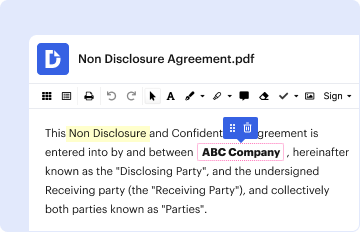
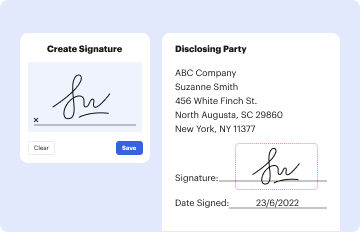
- Signature Integration: Digitally sign the document using various methods.
- Annotation Capabilities: Highlight, comment, or redact specific sections.
Steps to Complete the Form Online
- Access the Form: Open the document in DocHub through your preferred method.
- Fill Out Required Sections: Use interactive tools to input data in text boxes or checkboxes.
- Add Digital Signatures: Utilize the signature tool to authorize the document.
- Review Document: Make sure all fields are filled correctly and the information is accurate.
- Submit or Share: Send the completed document to the relevant parties or store it in the cloud.
Example Scenario
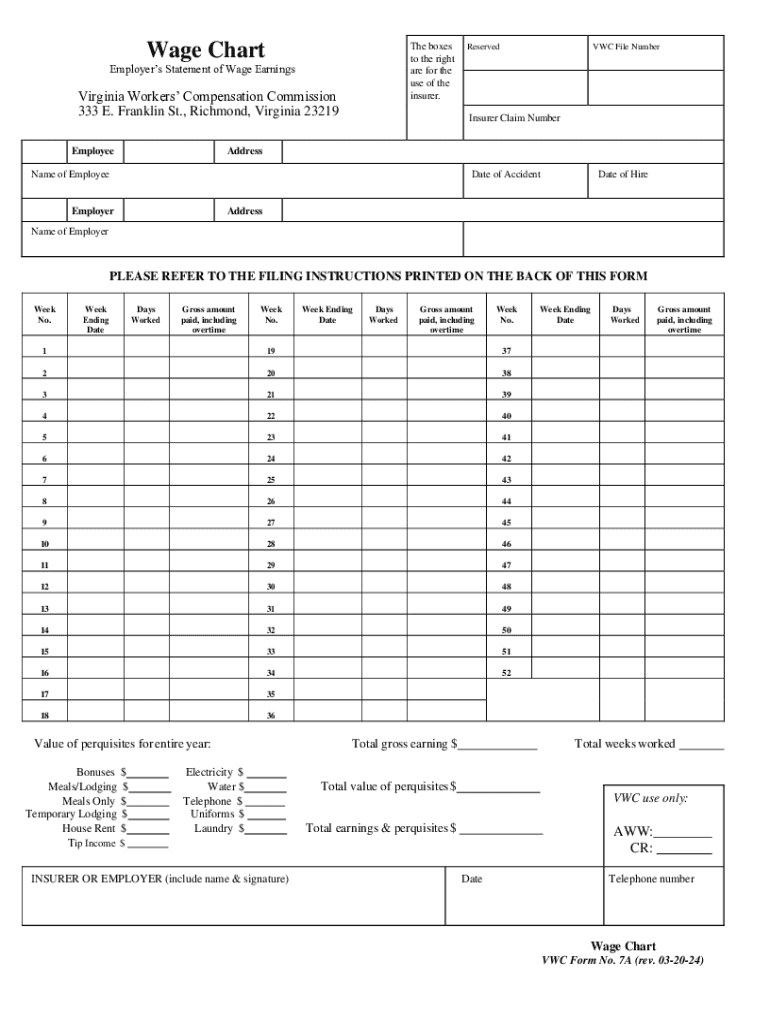
For example, suppose you need to complete a Wage Chart form for the Virginia Workers' Compensation Commission. You would follow these steps, inputting employee earnings into the form's designated fields before electronically signing and submitting it.
Key Elements of the Form Online
An online form typically includes several crucial components to ensure it fulfills its intended purpose effectively. These elements can vary based on the document's purpose but generally include:
- Interactive Form Fields: Spaces for entering information such as names, dates, and numbers.
- Instructional Text: Guidelines to help users accurately complete the form.
- Signature Fields: Areas designated for electronic signatures.
- Submission Details: Information on how to submit the form electronically or otherwise.
Practical Example
In the Wage Chart form, essential elements include sections where employers can report gross weekly earnings and areas for signatures, ensuring that the form serves both documentation and compliance purposes.
Who Typically Uses the Form Online
Online forms are utilized by a broad spectrum of users due to their versatility. Individuals, small businesses, and large corporations alike benefit from the convenience and efficiency of managing documents online.

User Profiles
- Individual Consumers: For personal applications or government forms.
- Businesses: For invoicing, contracts, and HR documentation.
- Educational Institutions: Student admissions, staff records, and surveys.
Legal Use of the Form Online
Legal validity is a significant aspect of online forms, especially those requiring signatures. Platforms like DocHub adhere to regulations, offering legally binding electronic signatures that comply with the ESIGN Act.
Ensuring Compliance
- Signature Verification: Offers digital audit trails to verify authenticity.
- Security Protocols: Utilizes encryption to protect sensitive data.
- Password Protection: Allows for added layers of security for sensitive documents.
Important Terms Related to Form Online
Understanding specific terminology is crucial for effectively navigating online forms. Key terms include:
- Fillable Fields: Areas in the form designed for user input.
- Digital Signature: An electronic method of signing documents.
- Encryption: A security measure to protect data during transmission.
- Real-time Collaboration: Feature allowing multiple users to edit the form simultaneously.
Software Compatibility with Form Online
DocHub's platform is designed for compatibility with various software suites, enhancing user convenience and ensuring users can work efficiently within their existing ecosystems.
Supported Integrations
- Google Workspace: Import and export documents directly from Google Drive.
- Microsoft Office Suite: Open and edit forms in DOC, PPT, XLS formats.
- Third-party Services: Compatible with storage services like Dropbox and OneDrive.
In conclusion, understanding how to effectively manage forms online using DocHub can significantly enhance productivity and streamline the document workflow process for both individuals and businesses. It simplifies the traditionally cumbersome process of managing physical documents, offering a modern, efficient alternative.