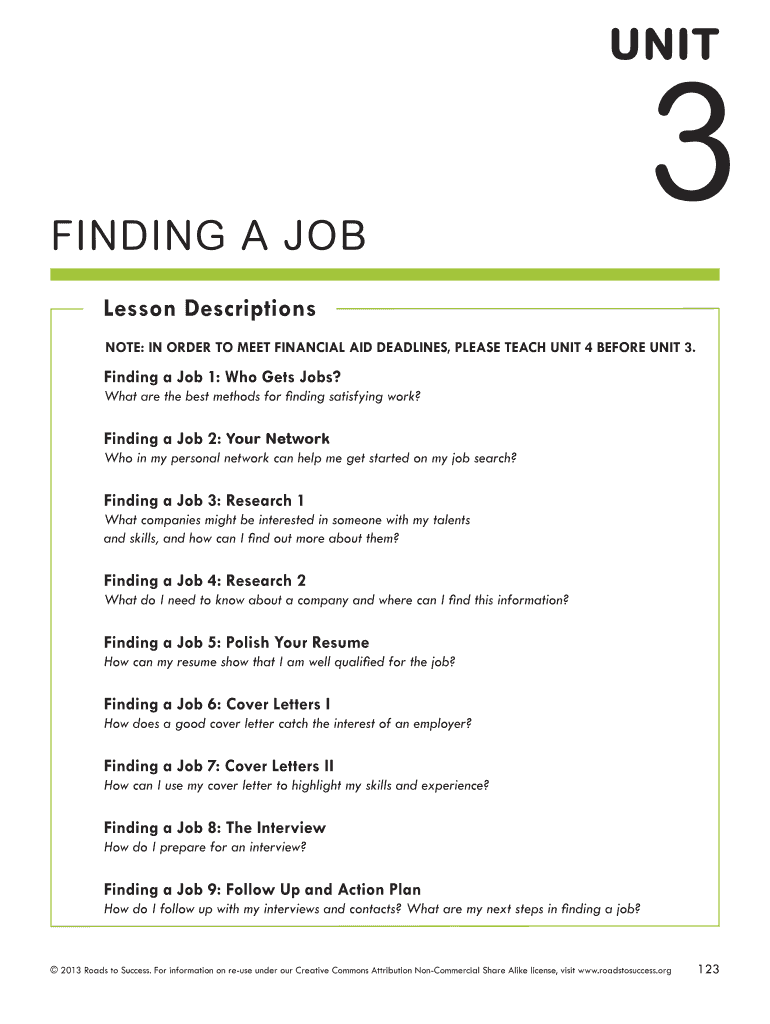







Definition and Meaning of "Finding a Job"
The term "Finding a Job" encompasses a broad range of activities aimed at securing employment. This includes understanding job market trends, identifying suitable job opportunities, crafting effective application materials, and engaging in networking and interviewing. Each step plays a crucial role in increasing the chances of a successful job search. Beyond merely submitting applications, job seekers must also evaluate job offers based on various factors such as compensation, company culture, and career growth opportunities.
How to Use the "Finding a Job" Form
This form serves as a guide for individuals seeking employment, offering structured methods to track job applications and organize search-related activities. Users typically log details of each application, including company name, position, date of submission, and follow-up actions. By maintaining such records, job seekers can ensure they are thorough and timely in their application process, enhancing their chances of securing interviews.
Key Features of the Form
- Application tracking: Record submission dates and follow-up actions.
- Contact information: Maintain a list of employer details and job portals.
- Action items: Outline tasks, such as customizing resumes or preparing for interviews.
How to Obtain the "Finding a Job" Form
The "Finding a Job" form can often be found on career websites, educational institution portals, or job search workshops. Many resource centers may offer digital versions that can be downloaded and customized to fit individual needs. In some cases, career advisors may provide personalized versions tailored to specific industries or career paths.
Steps to Complete the "Finding a Job" Form
-
Start with Contact Information: Include names, phone numbers, and email addresses of potential employers and networking contacts.
-
List Job Applications: Keep track of every job application submitted, noting the company name, position, and submission date.
-
Record Follow-up Activities: Document actions such as sending thank-you emails or scheduling interviews.
-
Notes and Comments: Use this section to jot down thoughts or impressions about each position or employer.
Key Elements of the "Finding a Job" Form
- Personal Information: Basic details such as name and contact info.
- Job Preferences: Sectors or roles of interest.
- Skills and Qualifications: Major competencies and educational background.
- Resume and Cover Letter Customizations: Adjustments made for each application.
Important Terms Related to "Finding a Job"
When completing a "Finding a Job" form, several terms may frequently appear:
- Networking: Establishing connections within your desired industry.
- Tailoring: Customizing your resume or cover letter for specific job applications.
- Job Alert: Notifications set up to inform you of new job postings.
- Elevator Pitch: A brief introduction that encapsulates your professional background and aspirations.
Examples of Using the "Finding a Job" Form
Consider Emily, a recent college graduate. By using a "Finding a Job" form, she tracks applications, ensuring timely follow-ups. By analyzing the form data, she notices higher response rates from certain industries, helping her refine focus on sectors with better opportunities.
Required Documents for "Finding a Job"
While utilizing this form, it’s beneficial to have key documents ready:
- Resume: A well-crafted summary of your career history.
- Cover Letters: Tailored letters for specific job applications.
- References: A list of professional references who can vouch for your skills and experience.
- Portfolio: For creative industries, a collection of your work can be crucial.
Digital vs. Paper Version of the "Finding a Job" Form
Both digital and paper versions have distinct advantages. The digital form offers ease of updating and organization, facilitating quick edits and searchability. It's compatible with various devices, ensuring access from anywhere. Conversely, a paper form can be handy when needing to jot down quick notes in a less formal setting. However, maintaining a digital spreadsheet or document may be more practical for comprehensive tracking.
The choice between digital and paper versions often depends on personal preference and specific job search strategies, with some individuals opting to use both methods for thoroughness.