01. Edit your form online
Type text, add images, blackout confidential details, add comments, highlights and more.

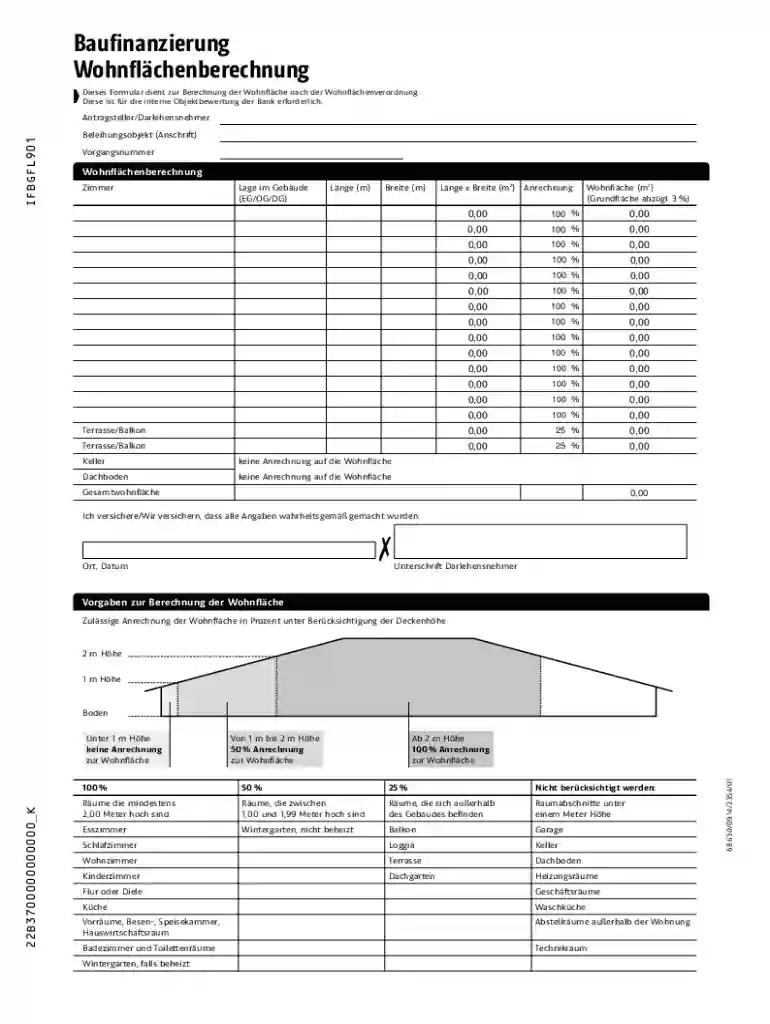
Type text, add images, blackout confidential details, add comments, highlights and more.

Draw your signature, type it, upload its image, or use your mobile device as a signature pad.

Send it via email, link, or fax. You can also download it, export it or print it out.
The term "form online" refers to the process of completing and submitting forms through an electronic medium, utilizing internet connectivity. It eliminates the need for physical paperwork by digitizing form tasks such as applications, registrations, or data collection forms. Online forms can range from simple contact requests to complex tax forms. They are hosted on platforms offering user-friendly interfaces to guide users through the form-filling process efficiently. Additionally, electronic forms offer features like auto-fill, digital signatures, and real-time error checking, which enhance user experience and accuracy.
Using a form online involves accessing a digital platform where the form is hosted. Follow these steps to ensure a smooth experience:
Access the Form Platform: Start by navigating to the website hosting the form. Ensure that the platform is reputable and secure to protect your data.
Form Navigation: Familiarize yourself with the form interface. Many platforms provide a sidebar or navigation pane to help you jump between sections of the form.
Data Entry: Begin entering your information. Many forms provide tools like dropdown menus, text boxes, and checkboxes tailored to different data types.
Attachments and Uploads: If required, attach additional documents. Ensure that files adhere to the specified formats and size limits.
Review and Edit: Before submitting, carefully review all entries to ensure accuracy. Most platforms allow you to edit fields until submission.
Submission: Once satisfied with the entries, submit the form. You may receive a confirmation email or page indicating successful submission.
Digital Signature: If required, you can sign the form using digital signature tools provided by the platform. This might involve typing your name, drawing a signature, or uploading an image of your signature.
Completing an online form requires systematic steps to ensure that all required information is accurately filled.
Read Instructions Carefully: Begin by carefully reading the instructions provided on the form. This will prevent errors and omissions.
Fill Required Fields: Input information in all required fields marked with an asterisk (*). These are mandatory for form submission.
Use Autofill Features: Utilize autofill options provided by your browser to speed up data entry if available.
Save Progress: If the form is lengthy, save your progress periodically to avoid data loss due to connectivity issues.
Cross-Check Data: After filling out the form, double-check all the entered information to correct any errors.
Finalize and Submit: Once the form is verified for completeness and accuracy, proceed to submit it.
Confirmation: Keep an eye out for a confirmation message or email as proof of submission.
Forms online typically include a variety of elements essential for gathering detailed information:
Legal aspects of using forms online vary based on the type of form and jurisdiction. However, several universal legal considerations include:
Compliance with Data Protection Laws: All online forms must comply with data privacy regulations, such as GDPR or HIPAA in relevant sectors.
Valid Electronic Signatures: Many forms require signatures to be legally binding. Platforms should adhere to laws such as the ESIGN Act in the U.S., which gives e-signatures the same validity as handwritten ones.
Consent for Data Collection: Users must be informed about how their data will be used, stored, and shared before they submit the form.
Filing and Retrieval: Forms filled and submitted online should be easily retrievable and storable for legal record-keeping.
Online forms serve a myriad of purposes across various domains:
Online forms can be filled on various software platforms and may require compatibility with certain software applications:
These tools allow users to leverage specific functionalities like auto-save, direct cloud storage, and sharing capabilities.
There are distinct advantages to using digital forms over their paper counterparts:
Digital forms represent a streamlined approach to data collection, ensuring accessibility and ease of use across various platforms.
We've got more versions of the Wohnfl chenberechnung Form form. Select the right Wohnfl chenberechnung Form version from the list and start editing it straight away!
At DocHub, your data security is our priority. We follow HIPAA, SOC2, GDPR, and other standards, so you can work on your documents with confidence.