







Definition & Meaning
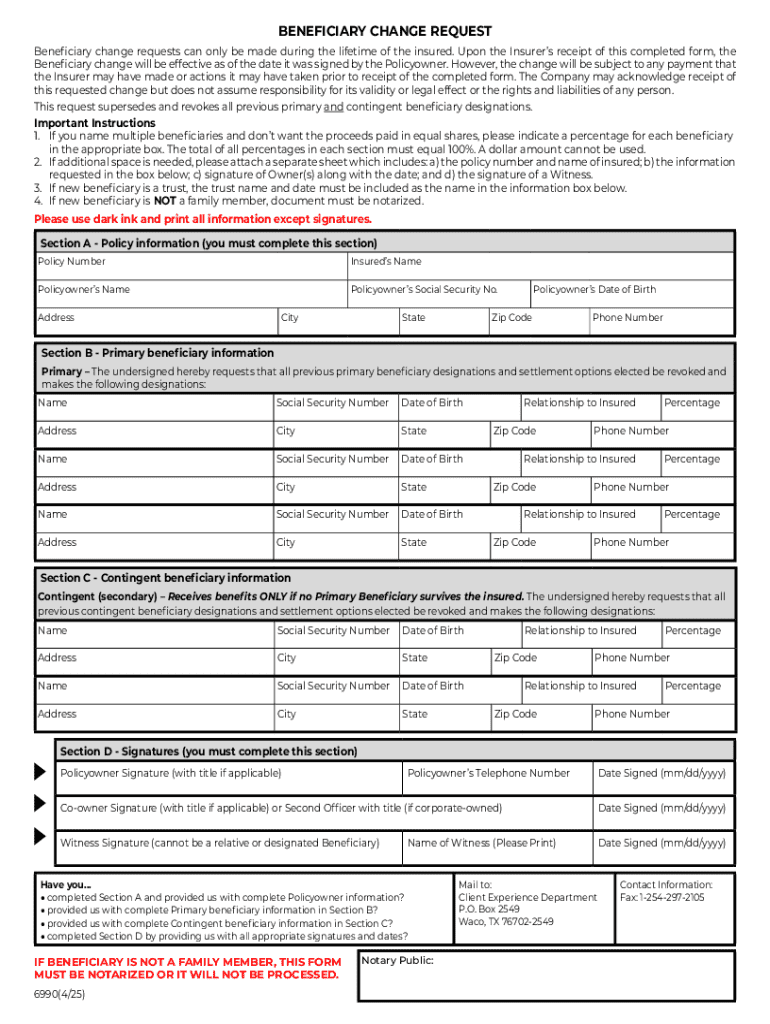
The term "form online" refers to a digital version of a document or template that can be completed and submitted over the internet. These forms are designed to streamline processes by allowing users to fill them out electronically, often with the capability to include interactive fields such as text boxes, checkboxes, and signature areas. Online forms are commonly used for applications, registrations, surveys, and data collection, making it easier for individuals and businesses to gather and process information without needing to handle physical paperwork.
How to Use the Form Online
Using an online form typically involves accessing the document through a web platform that facilitates digital completion. Users can interact with various fields, such as entering information into text boxes, selecting options from dropdown menus, or marking checkboxes. Many online forms also feature designated areas for digital signatures, ensuring that submissions are not only efficient but also legally compliant. Upon completing the form, users can submit it electronically, often receiving confirmation of receipt. This digital process is seamless and usually requires no specific software installations.
How to Obtain the Form Online
Acquiring an online form can be achieved through several methods, depending on its purpose and availability. Commonly, forms are accessible from websites of organizations or government agencies that require information submissions. Users might receive a direct link via email or find forms through a relevant web portal. Platforms like DocHub simplify this process by allowing the import of documents from cloud services like Google Drive and Dropbox, ensuring that forms are easily obtainable and conveniently located.
Steps to Complete the Form Online
- Access the Form: Open the online form through a web link or a digital document management platform.
- Enter Required Information: Fill in the data fields with relevant information. Ensure accuracy to avoid errors.
- Use Interactive Features: Utilize interactive features like checkboxes and dropdown menus to provide additional details.
- Add a Digital Signature: Use available tools to sign the document electronically if necessary.
- Review the Form: Double-check all information for completeness and correctness before submitting.
- Submit the Form: Send the completed form through the platform's submission process, ensuring you receive confirmation.
Why Should You Form Online
Filling out forms online offers several benefits, including increased efficiency, accuracy, and accessibility. It eliminates the need for physical paperwork, reducing the risk of loss or damage. Online forms can be completed remotely, providing flexibility for individuals and businesses. Additionally, digital forms often include built-in validation checks, helping to ensure that all required fields are completed correctly. This minimizes errors and expedites processing, making it an ideal solution for time-sensitive submissions.
Key Elements of the Form Online
- Text Boxes: Allow users to input specific data, such as names and addresses.
- Checkboxes: Enable the selection of multiple options, facilitating easier choices.
- Dropdown Menus: Provide a list of predefined options for users to choose from.
- Signature Fields: Capture electronic signatures for validation and legal compliance.
- File Uploads: Allow users to attach additional documents or evidence required for submissions.
Important Terms Related to Form Online
Understanding key terms associated with online forms is crucial for effective use. Terms such as "digital signature," referring to an electronic means of signing a document, and "interactive fields," which are elements that enable user interaction, are foundational. Other important terms include "form validation," which ensures data accuracy, and "submission confirmation," an acknowledgment of successful form completion. Familiarity with these terms aids users in navigating and utilizing online forms efficiently.
State-Specific Rules for the Form Online
Different states may have specific regulations and requirements for online forms, especially concerning legal documents or submissions to state agencies. For example, states might vary in their acceptance of digital signatures or require additional forms of verification. It is crucial to understand local laws and obtain the necessary guidelines before completing online forms to ensure compliance. Users can usually find state-specific instructions on official websites or through contact with the relevant agency.
Examples of Using the Form Online
Online forms are utilized across numerous scenarios, including:
- Job Applications: Candidates submit their resumes and information through employer-provided forms.
- Tax Filings: Taxpayers complete forms digitally, often with software integration to streamline submissions.
- Event Registrations: Attendees register for events by entering details into a provided online form.
- Surveys and Feedback: Businesses collect customer feedback and data through interactive questionnaires.
- Legal Documents: Parties sign contracts and agreements digitally, ensuring speed and legal adherence.
This variety of applications demonstrates the versatility and essential role of online forms in modern digital interactions.




