Definition and Meaning of Form Online
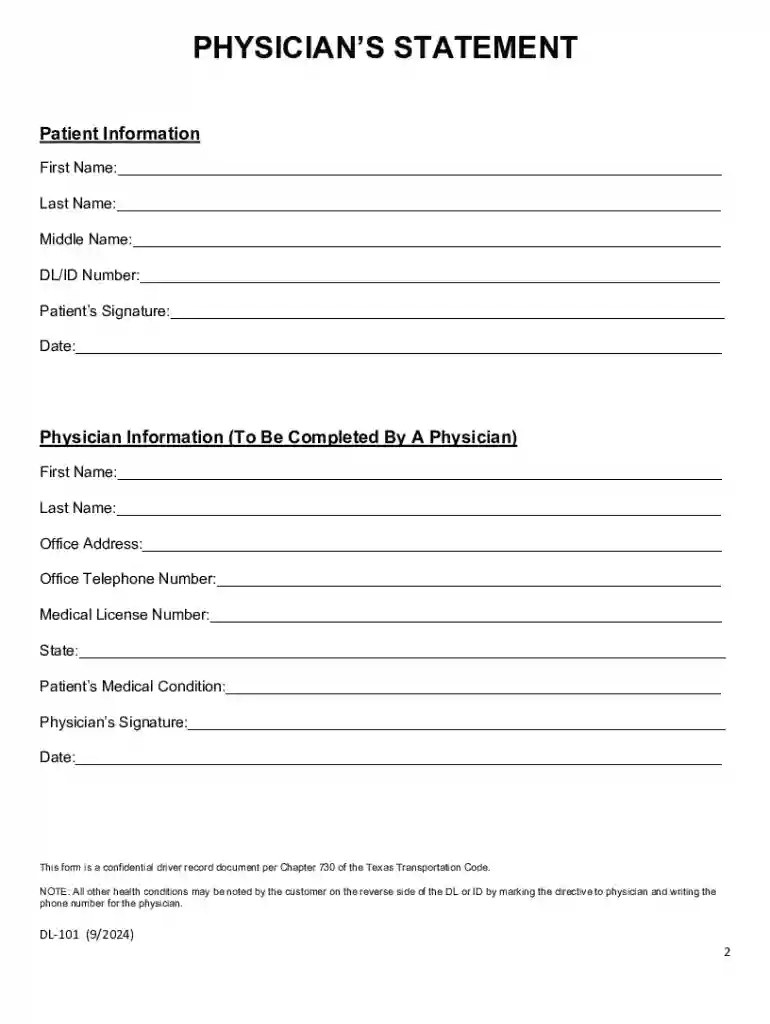
The term "form online" refers to electronic versions of traditional paper forms that can be accessed, filled out, and submitted via the internet. These forms provide the capability to collect, store, and process data more efficiently compared to their paper counterparts. By utilizing an online platform, institutions can streamline operations, reduce physical paperwork, and facilitate real-time submissions. Examples of commonly used online forms include applications, surveys, orders, registration forms, and government-required documents.
Key Benefits of Using Form Online
- Efficiency: Online forms eliminate the need for printing, mailing, and manual entry of data, vastly reducing time and resource expenditure.
- Accessibility: Users can complete forms from anywhere with internet access, enhancing convenience and accessibility.
- Real-time Processing: Submitted data can be immediately accessed, reviewed, and processed, allowing for swift response and action.
How to Use the Form Online
To effectively use an online form, follow these general steps:
- Access the Form: Open the form link provided by the organization or institution via email, website, or online portal.
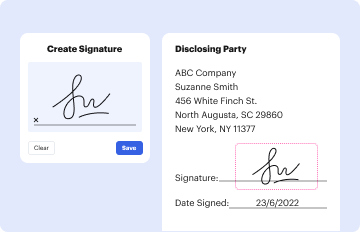
- Filling Out the Form: Enter the required information in the designated fields. This might include personal details, contact information, and other specific data requested. Many forms incorporate features like drop-down menus, checkboxes, and digital signatures for ease of use.
- Review Your Information: Before submission, thoroughly review the filled details to ensure accuracy and completion.
- Submit the Form: Once verified, click the submit button to send your form data to the intended recipient.
- Confirmation and Follow-up: Look for a confirmation message or email indicating successful submission. Save a copy or take a screenshot for your records.
Steps to Complete the Form Online
Completing an online form is a streamlined process that varies slightly based on the complexity of the form and platform. Here is a typical procedure:
- Open the Form Link: Access the form through the provided URL in an email or on a website.
- Read Instructions Carefully: Review any guidelines or instructions provided at the start of the form, as they offer crucial information about required data and submission deadlines.
- Input Required Information: Enter the necessary data in the specified fields. Mandatory fields are often marked with an asterisk.
- Attach Supporting Documents: If the form requires additional documents, upload them in the designated sections. Accepted formats may include PDF, DOC, JPG, etc.
- Double-Check for Errors: Verify all information is correct and comprehensive to prevent submission errors.
- Submit and Save a Copy: After submission, look for a download or save option to retain a personal copy of the completed form.
Common Pitfalls in Completing the Form Online
- Skipping Required Fields: Ensure every required field is completed to prevent the form from being unsendable.
- Incorrect File Formats: Verify the file types for uploads are compatible with the form requirements.
- Typos and Errors: Typos can cause significant delays; always double-check entries for correctness.
Why You Should Use Form Online
Opting for online forms offers a multitude of advantages over traditional paper forms:
- Environmental Benefits: Reduces paper consumption, contributing to environmental conservation efforts.
- Cost-Effectiveness: Decreases printing, postage, and storage costs for both organizations and users.
- Data Security: Enhanced security features, such as encryption and authentication, safeguard personal data against unauthorized access.
Examples of Using the Form Online
Online forms are versatile and used across various scenarios:
- Job Applications: Many employers now require candidates to submit applications through online platforms for easier management and review.
- Academic Enrollments: Education institutions often use online forms for student registration, course selection, and feedback.
- Tax Filings: Taxpayers can complete and submit forms for tax returns online, ensuring timely processing.
Case Study: Effective Use of Form Online in Business
A medium-sized company implemented digital intake forms for client onboarding, significantly reducing processing time and improving customer satisfaction through immediate feedback and more streamlined communications.
Legal Use of the Form Online
In the United States, United States Code and several acts govern the legal use of online forms:
- ESIGN Act Compliance: Electronic signatures on forms are valid and legally enforceable if they meet the criteria set by the Electronic Signatures in Global and National Commerce Act.
- Privacy Laws: Forms must comply with regulations like HIPAA, ensuring the protection of personal information submitted online.
Legal Considerations for Specific Forms
- Consent and Disclosure: Ensure that forms include necessary consent forms and disclose the purpose for which data will be used.
- Data Retention Policies: Adhere to laws regarding how long the information collected through forms can be stored.
Penalties for Non-Compliance
Failure to comply with laws and regulations surrounding online forms can result in significant legal and financial repercussions:
- Fines and Penalties: Organizations may face hefty fines for breaches of security and privacy laws or failing to implement proper security measures when handling sensitive information.
- Reputation Risk: Non-compliance can damage an organization's reputation, leading to loss of customers and partnerships.
Digital vs. Paper Version
Choosing between digital and paper forms depends on several factors, including purpose, user preference, and regulatory requirements:
- Advantages of Digital Forms: Speed, convenience, and the ability to integrate with digital systems for data analysis and reporting.
- Advantages of Paper Forms: In certain scenarios, such as lack of internet access, paper forms provide a viable alternative.
Transitioning from Paper to Digital
- Organizations may undertake an incremental transition, offering both formats and gradually encouraging a shift towards digital to ease adaptation and technological proficiency among users.