






Definition and Meaning
A trust is a legal arrangement where a grantor transfers assets to a trustee to manage and distribute them to named beneficiaries according to the trust terms. This is commonly used to plan estate distributions, manage assets during the grantor's lifetime, and provide for beneficiaries after the grantor's death. Trusts can be tailored to various needs, including providing for minors, managing assets efficiently, or ensuring privacy in estate management.
Types of Trusts
- Revocable Living Trust: Allows the grantor to retain control over the trust and make changes during their lifetime.
- Irrevocable Trust: Cannot be modified once established, offering potential tax benefits and asset protection.
- Testamentary Trust: Created through a will and activated upon the grantor's death.
Purpose of Trusts
- Protect assets from probate.
- Provide for minor children or dependents with special needs.
- Manage complex or significant assets.
- Ensure privacy in estate matters.
Steps to Complete the How to Form a Trust
-
Identify Purpose and Type: Choose the appropriate trust type based on your goals, such as asset management or tax planning.
-
Select a Trustee: Appoint a trustworthy individual or institution to manage the trust. Trustees must act in the beneficiaries' best interests.
-
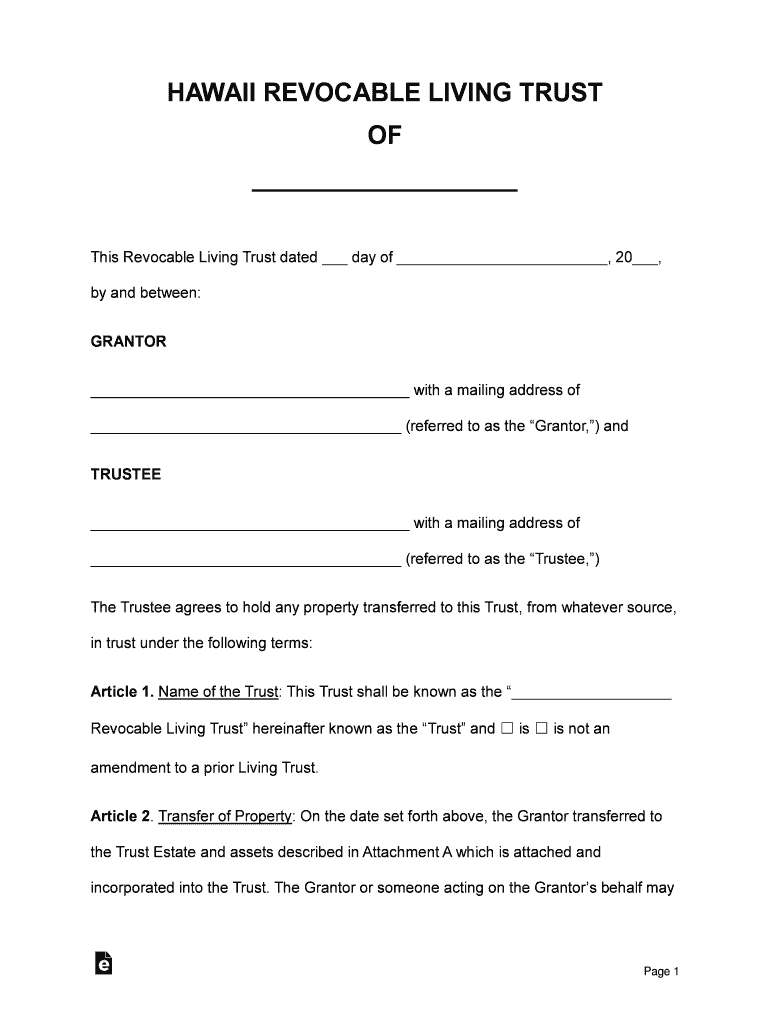
Draft the Trust Document: Work with a legal professional to outline the trust terms, including asset management and distribution procedures.
-
Fund the Trust: Transfer assets like real estate, investments, or personal property into the trust.
-
Register the Trust: Depending on the state's requirements, some trusts may need to be registered with local authorities or courts.
-
Review and Update: Regularly review the trust to ensure it aligns with current goals and legal requirements.
Common Questions
- How are assets transferred? Assets must be retitled in the name of the trust using legal documents.
- Do trust terms change automatically? Trust terms require formal amendments for any changes.
Who Typically Uses How to Form a Trust
Individuals
- High Net Worth Individuals: To manage substantial assets and reduce estate tax liabilities.
- Parents with Minor Children: To secure their children's financial future without immediate transfer of assets.
- People with Special Needs Dependents: To provide lifetime care without affecting eligibility for benefits.
Businesses
- Family-Owned Businesses: To ensure smooth transition and control over the business across generations.
- Real Estate Investors: To manage properties and receive rental income within a trust framework, offering liability protection.
Legal Use of the How to Form a Trust
- Trusts are legally binding documents under U.S. law, providing a mechanism for asset management and distribution.
- They must comply with the state's legal framework, which may involve specific tax implications and procedural requirements.
- Legal advice is recommended to ensure the trust is legally compliant and effectively meets its intended purposes.
Compliance Considerations
- Tax Reporting: Trusts may have separate tax filings depending on their structure.
- Annual Review: Changes in law or personal circumstances may require adjustments to the trust.
Key Elements of the How to Form a Trust
Core Components
- Grantor: The person establishing the trust and transferring assets.
- Trustee: The person or institution managing the trust.
- Beneficiary: Those who benefit from the trust according to its terms.
- Corpus: The assets placed in the trust for management.
Additional Provisions
- Asset Management Directives: Instructions on how the trustee should manage and distribute assets.
- Specific Bequests: Details about particular distributions to beneficiaries.
- Succession Plans: Guidelines for transferring trustee duties if the original trustee can no longer serve.
State-Specific Rules for How to Form a Trust
Variations by State
- Registration Requirements: Certain states may require trust registration or filings.
- Tax Implications: State taxes on trusts differ; it's essential to review state-specific obligations.
- Legal Provisions: Trust laws, including allowable terms and trustee duties, can vary significantly.
Examples
- California: Requires detailed trust documentation and stringent fiduciary obligations.
- Florida: Offers homestead protections under certain trust conditions.
Required Documents
- Trust Agreement: Formal document outlining all terms and provisions.
- Deeds of Transfer: Legal papers transferring titles of assets to the trust.
- Identification Proofs: For the grantor, trustee, and sometimes beneficiaries, depending on jurisdiction.
Document Preparation Tips
- Ensure notarization of significant documents.
- Consult local legal requirements for proper execution.
Examples of Using the How to Form a Trust
- Family Financial Planning: Utilizing a trust to set aside funds for education or future family needs.
- Charitable Giving: Establishing a charitable trust to support nonprofit causes while benefiting from tax deductions.
- Business Continuity: Forming a trust to ensure the smooth succession of family-owned enterprises.