Definition and Meaning of the SEHP Enrollment Form
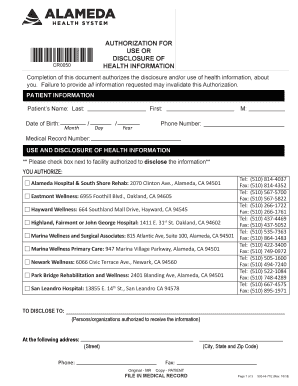
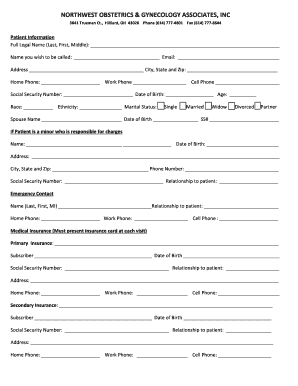
The State Employee Health Plan (SEHP) enrollment form is a crucial document for employees in state agencies seeking to enroll in health benefits. It is designed to gather essential information on personal details, chosen coverage options, and tobacco use status, essential for determining eligibility and calculating applicable health benefit discounts. The form also acts as a record of an employee's health benefits selection, ensuring official acknowledgment of the individual's choices regarding medical and dental insurance coverages.
Understanding the importance of accurately completing this form can impact both the scope and cost of health benefits provided to employees. Missing or incorrect entries can lead to delays in coverage or unexpected expenses, highlighting the necessity for precision when filling out the form.
How to Obtain the SEHP Enrollment Form
Acquiring the SEHP enrollment form is a straightforward process for state employees. The form is typically distributed by the human resources department of your place of employment. Alternatively, it may be available for download from your employer's internal online portal. Some state agencies provide direct access to these forms on their official websites, offering both digital and printable versions for convenience.
- Human Resources Department: Contact your HR representative to receive the most recent version of the form.
- Employer Intranet: Many organizations provide downloadable forms directly from their internal portals.
- Agency Website: Check if your state agency offers online access to the enrollment form through their public website.
Steps to Complete the SEHP Enrollment Form
Completing the SEHP enrollment form requires careful attention to ensure accuracy and completeness. Follow these steps to successfully fill out the form:
- Personal Information: Begin by providing your full name, employee ID, and contact information.
- Dependent Details: Enter the personal details of any dependents you wish to cover under your health plan.
- Coverage Selection: Choose your desired medical and dental coverage options. This section typically includes different plan levels such as basic or premium.
- Tobacco Use Declaration: Disclose your tobacco use status, as it may affect your eligibility for certain benefits or discounts.
- Authorization and Signature: Complete the form by signing and dating it to authorize enrollment choices.
Ensure all sections are filled out accurately to prevent processing delays or coverage issues.
Important Terms Related to SEHP Enrollment
To navigate the SEHP enrollment process effectively, familiarity with specific terms commonly used in the form is essential:
- Beneficiary: A person designated to receive benefits covered under your health plan.
- Plan Options: Various tiers of coverage available, typically including basic, standard, and premium.
- Dependent: Any family member, such as a spouse or child, eligible for coverage under your health plan.
- Open Enrollment: A specified period during which employees can enroll in or make changes to their health plans.
Understanding these terms can help ensure that you select the appropriate options and provide accurate information.
Key Elements of the SEHP Enrollment Form
The SEHP enrollment form consists of several crucial sections that must be completed:
- Employee Information: Provides a record of the individual's identity and employment status.
- Dependent Information: Lists individuals who will be included in the health plan.
- Coverage Selections: Comprises the choices for medical and dental insurance, including optional additional coverages.
- Tobacco Use Declaration: An important factor that can influence premium rates and eligibility for certain discount programs.
These elements serve to compile comprehensive data necessary for processing health coverage effectively.
Eligibility Criteria for SEHP Enrollment
Eligibility for the SEHP is primarily determined by your status as a state employee, but other factors may come into play:
- Employment Status: Generally full-time employees are eligible, whereas part-time or contract workers may not be.
- Dependent Criteria: Dependents typically must be related by blood, marriage, or adoption.
- Residency Requirements: Some state-specific rules may necessitate that covered individuals reside within the state.
Refer to your human resources department for specific eligibility criteria applicable to your situation.


Software Compatibility with SEHP Enrollment Form
While the SEHP enrollment form is often available as a PDF, compatibility with other software might be necessary for easier handling. Here’s what typically works:
- Adobe Acrobat: Use for filling and digitally signing the PDF form.
- Microsoft Word: You may convert the PDF to Word format for more comfortable text editing.
- DocHub: Facilitates online editing, signing, and form submission, seamlessly integrating with cloud services like Google Drive for streamlined processing.
Ensuring software compatibility can enhance the efficiency of completing and submitting the enrollment forms.
State-Specific Rules for SEHP Enrollment
Though the fundamental structure of SEHP enrollment forms is consistent, variations may exist across different states:
- Plan Options: Available health plans might differ based on geographic location.
- Administrative Requirements: Documentation requirements and processing protocols can vary from state to state.
- Enrollment Periods: Some states might have different open enrollment periods that employees must adhere to.
State-specific guidelines offer critical information to ensure compliance with local requirements and regulations.