01. Edit your form online
Type text, add images, blackout confidential details, add comments, highlights and more.

Type text, add images, blackout confidential details, add comments, highlights and more.

Draw your signature, type it, upload its image, or use your mobile device as a signature pad.

Send it via email, link, or fax. You can also download it, export it or print it out.
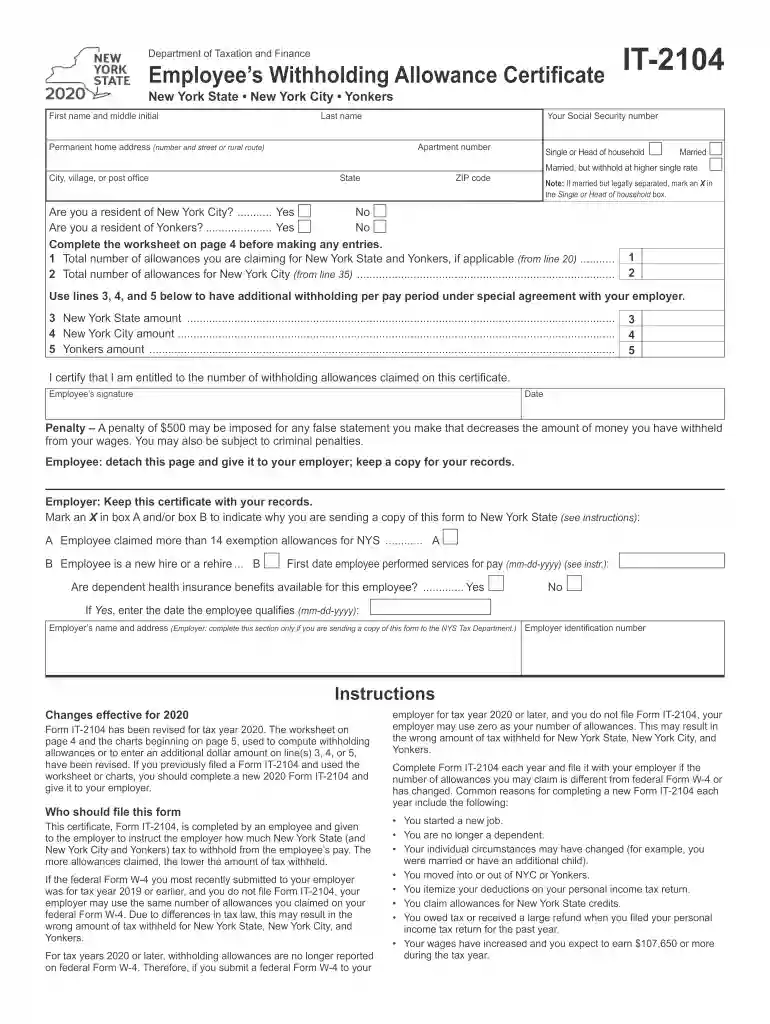
The New York State Department of Taxation and Finance IT-2104 is a form primarily used by employees to adjust the amount of state tax withheld from their paycheck. Officially known as the Employee's Withholding Allowance Certificate, it allows individuals to claim allowances based on various factors such as marital status, number of dependents, and other deductions. This form ensures that the correct amount of state income tax is withheld from an individual's wages, preventing both underpayment and overpayment of taxes throughout the year.
Personal Information: Provide basic details such as your name, social security number, and address at the top of the form.
Filing Status: Indicate your filing status, such as single, married filing jointly, or head of household. This impacts the number of allowances you can claim.
Allowances Worksheet: Complete the worksheet to calculate your total allowances. Consider factors such as dependents and expected tax credits.
Adjust Withholding: If necessary, adjust the withholding amount by indicating an additional amount to be withheld from each paycheck.
Sign and Date: Ensure you sign and date the form to validate the information provided.
The IT-2104 form must be handled accurately to remain compliant with New York State tax laws. Incorrect filing or failure to file can result in insufficient withholding, leading to tax penalties. Employers are required to maintain an updated IT-2104 for each employee to ensure precise payroll tax computation.
Non-compliance through inaccurate allowance claims may lead to interest and penalties during tax season due to unpaid tax liabilities.
Individuals employed in New York State are the primary users of the IT-2104 form. This includes:


Compatibility with payroll software such as TurboTax and QuickBooks ensures seamless updates and accuracy across tax and payroll systems.
We've got more versions of the New York State Department of Taxation and Finance IT-2104 form. Select the right New York State Department of Taxation and Finance IT-2104 version from the list and start editing it straight away!
| Versions | Form popularity | Fillable & printable |
|---|---|---|
| 2020 | 4.8 Satisfied (45 Votes) |
At DocHub, your data security is our priority. We follow HIPAA, SOC2, GDPR, and other standards, so you can work on your documents with confidence.