Definition & Meaning
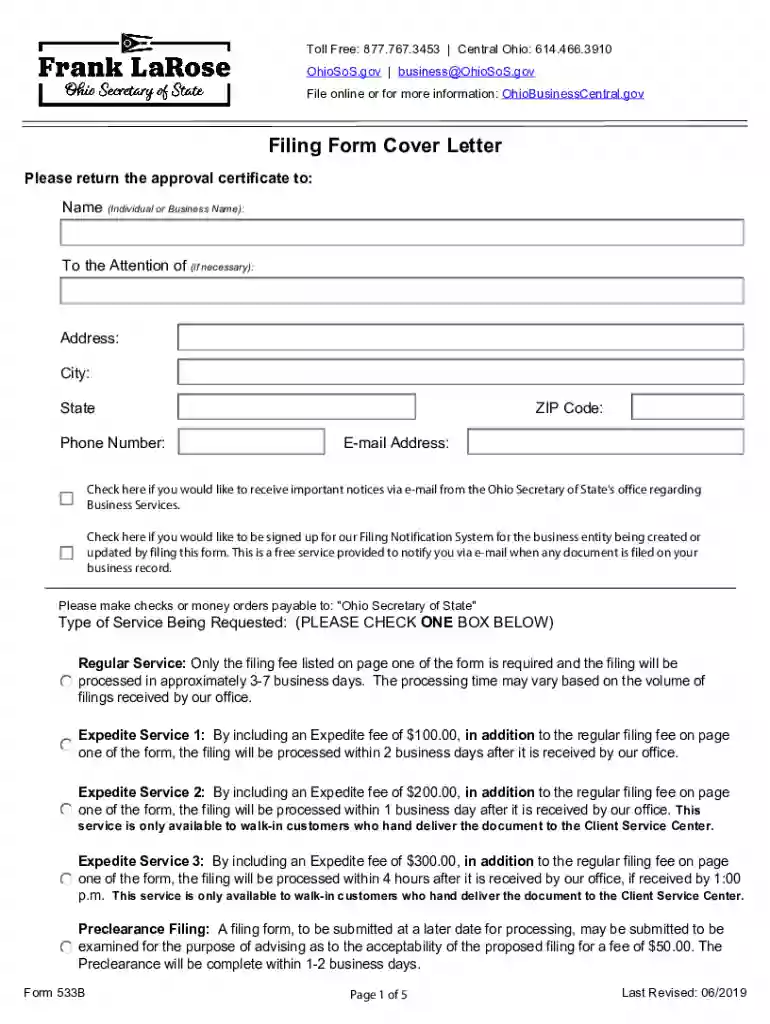
The 2019 OH 533B form is a document used for registering a foreign limited liability company (LLC) in the state of Ohio. This form is essential for any LLC that was formed outside of Ohio but wishes to conduct business within the state. By completing and submitting this form, businesses can legally operate in Ohio under the same protections and regulations granted to domestic LLCs. It includes critical details such as the LLC's name, jurisdiction of formation, and contact information for its statutory agent in Ohio.
How to Use the 2019 OH 533B
To effectively utilize the 2019 OH 533B form, businesses must fill in all required sections accurately. The form should be used to:
- Register a foreign LLC with the Ohio Secretary of State.
- Provide necessary company information, such as the legal name, formation date, and jurisdiction.
- Designate a statutory agent in Ohio who can accept legal documents on behalf of the LLC.
Ensure all information is correct and complete to avoid processing delays.
Steps to Complete the 2019 OH 533B
- Obtain the Form: Download it from the Ohio Secretary of State's website or request a paper copy.
- Enter LLC Information: Provide the official LLC name as registered in its home state, and specify the jurisdiction of formation.
- Designate a Statutory Agent: Fill in the contact details for the Ohio-based statutory agent, who will handle legal documents for the LLC.
- Select Service Type: Choose between regular or expedited processing, noting that expedited service may require additional fees.
- Sign and Date: An authorized representative must sign and date the form to verify the accuracy of the information provided.
Important Terms Related to 2019 OH 533B
- Foreign LLC: A limited liability company established outside of Ohio that seeks to do business within the state.
- Statutory Agent: An individual or business entity located in Ohio responsible for accepting legal documents on behalf of the foreign LLC.
- Expedited Service: A faster processing option for urgent registrations, typically involving higher fees.
Legal Use of the 2019 OH 533B
The 2019 OH 533B form is legally required for foreign LLCs to operate in Ohio, ensuring compliance with state laws. It helps establish a formal legal presence in Ohio, allowing businesses to enter contracts, open local bank accounts, and safeguard their operations under Ohio's jurisdiction. The form helps maintain transparency and accountability, aligning with legal expectations.
State-Specific Rules for the 2019 OH 533B
- Appointment of Statutory Agent: Must be an Ohio resident or an entity with a business address in Ohio.
- Name Registration: The LLC name on the form must match the name registered in the home state. If the name is unavailable in Ohio, an alternate name may need to be used.
- Biennial Reports: After registration, LLCs must file reports every two years to stay in good standing with Ohio.
Examples of Using the 2019 OH 533B
- Tech Startup Expansion: A technology LLC registered in California expands services to Ohio. By filing the OH 533B, it legally registers and appoints a local statutory agent to handle legal matters.
- Retail Business Operations: An Illinois-based retail chain uses the form to open new stores in Ohio, ensuring compliance and proper tax filings.
Penalties for Non-Compliance
Failure to file the 2019 OH 533B can lead to legal and financial consequences for the LLC:
- Operational Fines: The state may impose fines for conducting business without proper registration.
- Legal Repercussions: The lack of official registration can result in the LLC being ineligible to maintain lawsuits in Ohio courts.
- Reinstatement Challenges: Businesses may face challenges and additional fees when attempting to rectify their registration status.
Filing Deadlines / Important Dates
- Prompt Registration: Submit the form before commencing business operations in Ohio.
- Biennial Reporting: File mandatory reports every two years as part of maintaining registration and compliance.
- Expedited Services: To meet urgent business timelines, use the expedited processing option, which may come with additional costs.