



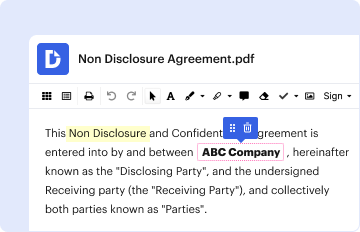
01. Edit your form online
Type text, add images, blackout confidential details, add comments, highlights and more.

Type text, add images, blackout confidential details, add comments, highlights and more.
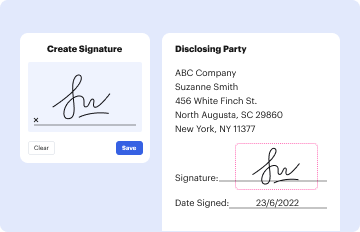
Draw your signature, type it, upload its image, or use your mobile device as a signature pad.

Send it via email, link, or fax. You can also download it, export it or print it out.
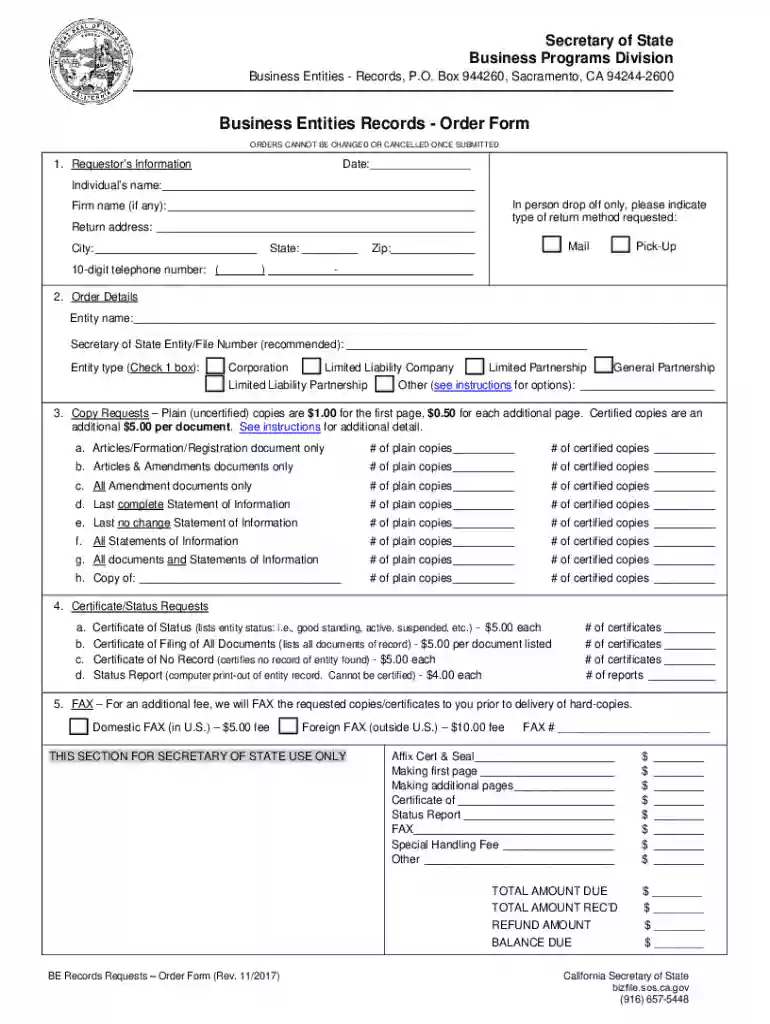
The Business Entities Records Order Form is designed to facilitate requests for information concerning corporations, limited liability companies (LLCs), and limited partnerships registered with the California Secretary of State. This form provides a structured method for individuals and organizations to access public records related to business entities, which can include data points such as the business's status, registered agents, and filings. Understanding the form's purpose is essential for users seeking comprehensive information about business entities in California.
Identify Required Information: Determine the specific information needed about a business entity, such as status reports, copies of filings, or certificates of good standing.
Complete the Form: Fill out the order form accurately, ensuring that all required fields are addressed. This typically includes the name of the business, entity number, and the type of information being requested.
Submit Payment: Pay the necessary fees associated with the request. Fees may vary based on the type of information being requested and the number of copies needed.
Submit the Form: The form can be submitted through various methods, including online, via mail, or in person at the Secretary of State's office. Ensure the chosen submission method is compatible with personal preferences and the urgency of the request.
Access the Form: Obtain the form from the California Secretary of State's website or office.
Enter Entity Details: Input the correct and complete details of the business entity, including the official business name and entity number.
Select Information Type: Indicate the specific information needed, such as copies of documents or certification status.
Fill in Contact Information: Provide accurate payer details to ensure proper delivery of requested documents.
Review & Sign: Before submission, review all entries for accuracy and sign the form as required.
Choose Delivery Method: Decide on the preferred delivery method for the completed order, such as electronic mail or physical delivery.
Entity Number: A unique identification number assigned to a business upon registration.
Certificate of Good Standing: A certificate that verifies a business is compliant with state requirements and allowed to conduct operations.
Registered Agent: A designated individual or service authorized to receive legal documents on behalf of a business entity.
The Business Entities Records Order Form is utilized legally to obtain public records. Under California law, business registration details entered into state records become accessible to the public. The order form provides a lawful process to request such information, promoting transparency and accountability in business operations.
Online Submission: Fast and efficient for individuals who prefer digital transactions. Accessible through the Secretary of State's official website.
Mail Submission: Suitable for those who prefer traditional methods or need to send physical supporting documents. Ensure all forms and payments are enclosed appropriately.
In-Person Submission: Ideal for urgent requests. Visit the Secretary of State’s office to submit forms directly and receive immediate processing confirmation.
The Business Entities Records Order Form is issued by the California Secretary of State. This governmental office maintains, distributes, and manages official requests for entity records, supporting transparency and accessibility to public business information.
Failure to comply with submission requirements, such as incomplete forms or incorrect payment, can lead to processing delays or rejection of the request. Accurate completion of the order form ensures efficient access to needed business records and prevents potential legal complications related to incomplete filings.
Completed Order Form: Fully filled with accurate and complete information.
Proof of Payment: Receipt or confirmation for any associated fees.
Identification: As might be required, especially for in-person submissions to verify identity and authority to request information.
Adhering strictly to these guidelines and ensuring compliance with all submission requirements will facilitate a seamless process in obtaining business entity records from the California Secretary of State.
At DocHub, your data security is our priority. We follow HIPAA, SOC2, GDPR, and other standards, so you can work on your documents with confidence.
Jul 1, 2016 timeliness, and accuracy of reporting as officers complete the electronic forms and submit them via the web to the Alaska Courts System. A
and fees. The form 568 instructions pdf provides detailed guidance on how to correctly complete this form, ensuring compliance with California tax laws.
File by Mail or In Person. All business forms can be submitted by mail or in person. Locate the form that you would like to submit and follow the instructions.


