
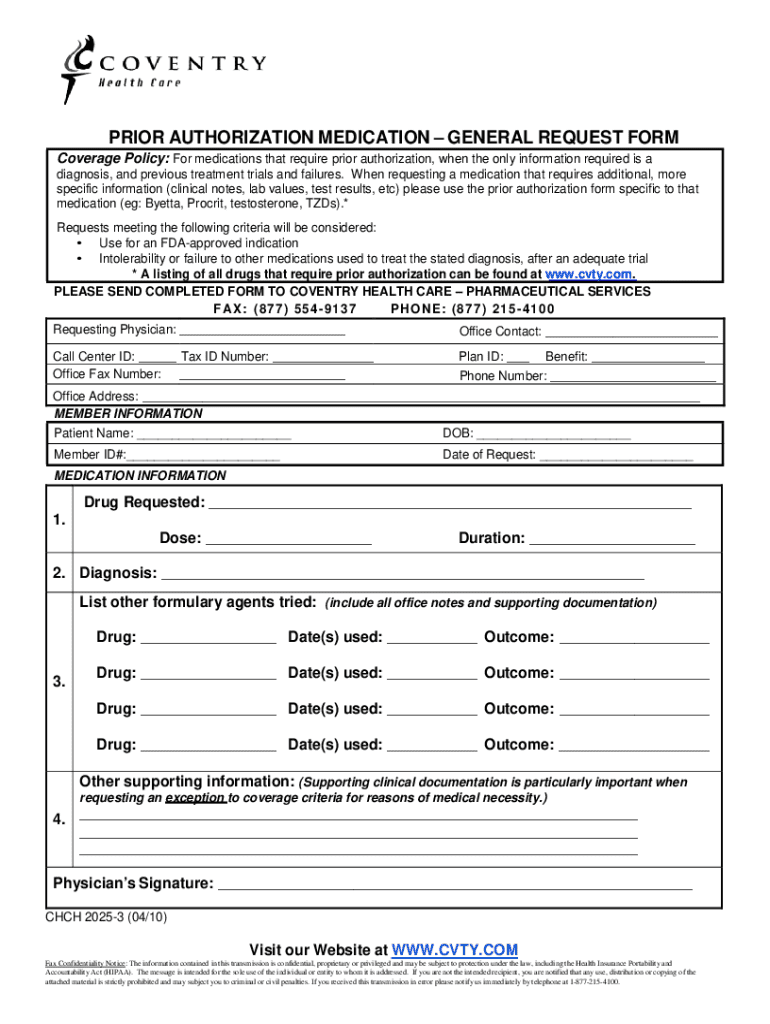







Definition & Meaning
The term "form online" refers to a digital version of forms typically used for various applications, submissions, or requests that can be accessed and completed via the internet. These forms are designed to streamline the process of gathering and processing information efficiently without relying on physical paperwork. The shift from traditional paper forms to online forms is part of a broader digital transformation aimed at improving accessibility and reducing administrative burdens for both users and organizations.
- Examples: Common online forms include tax forms, employment applications, patient intake forms, and registration forms.
- Purpose: They facilitate immediate data input, validation, and submission, often integrating with backend systems for seamless processing.
How to Obtain the Form Online
To obtain an online form, follow these typical steps to ensure a smooth and hassle-free process:
- Access the Platform: Visit the official website or platform (e.g., ) where the form is hosted. Use the search function if available to locate the specific form.
- Select the Form: Browse through categories or use a search bar to find the desired form. Platforms often categorize forms based on their use case or issuing authority.
- Download or Open: Once located, choose to either open the form directly in your browser or download it to your device for offline access. Some forms may automatically convert to a fillable PDF or other formats suited for online completion.
- Tips: Ensure a stable internet connection to avoid disruptions when accessing the form. For platforms like DocHub, you may need to create an account to access certain forms.
Steps to Complete the Form Online
Completing an online form typically involves several standardized steps designed for efficiency and accuracy:
- Open the Form: Launch the form in an editor like DocHub, which allows for real-time editing and collaboration.
- Input Information: Fill in required fields such as name, address, and any other pertinent data. Ensure accuracy to prevent processing delays.
- Use Form Fields Manager: Utilize features like the Form Fields manager to add text boxes, checkboxes, or dropdowns if necessary, especially for customized forms.
- Review for Errors: Double-check each section to verify all required information is complete and accurate.
- Submit or Save: Submit the form online or save a copy for your records. Many systems will automatically provide a confirmation of submission.
- Edge Cases: Some forms may require attachments (e.g., proof of identity), which should be prepared and uploaded as needed.
Why Should You Form Online
Using online forms presents numerous advantages:
-
Efficiency: Quickly submit forms without the delays associated with physical mail or transport.
-
Accessibility: Access and complete forms anytime, from virtually anywhere, via internet-connected devices.
-
Accuracy: Built-in validation checks can help reduce errors by ensuring fields are completed correctly before submission.
-
Security: Online forms often employ encryption and other security measures like password protection to safeguard information.
-
Real-World Example: An HR department can use online forms for job applications, allowing candidates to submit resumes and cover letters with ease, drastically reducing processing time and effort compared to paper-based applications.
Who Typically Uses the Form Online
Various individuals and organizations benefit from online forms, including:
-
Businesses: For onboarding employees, managing vendor relationships, and collecting customer feedback.
-
Educational Institutions: Student registration, course enrollment, and academic surveys.
-
Government Agencies: Tax submissions, voter registration, and benefit applications.
-
Healthcare: Patient intake forms and medical histories.
-
Case Study: A small business might use online forms to streamline client onboarding, utilizing conditional logic fields to capture relevant information efficiently.


Important Terms Related to Form Online
-
Fillable Fields: Interactive fields within an online form that allow users to input information, such as text boxes and dropdown menus.
-
Encryption: A method of securing data by converting it into a code to prevent unauthorized access, commonly used in online forms to protect sensitive information.
-
OAuth 2.0: An authorization framework that enables secure access to user information without exposing credentials, often implemented in online form platforms.
-
Scenario: When filling a healthcare form online, understanding terms like "encryption" ensures users are aware of how their personal data is protected during submission.
Legal Use of the Form Online
The legal use of an online form involves compliance with relevant regulations to ensure that electronically submitted forms are valid and enforceable:
-
ESIGN Act: The Electronic Signatures in Global and National Commerce Act gives legal recognition to electronic signatures and records, ensuring online forms with e-signatures are legally binding.
-
HIPAA Compliance: For healthcare forms, compliance with the Health Insurance Portability and Accountability Act is crucial to protect patient privacy.
-
Example: DocHub ensures legal compliance by offering features like audit trails for signed documents, certifying the authenticity and integrity of the submitted form.
Key Elements of the Form Online
Key elements that make up a comprehensive online form include:
-
Form Fields: The backbone of any form, allowing users to enter and submit information.
-
Validation Rules: Check entries for correctness and completeness, reducing the likelihood of errors.
-
Submission Confirmation: An automatic response upon successful submission, providing reassurance to the user.
-
Note: Understanding these elements helps both users and developers create efficient, user-friendly forms that meet the needs of form administrators and respondents alike.




