01. Edit your form online
Type text, add images, blackout confidential details, add comments, highlights and more.

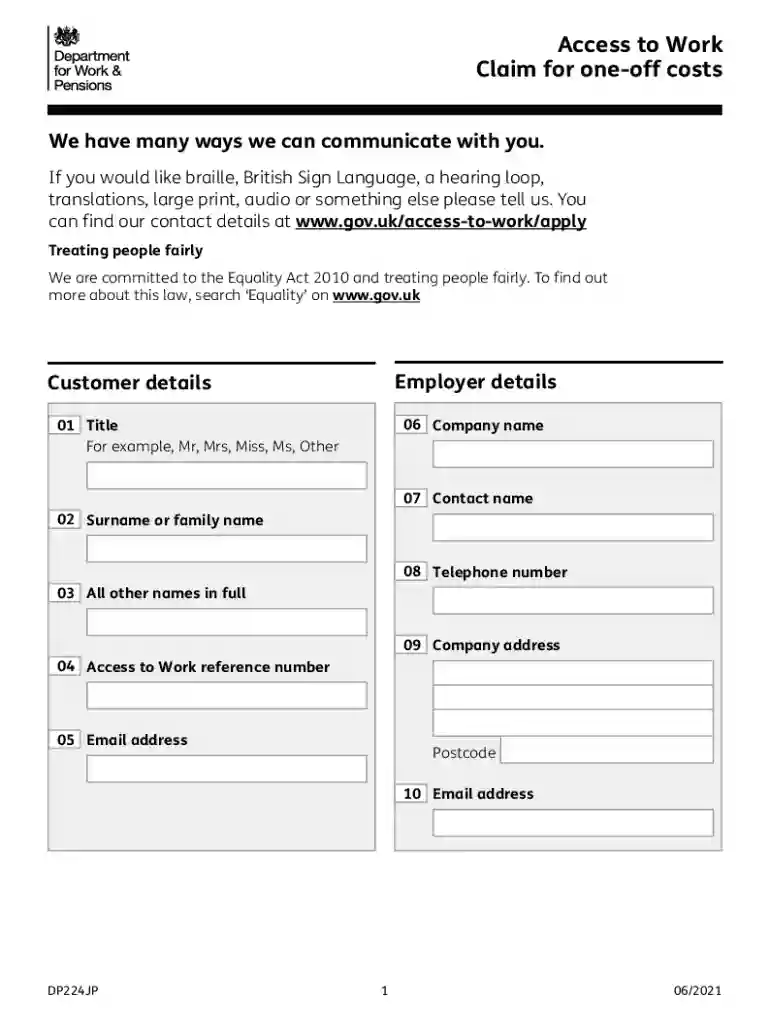
Type text, add images, blackout confidential details, add comments, highlights and more.

Draw your signature, type it, upload its image, or use your mobile device as a signature pad.

Send it via email, link, or fax. You can also download it, export it or print it out.
The DP224JP form, known as the "Access to Work - Claim for One-off Costs," is utilized within the Access to Work program to facilitate claims for one-time expenses incurred by individuals with disabilities entering or sustaining employment. Under the Equality Act 2010, this program aims to ensure employees receive necessary support for workplace accessibility. The DP224JP form plays a critical role in documenting and itemizing expenses related to accommodations or services essential for overcoming employment barriers. This form helps ensure fair treatment and accessibility under legal frameworks, thus supporting equal employment opportunities for individuals with disabilities.
Accessing the DP224JP form can be done through several avenues to ensure widespread availability. Typically, it is available directly on government websites related to employment and disability services, providing a downloadable format for easy access. You may also contact the Access to Work helpline or local offices dedicated to employment support for obtaining physical copies. Consultations with workplace coordinators or human resources departments may also guide you on accessing the form, especially when employer involvement is required.
Completing the DP224JP form involves several precise steps to ensure all necessary information is accurately conveyed:
Personal Information: Fill in your name, address, and contact details. Ensure all fields are correct to prevent processing delays.
Employment Details: Provide employer information, including name, address, and your specific role within the organization.
Cost Itemization: List out each one-off cost you are claiming, detailing items such as assistive devices, ergonomic furniture, or service fees.
Claim Details: Include specifics about each expense, describing how it aids your job performance or accessibility in the workplace.
Bank Details: Provide accurate bank information to facilitate reimbursement. Ensure all bank details, like branch codes and account numbers, are precise.
Declaration: Sign and date the form, acknowledging the accuracy and truthfulness of the information provided.
The form encompasses several key sections crucial for the successful claim submission:
The DP224JP form must be used in strict compliance with legal regulations under the Equality Act 2010, which mandates equitable treatment of employees with disabilities. Misrepresentation or inaccuracies on the form can result in legal consequences, including denial of claims or further scrutiny by relevant authorities. It is vital to use the form strictly for its intended purpose—facilitating workplace accessibility for individuals with disabilities—while ensuring transparency and honesty in all declarations.
Claimants must meet specific criteria to be eligible for accessing funds through the DP224JP form:


Several documents are critical when submitting the DP224JP form to ensure thorough validation:
There are multiple methods for submitting the DP224JP form, each catering to different preferences:
At DocHub, your data security is our priority. We follow HIPAA, SOC2, GDPR, and other standards, so you can work on your documents with confidence.