
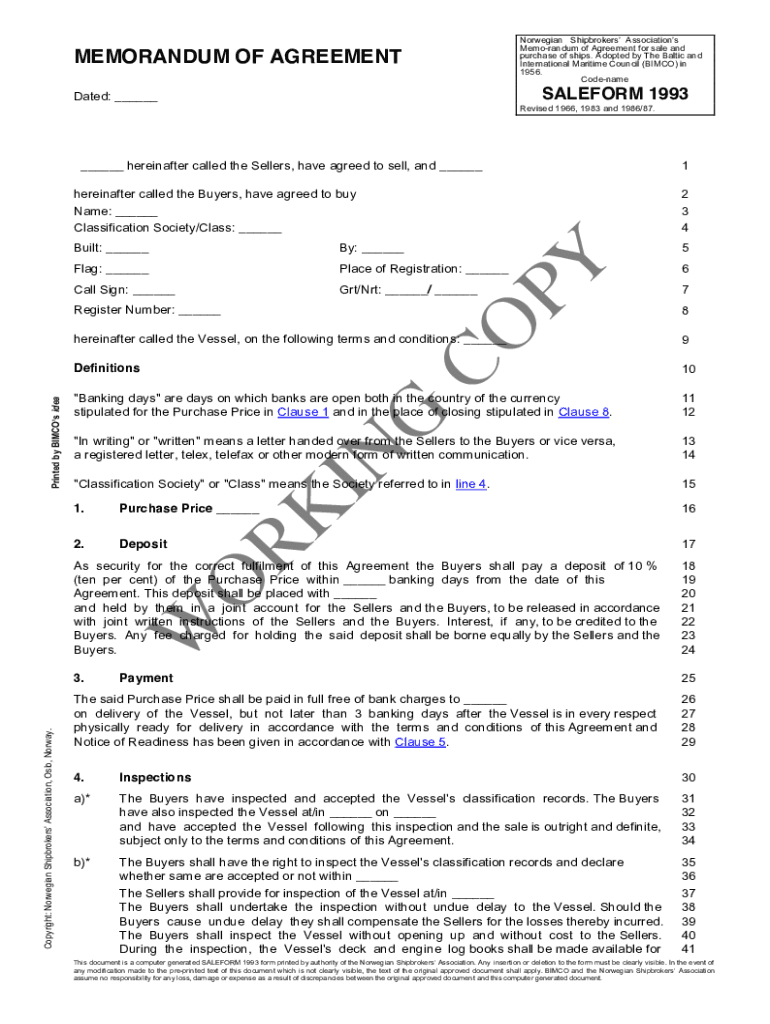







Definition & Meaning
The PDF SALEFORM 93 is a standardized Memorandum of Agreement specifically for the sale and purchase of vessels, ships, boat parts, and scrap. Originally adopted by the Norwegian Shipbrokers’ Association and BIMCO in 1956, this form outlines comprehensive terms and conditions governing maritime transactions. It covers essential aspects such as payment details, inspection rights, delivery procedures, and documentation requirements. The agreement ensures that both sellers and buyers engage in legally compliant transactions, adhering to industry classification standards and providing arbitration procedures in case of disputes.
How to Use the PDF SALEFORM 93
The PDF SALEFORM 93 serves as a detailed contractual framework for parties involved in the maritime sale process. Usage involves:
- Reviewing all sections to understand obligations and rights.
- Filling in the specific details such as vessel specifications, pricing, payment terms, and timelines.
- Agreeing on inspection rights and managing necessary documentation, including certifications and commercial invoices.
- Ensuring all legal approvals and compliance aspects are addressed, such as classification society requirements.
- Both parties signing the document to make it legally binding.
Steps to Complete the PDF SALEFORM 93
Completing the SALEFORM 93 involves a structured approach:
- Identify Participants: Clearly list all parties involved in the transaction.
- Vessel Description: Accurately describe the vessel, including identification numbers and relevant specifications.
- Financial Terms: Outline the sale price, payment schedule, and any deposit requirements.
- Inspection Agreement: Define the inspection protocols, timelines, and who bears inspection costs.
- Documentation: Ensure that all necessary documentation is prepared, including inspection reports, certificates, and transfer documents.
- Signatures: Both parties must sign the agreement, confirming their understanding and commitment to the terms.
Key Elements of the PDF SALEFORM 93
The SALEFORM 93 includes several critical components:
- Payment Details: Specifies the amount, currency, and method of payment.
- Inspection Rights: Defines the buyer's right to inspect the vessel and the conditions under which this is carried out.
- Delivery Procedures: Outlines how and where the vessel will be delivered and the condition required for acceptance.
- Documentation Requirements: Lists documents necessary for the transfer of ownership.
- Arbitration and Dispute Resolution: Provides mechanisms for resolving disputes, typically through arbitration.
Legal Use of the PDF SALEFORM 93
The SALEFORM 93 is utilized within the framework of international maritime law, ensuring that transactions meet the legal standards applicable in different jurisdictions. It is legally binding once both parties have signed and can be used as a reference in case of any legal disputes. The form ensures compliance with classification society requirements and international shipping regulations, offering legal protection to both parties against non-performance and breaches.
Who Typically Uses the PDF SALEFORM 93
The SALEFORM 93 is primarily used by:
- Shipowners: Engaging in the sale and purchase of vessels.
- Shipbrokers: Facilitating transactions between buyers and sellers.
- Maritime Lawyers: Ensuring legal compliance and protecting client interests.
- Purchasing Agents: Sourcing boats, ships, or boat parts for companies.


Important Terms Related to PDF SALEFORM 93
Understanding key terms within the SALEFORM 93 is essential:
- Sellers and Buyers: Refers to the parties involved in the transaction.
- Condition on Delivery: Specifies the vessel's required state upon transfer.
- Deposit: An amount paid upfront as part of the agreement.
- Inspection Protocols: Rules regarding the buyer's right to inspect.
- Arbitration Clause: Details the resolution process for disputes.
Examples of Using the PDF SALEFORM 93
Practical examples of using the SALEFORM 93 include:
- Ship Trading: A cargo ship owner uses the form to sell to a logistics company.
- Scrap Sales: Selling a decommissioned vessel for parts or recycling.
- Boat Part Transactions: Facilitating the sale of large engine components between businesses.
- Arbitration: A buyer and seller use arbitration clauses to resolve a dispute on delivery conditioning.
Digital vs. Paper Version
The PDF SALEFORM 93 can be utilized in both digital and paper formats. The digital version allows for enhancements such as electronic signatures, easy distribution via email, and storage in cloud systems. The paper version may be chosen for its traditional authenticity, particularly where digital means are not feasible. Electronic formats integrate well with document management systems, ensuring seamless workflows in modern maritime transactions.




