01. Edit your form online
Type text, add images, blackout confidential details, add comments, highlights and more.

Type text, add images, blackout confidential details, add comments, highlights and more.

Draw your signature, type it, upload its image, or use your mobile device as a signature pad.

Send it via email, link, or fax. You can also download it, export it or print it out.
Online forms are digital documents designed to collect information from users through an internet-based platform. These forms can range from simple data entry fields to complex, multi-page documents that require signatures, attachments, and encrypted data transfer. They serve various purposes, such as applications, surveys, feedback forms, and contracts. The use of online forms revolutionizes data collection, allowing for easy access, real-time updates, and streamlined processing, eliminating the need for paper-based submissions.
Using an online form involves several straightforward steps. Users begin by accessing the form through a web browser on either a computer or mobile device. Once open, the user fills in the required fields, which may include personal details, checkboxes, dropdown options, and file uploads. For forms requiring a signature, platforms like DocHub allow for digital signing directly within the document. After filling the form, users can submit it with a single click, send it for approval, or download it for their records. This seamless process simplifies tasks like job applications, government filings, and service requests.
Completing an online form typically involves a clear, step-by-step approach to ensure accuracy and completeness. First, users should read the form instructions thoroughly to understand the information needed and any associated rules. As they progress through the form, each section should be completed with attention to detail, ensuring no fields are left blank unless specified as optional. Validation checks often highlight incomplete or incorrect entries, prompting users to review their inputs before proceeding. After revisiting the completed form, users can confidently submit it after verifying all sections for accuracy and completeness.
Online forms offer a multitude of advantages that make them an appealing choice for individuals and organizations. They provide a more sustainable alternative by minimizing paper waste and reducing environmental impact. Additionally, these forms enhance data accuracy through real-time validation and error-checking features, decreasing the likelihood of manual errors. The convenience of online completion and submission aligns with the fast-paced nature of modern life, accommodating users with busy schedules. Moreover, online forms facilitate seamless integration with databases and cloud storage, enabling efficient data management and retrieval.
A well-designed online form comprises essential elements that ensure user-friendliness and efficiency. These forms typically include input fields, which may be text boxes, radio buttons, or dropdown menus, designed to capture specific data types. Labels and instructions are crucial, guiding users on how to complete each section correctly. Conditional logic can enhance user experience by dynamically displaying relevant fields based on prior responses. Additionally, security features such as SSL encryption safeguard sensitive data from unauthorized access. With these elements, online forms facilitate seamless user interaction while maintaining data integrity.
Online forms often serve legally binding purposes, such as contracts, consent forms, and waivers. To ensure their validity, these forms must meet specific legal criteria, including clarity, consent, and authenticity. Digital signatures are a critical aspect, with platforms like DocHub providing tools that comply with regulatory standards such as the ESIGN Act. Users are encouraged to read all terms and conditions thoroughly and, if necessary, consult legal counsel before submission. This careful approach ensures that the form is enforceable and adheres to all relevant legal requirements.
Online forms should be compatible with various software platforms to enhance user experience. Leading platforms, such as DocHub, integrate seamlessly with popular software like Google Workspace, allowing users to import, edit, and export documents directly from Google Drive or Gmail. This compatibility extends to productivity tools like Microsoft Office, ensuring users can interact with forms using familiar applications without the need for separate converters. By facilitating smooth transitions between programs, users can maintain their workflow momentum without unnecessary interruptions.
When dealing with online forms, particularly those for government or legal use, state-specific regulations may apply. Variations might include different documentation requirements, deadlines, or terminology across states. Users should ascertain the applicable rules in their jurisdiction to ensure compliance and avoid delays or rejection. Consulting state resources or legal experts can also provide clarity on nuanced differences, ensuring that all procedural and regulatory obligations are met adequately. Understanding these variations helps in preparing accurately completed forms tailored to the specific state requirements.
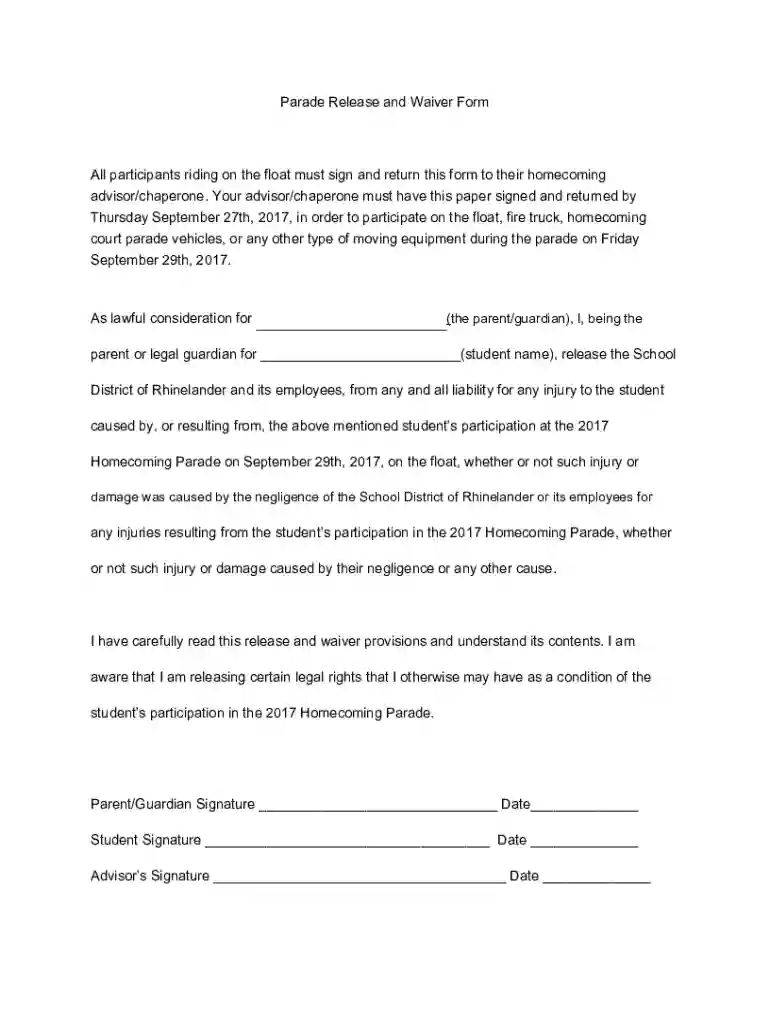
We've got more versions of the Parade Release and Waiver Form form. Select the right Parade Release and Waiver Form version from the list and start editing it straight away!
At DocHub, your data security is our priority. We follow HIPAA, SOC2, GDPR, and other standards, so you can work on your documents with confidence.