PanamaAPPLICATIONOOC doc Image 2025

Get Form
PanamaAPPLICATIONOOC doc Image Preview on Page 1

Here's how it works

01. Edit your form online
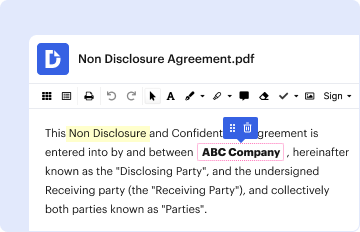
Type text, add images, blackout confidential details, add comments, highlights and more.
02. Sign it in a few clicks
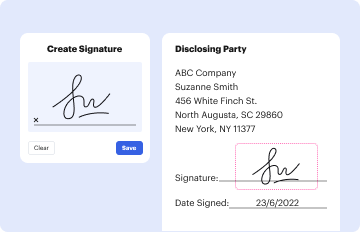
Draw your signature, type it, upload its image, or use your mobile device as a signature pad.
03. Share your form with others
Send it via email, link, or fax. You can also download it, export it or print it out.

How to use or fill out PanamaAPPLICATIONOOC doc Image with our platform

Form edit decoration
9.5
Ease of Setup
DocHub User Ratings on G2
9.0
Ease of Use
DocHub User Ratings on G2
  1. Click ‘Get Form’ to open the PanamaAPPLICATIONOOC doc Image in the editor.
  2. Begin by filling out the Applicant General Information section. Enter your first and middle name, last name, UAHuntsville A Number, and full mailing address including street, city, and zip code.
  3. Provide your contact details by entering your phone number and both UAHuntsville and alternative email addresses.
  4. In the Academic Information section, list your current college/university, total earned credits, overall GPA, major/minor, and relevant coursework. Remember to upload a copy of your unofficial transcript.
  5. Rate your Spanish proficiency in written, oral, reading, and listening skills using the provided scale (Excellent, Good, Fair, Poor).
  6. Rank the research topics from 1 to 7 based on your interest level. This will help tailor your application to specific areas of focus.
  7. Complete the Recommendation Form section by providing the evaluator's name and contact information. Ensure they submit their recommendation directly as instructed.
  8. Finally, review all entries for accuracy before signing and dating the authorization for release of confidential information at the end of the form.

Start filling out your PanamaAPPLICATIONOOC doc Image today for free using our platform!

be ready to get more

Complete this form in 5 minutes or less

Get form

Got questions?

We have answers to the most popular questions from our customers. If you can't find an answer to your question, please contact us.
Contact us
The 600x600 digital photo is the digital equivalent of a 2x2-inch printed picture (51x51 mm). This picture size is required for identity documents, primarily in the US and India (see: Indian passport photos). The table below lists all the documents that require the submission of a 600x600-pixel image.
The correct size of a passport photo is: 2 x 2 inches (51 x 51 mm) Head must be between 1 -1 3/8 inches (25 - 35 mm) from the bottom of the chin to the top of the head.
Passport Photo Requirements: Passport size (size 35 mm wide x 45 mm high) Must be in colour, not glossy and with a white background. Forehead and ears must be visible. If you have bangs, they must be pinned back.