Definition and Meaning
The Paramount outpatient imaging prior authorization fax request form 4 is a specialized document used primarily within the healthcare sector in the United States. This form serves as a critical tool for healthcare providers who need to request prior authorization from insurance companies, such as Paramount Health Care, for outpatient imaging services. These services typically include diagnostic procedures like MRI and CT scans, which require approval before being performed to ensure that they are covered under the patient's insurance plan. The form ensures that all necessary clinical and procedural details are provided to make the authorization process efficient and transparent.
Key Elements
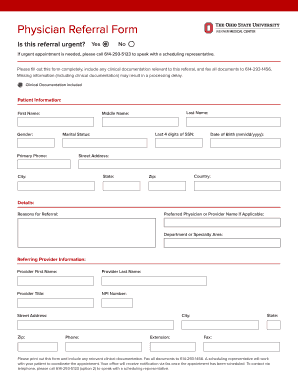
- Patient Information: Includes personal details such as name, date of birth, and insurance policy number to identify the individual receiving the imaging service.
- Procedure Details: Specifies the type of imaging test requested, such as MRI, CT scan, or ultrasound.
- Diagnosis Codes: Lists relevant medical codes to communicate the medical necessity of the procedure clearly.
- Medical History: Captures essential health background to support the need for the imaging service.
- Confidentiality Agreement: Emphasizes the importance of maintaining patient privacy and outlines the terms under which the information is shared.
Importance of the Form
The Paramount outpatient imaging prior authorization fax request form 4 is crucial for several reasons:
- Cost Management: Helps manage healthcare costs by vetting the necessity of expensive imaging procedures.
- Legal Compliance: Ensures that healthcare providers comply with insurance policies and legal standards by obtaining necessary approvals.
- Patient Care: Facilitates timely and necessary access to imaging services, which are vital for accurate diagnosis and effective treatment planning.
How to Use the Form
Steps to Complete
- Gather Patient Information: Collect personal and insurance details necessary for the form.
- Detail the Imaging Request: Clearly outline the type of imaging service needed and include appropriate diagnostic codes.
- Provide Clinical Justification: Include relevant medical history and notes from the referring physician to substantiate the need for the service.
- Ensure Accuracy: Double-check all entered information to prevent delays in the authorization process due to errors.
Submission Methods
- Fax: The completed form is typically submitted via fax to the insurance company’s authorization department.
- Online Portals: Some providers may offer an online submission option for faster processing.
- In-Person Submission: In rare cases, forms may be submitted in person if electronic means are inaccessible.
Who Typically Uses the Form
- Healthcare Providers: Physicians and clinics seeking approval for necessary imaging services.
- Administrative Staff: Medical office personnel responsible for handling insurance documentation and requests.
- Insurance Agents: Review and process the authorizations to ensure coverage is in line with policy guidelines.


Legal and Ethical Considerations
Compliance and Confidentiality
Healthcare providers must adhere to strict confidentiality standards, such as HIPAA, when handling patient information. The form includes specific sections designed to ensure that all shared data is protected and used solely for the purpose of obtaining authorization for the requested imaging service.
Penalties for Non-Compliance
Failing to secure prior authorization can result in denied claims, leaving the patient or provider responsible for costs. Moreover, repeated non-compliance can lead to penalties or sanctions from insurance providers. Ensuring that the form is accurately completed and submitted in a timely manner helps avoid such outcomes.
Digital vs. Paper Form
Digital versions of the Paramount outpatient imaging prior authorization fax request form 4 are becoming increasingly popular due to their ease of use and the ability to streamline the submission process. However, some providers may still rely on paper forms, especially in regions with limited digital infrastructure. Both formats serve the same purpose, but digital versions often offer features such as auto-fill and direct submission to the insurance company's system, reducing processing time.
Software Compatibility
For efficiency, the form can be filled out using document management platforms like DocHub, which supports easy editing and secure sharing. This ensures compliance and expedites the authorization process, helping healthcare providers deliver timely care to their patients.