






Definition and Meaning of Form Online
The term "form online" refers to digital documents or templates available on the internet for various purposes, including legal, business, and personal uses. Unlike traditional paper forms, these are designed to be filled out electronically, providing a convenient and efficient way to gather information or submit applications. Forms online can be customized to suit different needs, ranging from basic contact forms to complex legal documents. Their accessibility is a major advantage, allowing users to complete necessary paperwork from virtually anywhere with internet access.
How to Use the Form Online
Using an online form involves certain steps that ensure efficiency and accuracy:
-
Access the Form: Search for the specific form you need on the relevant website, like DocHub. Ensure the site is credible and the form is up-to-date.
-
Fill Out the Form: Use your device to input the required information directly into the fields provided. Features like autofill can expedite this process, especially for frequently used data.
-
Review and Edit: Before submitting, double-check all entered information for accuracy. Online platforms often allow multiple edits before finalizing the form.
-
Submit or Save: After completing the form, save it for your records and submit it through the platform's submission feature. Many systems provide an option to email the completed form to the respective recipient directly.
Steps to Complete the Form Online
Filling out an online form can be broken into straightforward steps to ensure clarity and completeness:
-
Identify the Form Requirements: Understand the details and documents needed for the form completion.
-
Gather Necessary Information: Collect personal data, employment history, or other specific details pertinent to the form's purpose.
-
Complete Mandatory Fields: Start with sections marked as mandatory, ensuring no crucial details are overlooked.
-
Attach Supporting Documents: If the form requires additional documents, upload clear and accurate scans or electronic files.
-
Final Review and Submission: Conduct a thorough review to catch any inaccuracies, then submit the form through the specified online method.
Who Typically Uses the Form Online
Various individuals and organizations rely on online forms for different applications:
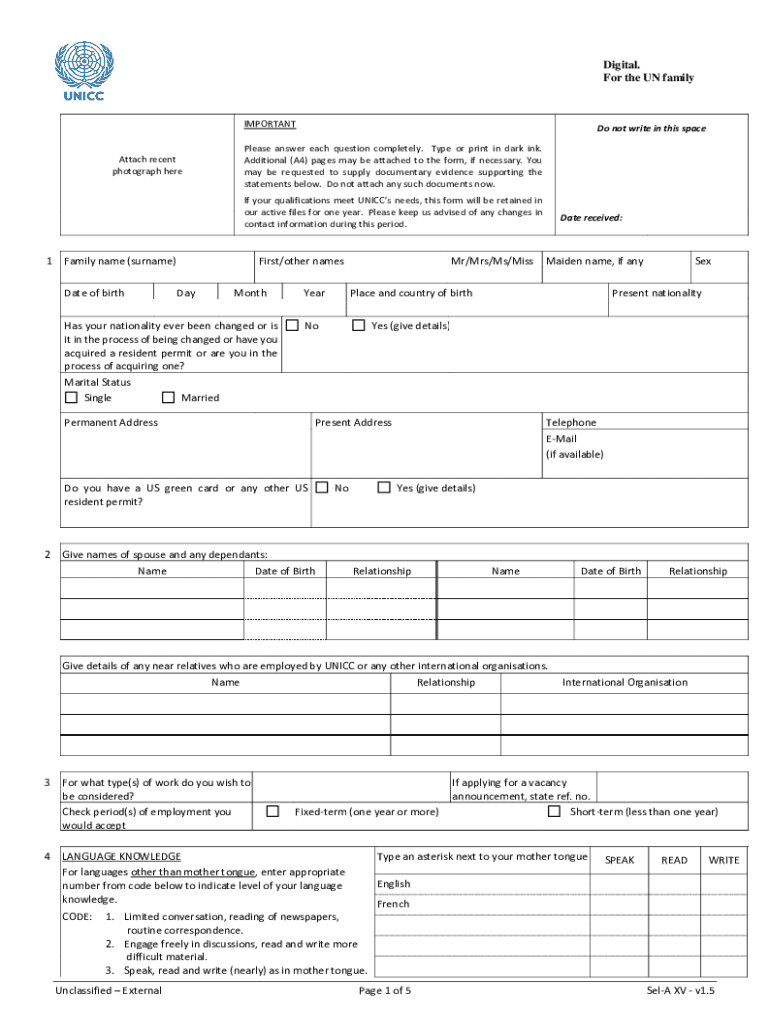
- Job Seekers: Use forms for employment applications at organizations like UNICC.
- Entrepreneurs and Businesses: Fill out legal or tax documents in a paperless environment.
- Students: Apply for scholarships or academic programs.
- Government Agencies: Collect public data or regulatory compliance info more efficiently.


Legal Use of the Form Online
Using forms online, particularly for legally binding applications, requires compliance with specific regulations:
- Electronic Signatures: Governed by the ESIGN Act in the U.S., ensuring online signatures hold the same legal standing as handwritten ones.
- Privacy and Data Protection: Necessitates adherence to privacy laws, such as collecting only necessary data and implementing encryption during data transmission.
- Verification and Authentication: Often involves OAuth 2.0 or similar protocols to secure user identification and prevent fraud.
Key Elements of the Form Online
Online forms are composed of several integral elements to fulfill their intended purpose:
- Input Fields: Include text boxes, checkboxes, radio buttons, and dropdown menus for versatile data entry.
- Security Features: Typically include SSL encryption and password protection to safeguard sensitive information.
- Signature Fields: Facilitate electronic signing, which can be drawn, uploaded, or typed, allowing for a legally authorized completion.
Required Documents for Online Forms
To accurately and completely fill out an online form, you may need to prepare certain documents:
- Identification Proofs: Such as driver's licenses, passports, or social security numbers for identity verification.
- Academic Records: Degree certificates or transcripts for educational applications.
- Financial Documentation: Tax returns or financial statements for business or tax purposes.
- Employment History: Previous job records for employment applications.
Examples of Using the Form Online
Forms online are adaptable to numerous scenarios:
- Job Applications: United Nations positions often involve forms online that gather detailed employment history and personal qualifications.
- Tax Filing: Online tax forms simplify the submission process for individuals and businesses.
- Research Surveys: Collect data across various demographics with ease and efficiency.
Form Submission Methods: Online and Traditional
Online forms offer multiple submission options, maximizing flexibility and ease:
- Online Submission: Typically the fastest, involving direct submission through the host platform.
- Email: Common for sharing completed forms, especially when additional documentation is required.
- Print and Mail: Though less common today, remains an option for entities preferring a tangible record.
Penalties for Non-Compliance with Online Forms
Failing to complete or inaccurately submitting online forms can lead to significant repercussions:
- Legal Action: Non-compliance with submission deadlines or providing false information can result in legal challenges.
- Financial Penalties: For tax forms, inaccuracies or late submissions can incur fines.
- Denial of Service: Incomplete or incorrect forms may lead to service or application denials.
By understanding these elements and processes, handling forms online becomes an efficient task suitable for a wide array of personal and professional needs.