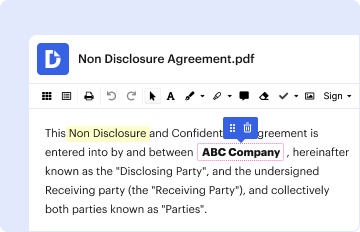
Type text, add images, blackout confidential details, add comments, highlights and more.
02. Sign it in a few clicks
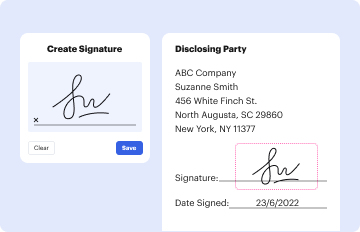
Draw your signature, type it, upload its image, or use your mobile device as a signature pad.
03. Share your form with others
Send it via email, link, or fax. You can also download it, export it or print it out.
How to use or fill out M16A2 25m ZEROING TARGET with our platform
Ease of Setup
DocHub User Ratings on G2
Ease of Use
DocHub User Ratings on G2
Click ‘Get Form’ to open the M16A2 25m ZEROING TARGET in the editor.
Begin by setting the rear sight elevation. Follow the instruction to adjust it to one click past the 8/3 setting for accurate targeting.
Aim at the center of the target and make necessary adjustments to your sights, focusing on bringing your shot groups as close as possible to the center of the circle. Remember, only adjust the front sight elevation during this step.
Once you have achieved a centered shot group, reset the rear sight elevation back to the 8/3 setting. This will ensure that your weapon is zeroed for 300 meters.
Start using our platform today for free and streamline your document editing experience!
Fill out M16A2 25m ZEROING TARGET online It's free
If the target is 25 meters away and its the new zero target with the circle (not the silhouette) then two clicks per box. 1 moa is not exactly but pretty close to 1 inch at 100 meters (2 inches at 200 meters, 3 inch at 300 meters, 1/2 inch at 50 meters, 1/4 inch at 25 meters, etc).
When Zeroing the M68 at 25 meters, each click is how many mm?
NOTE: Each click of the Screw Adjustment (11) corresponds to a 16 mm movement of the point of impact at 100 meters, (4 mm at 25 meters and 32 mm at 200 meters or 12 at 80 yds or 12 MOA). Aimpoint CompM4 M68 CCO amronintl.com downloads file aimpoin amronintl.com downloads file aimpoin
How many MoA is a CCO?
Explanation. The M68 CCO (Close Combat Optic) is a sight commonly used on firearms by militaries and law enforcement agencies worldwide. The size of the dot in the M68 CCO is 2 MOA (Minutes of Angle), which allows for precise targeting.
What is a Zeroing target?
Zeroing is when you align the point of aim (where the reticle of the sighting system is pointed) with the point of impact (where the projectile impacts the target). How to Zero a Rifle - MDT MDT blog how-to-zero-a-rifle MDT blog how-to-zero-a-rifle
Related Searches
M16A2 zero target PDFArmy 25 meter zero target PDF25m zero target printableDownloadable new Army zero target PDFM4 zero target PDFZeroing target PDFM4 zero target adjustmentsArmy M4 zero target
Related links
Basic Rifle Marksmanship Training with the Laser
The M16A2 Rifle 25m Zeroing Target. Now that the rifle program has been developed, questions about its potential payoff need to be answered. Planning is
Cookie consent notice
This site uses cookies to enhance site navigation and personalize your experience.
By using this site you agree to our use of cookies as described in our Privacy Notice.
You can modify your selections by visiting our Cookie and Advertising Notice.