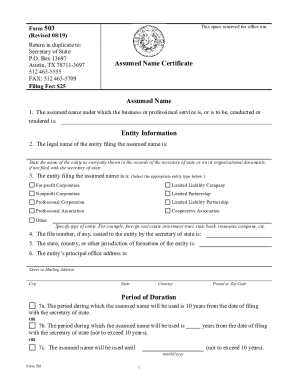
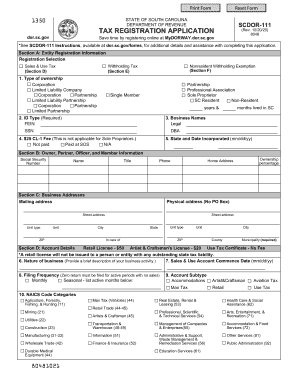
Definition & Meaning
Filling out forms online involves using a digital platform to input, edit, and submit necessary information typically required for official processes, like applications or legal filings. This digital method enhances convenience, allowing users to avoid the cumbersome procedures of traditional paper forms. Online forms can cover a broad array of purposes, from tax submissions to applying for housing or educational programs. They generally consist of fields that users fill out electronically, making the process more efficient and widely accessible. Through platforms like DocHub, users can enjoy real-time updates, secure data storage, and the ability to collaborate on form completion.
How to Use the Form Online
Using an online form typically requires access to an internet-connected device and a compatible web browser. Users often begin by selecting the appropriate form type on the desired platform. Once the form is open, fields that need to be completed become accessible. A user inputs data by clicking into these fields and typing the required information. Some platforms allow users to insert digital signatures, attach supporting documents, and amend details before submission. Once all required information has been filled in and verified, the form can be submitted via the platform. Utilizing a service like DocHub can simplify this process by offering an intuitive interface and the ability to save progress.
Steps to Complete the Form Online
- Access the Form: Visit the online platform hosting the form, such as DocHub, and log into your account.
- Select the Form Type: Choose the correct form that corresponds to your needs from the catalog.
- Input Required Information: Fill in the fields with accurate data. Use drop-down menus and radio buttons where applicable, and remember to save your progress periodically.
- Attach Supporting Documents: Upload any necessary documents that need to accompany the form, such as identification or proof of income.
- Review and Edit: Double-check for any errors or incomplete fields before finalizing the submission.
- Submit the Form: Use the submission feature to send the form electronically. A confirmation email or notification often follows.
Why Should You Form Online
Filing forms online offers numerous advantages over traditional paper forms. It streamlines the submission process, reducing the time and resources typically spent on manual procedures. Security features, like encryption, ensure data is protected, while accessibility is improved as forms can be completed anywhere with an internet connection. Additionally, platforms like DocHub provide features for quick editing, digital signing, and real-time collaboration. These benefits not only save time but also minimize errors that can occur in manual entries, making online forms a preferred choice for both individuals and businesses.
Important Terms Related to Form Online
- Digital Signature: An electronic form of a signature that provides authentication of the signer.
- Encryption: A method used to secure data transmission, ensuring that your information remains confidential.
- Cloud Storage: A service that stores digital data in an online repository, accessible from anywhere via the internet.
- Fillable Fields: Interactive fields within a form that users populate with relevant information.
- OAuth 2.0: An authorization framework that allows secure user account access.
Legal Use of the Form Online
Electronic forms are legally recognized under laws such as the ESIGN Act, which ensures that digital signatures carry the same weight as traditional ones. This legal backing makes online forms versatile for official and contractual uses across various sectors. Legally binding forms can be completed, signed, and submitted electronically for transactions or submissions that require official approval or documentation. Platforms like DocHub facilitate compliance with these legal standards by enabling secure, verifiable electronic signatures, which are essential for authenticating identities and confirming agreements.
Key Elements of the Form Online
Online forms typically contain several key components designed for an efficient completion process:
- Header Section: Usually includes form title and instructions.
- User Information: Personal details such as name, address, and contact information.
- Required Fields: Fields that must be filled out to complete the form.
- Optional Fields: Non-mandatory fields that may provide additional context or information.
- Submission Button: The digital equivalent of a "send" button.
- Confirmation: A summary or digital receipt that confirms the successful submission of the form.
Examples of Using the Form Online
Numerous scenarios exemplify the use of online forms, including:
- Job Applications: Candidates fill out forms with details and resumes digitally sent to prospective employers.
- Tax Filing: Taxpayers can submit returns using platforms that streamline filling and e-submission.
- Housing Applications: Potential tenants fill and send applications directly to landlords or property managers.
- Legal Agreements: Contracts are completed and signed electronically, expediting the process.
These examples illustrate how online forms simplify traditionally complex tasks and increase efficiency.