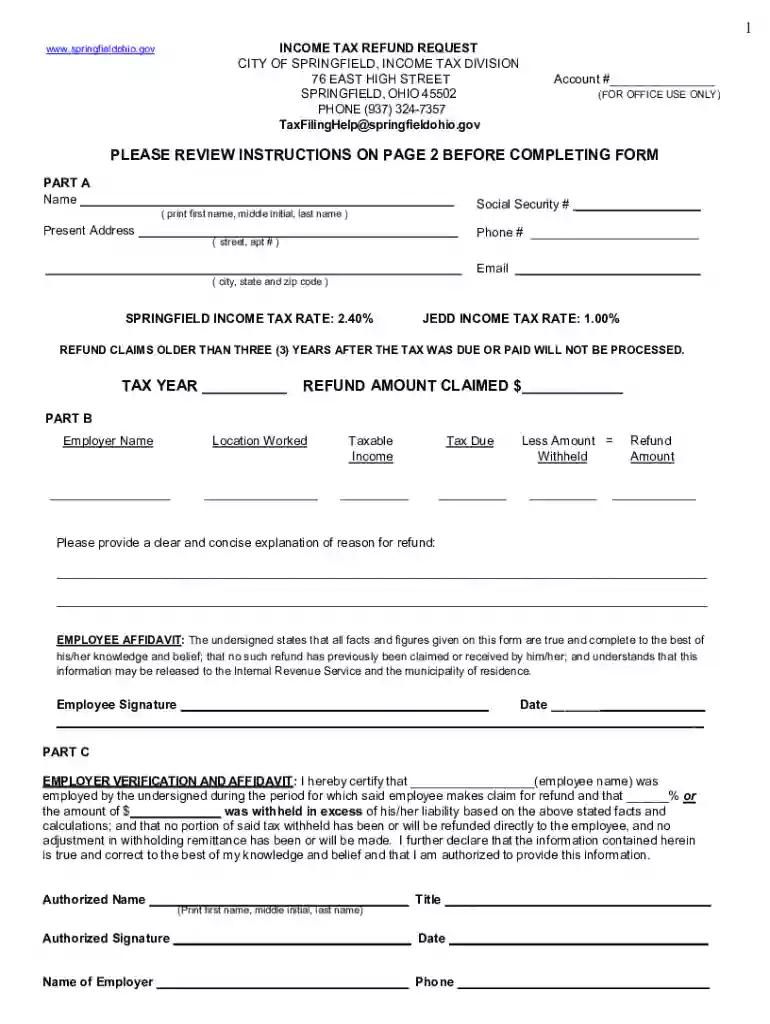
INCOME TAX RETURN INSTRUCTIONS - e-Form RS Login 2026

Get Form
INCOME TAX RETURN INSTRUCTIONS - e-Form RS Login Preview on Page 1

Here's how it works

01. Edit your form online
Type text, add images, blackout confidential details, add comments, highlights and more.

02. Sign it in a few clicks
Draw your signature, type it, upload its image, or use your mobile device as a signature pad.

03. Share your form with others
Send it via email, link, or fax. You can also download it, export it or print it out.

Definition & Meaning

The "INCOME TAX RETURN INSTRUCTIONS - e-Form RS Login" serve as a crucial guide for individuals or entities intending to submit income tax returns via the electronic platform. This form provides detailed instructions on how to accurately complete and submit tax information using the e-Form RS system, which is designed to streamline the filing process by offering digital submission options. The instructions emphasize the importance of adhering to specified guidelines to ensure compliance with tax regulations, especially considering the complexities involved in electronic submissions.

How to Use the INCOME TAX RETURN INSTRUCTIONS - e-Form RS Login

To effectively use the e-Form RS Login instructions, taxpayers should first familiarize themselves with the layout of the form, ensuring that they understand each section and its requirements. This involves:

  1. Logging into the e-Form RS System: Use your credentials to access the platform.
  2. Navigating the Interface: Follow outlined paths to access tax return forms.
  3. Completing the Form Fields: Enter accurate personal and financial information as requested.
  4. Reviewing Tax Return Instructions: Carefully read through each instruction to avoid errors.
  5. Submitting Completed Forms: Follow the guidelines for submitting your tax return electronically.

Adhering to these steps helps prevent submission errors and ensures timely filing.

Steps to Complete the INCOME TAX RETURN INSTRUCTIONS - e-Form RS Login

Completing the e-Form RS requires attention to detail and adherence to prescribed steps:

  1. Gather Required Documents: Before starting, collect all necessary files, such as W-2s and 1099s.
  2. Fill in Personal Details: Provide accurate information including name, address, and Social Security number.
  3. Input Financial Data: This includes income, deductions, and credits pertinent to your financial situation.
  4. Verify All Entries: Double-check information against source documents to prevent mistakes.
  5. Submit Electronically: Ensure all fields are complete and submit the form through the e-Form RS system.

Following these steps ensures comprehensive and compliant completion of your tax return.

Important Terms Related to the INCOME TAX RETURN INSTRUCTIONS - e-Form RS Login

Understanding key terms is essential when using the e-Form RS system:

  • Adjusted Gross Income (AGI): Total income minus specific deductions, critical for determining tax obligations.
  • E-File: Electronic filing of tax returns, which the e-Form RS system facilitates.
  • Tax Credits and Deductions: Allowances that reduce tax liability, important for maximizing refunds or minimizing taxes owed.

Familiarity with these terms helps users navigate the form instructions more effectively.

Filing Deadlines / Important Dates

Timeliness is essential when filing taxes through the e-Form RS system:

  • Federal Tax Deadline: Typically April 15, unless a weekend or holiday intervenes.
  • Extensions: Can be requested for an additional period, usually until October 15.
  • Estimated Tax Payments: Quarterly deadlines usually fall in April, June, September, and January of the following year.

Adhering to these deadlines prevents penalties and interest for late submissions.

Required Documents

Compiling the correct documents is a pivotal aspect of filing:

  • Income Statements: W-2s for employees, 1099s for self-employed or contractors.
  • Personal Identification: Social Security numbers or taxpayer identification numbers.
  • Previous Year’s Tax Return: Helpful for comparison and ensuring continuity in filing.

These documents provide the basis for accurate data entry into the e-Form RS.

Eligibility Criteria

Determining if one is eligible to use the e-Form RS is key:

  • Residency Status: Applications from U.S. citizens and resident aliens.
  • Age and Income Factors: Different forms for individuals below 18 or above a certain income threshold.
  • Specific Occupations or Circumstances: Might require additional documentation or separate forms.

Understanding eligibility ensures that taxpayers use the correct filing instructions and systems.


decoration image ratings of Dochub

Form Submission Methods (Online / Mail / In-Person)

The e-Form RS supports various submission methods:

  • Online Submission: Fastest and most efficient, recommended for most filers.
  • Mail-In Forms: For those who prefer paper records, although processing takes longer.
  • In-Person Assistance: Available through designated IRS offices for help with complexities.

Choosing the right submission method depends on individual preferences and technical comfort levels.

Penalties for Non-Compliance

Adhering to e-Form RS instructions is critical to avoid penalties:

  • Late Filing Penalties: Assessed if forms are not submitted by the deadline.
  • Payment Penalties: Occur when taxes owed are not paid in full by the due date.
  • Filing Incorrect Information: Can lead to penalties or audits if information does not match IRS records.

Understanding these penalties underscores the importance of following the e-Form RS instructions meticulously.

be ready to get more

Complete this form in 5 minutes or less

Get form

Got questions?

We have answers to the most popular questions from our customers. If you can't find an answer to your question, please contact us.
Contact us
Features and benefits of e-Forms RS Immediate access to the most current forms. Instructions to help you complete forms. A tree view to help you navigate forms. A central place to enter information about the Preparer and the ability to assign the Preparer to clients. The ability to make an unlimited number of client
Welcome to e-Forms RS - A place where you get immediate access to the most current forms (including those hard-to-find forms that your tax preparation software doesnt provide). e-Forms RS gives you: Simplified navigation with a tree-view of available forms.
Electronic forms, also known as eForms or digital forms, are digital documents that allow users to input and submit data electronically. They are designed to simplify and streamline the process of data collection, offering several advantages over traditional paper-based forms.

Security and compliance

At DocHub, your data security is our priority. We follow HIPAA, SOC2, GDPR, and other standards, so you can work on your documents with confidence.
Learn more
ccpa2
pci-dss
gdpr-compliance
hipaa
soc-compliance