
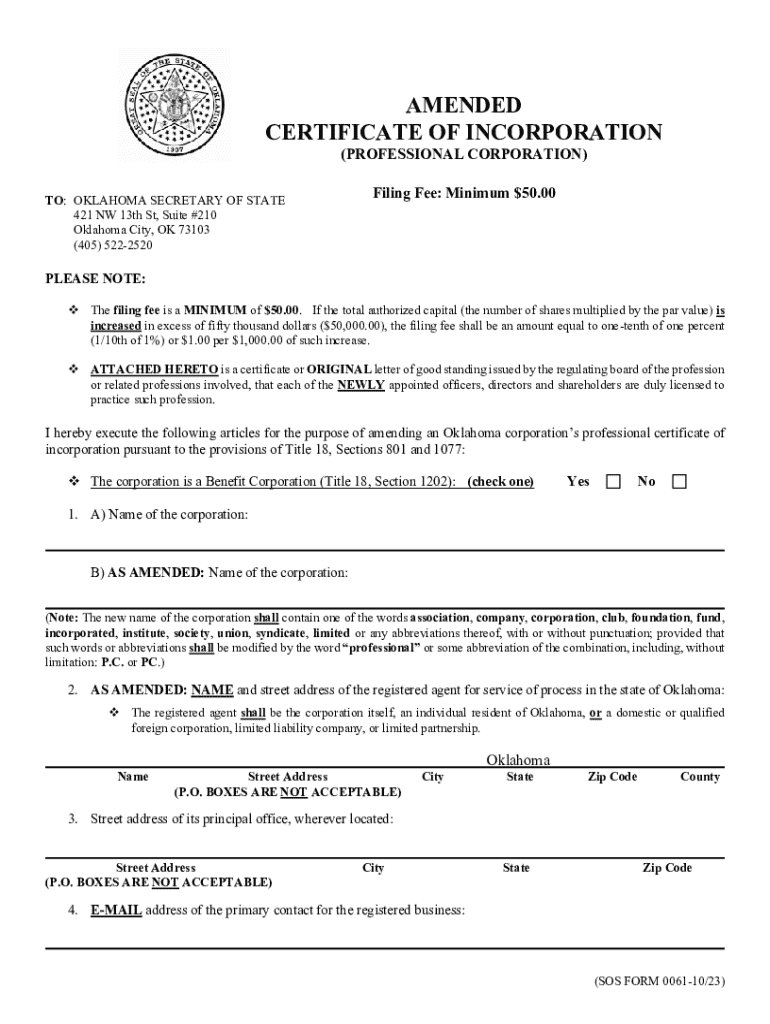







Definition & Meaning
A "form online" refers to a digital framework that allows individuals or businesses to input, modify, and submit information electronically. Unlike traditional paper forms, online forms capitalize on digital technology to enhance accessibility, efficiency, and data management. This digital approach allows users to fill out forms from any location using internet-enabled devices, eliminating the need for physical paperwork.
Online forms are typically used for a range of purposes, including applications, data collection, registrations, surveys, and more. Their design usually includes interactive elements like text fields, checkboxes, dropdown menus, and signature fields. This format facilitates streamlined data capture and immediate processing, supporting a wide array of personal and professional applications.
How to Use the Form Online
Using an online form generally involves a straightforward process that can be completed in just a few steps. Here is a typical process:
-
Access the Form: Visit the website, such as DocHub, where the form is hosted. This step requires an internet connection and a compatible web browser.
-
Fill in the Required Fields: Enter the necessary information in the provided text fields. Interactive elements guide users to complete all mandatory sections accurately.
-
Review: Before submission, review all the entered information to ensure it is correct and complete.
-
Submit: Once satisfied with the entries, submit the form electronically. The submission process may include additional steps, such as identity verification or confirmation emails.
-
Receive Confirmation: Post-submission, users often receive a confirmation that the form has been successfully submitted.
How to Obtain the Form Online
Obtaining an online form involves sourcing a digital version from a relevant platform or institution. Here’s how you can go about it:
-
Website Navigation: Visit the website where the form is available. Organizations typically provide a dedicated section for forms or applications.
-
Search Functionality: Use the website’s search feature to locate specific forms, especially if the form type is well-known (such as the W-9 for tax purposes).
-
Download Options: Some platforms allow users to download a blank template for offline completion and later submission.
-
Integration with Cloud Services: For platforms like DocHub, users can import directly from cloud storage services like Google Drive for immediate access.
Steps to Complete the Form Online
Completing an online form is an easy process that minimizes the chance of errors compared to paper forms. Here’s a detailed breakdown:
-
Log In or Create an Account: Access to some forms might require user authentication.
-
Navigate to the Form Section: Follow the website's guide to locate the desired form.
-
Enter Data: Fill in all necessary text fields, using dropdowns and checkboxes as applicable.
-
Upload Attachments: Some forms may require additional documents, which can be uploaded directly.
-
Preview: Use the preview function to get an overview of the completed form.
-
Application of E-signatures: For forms requiring signatures, use tools like DocHub's electronic signature capabilities.
-
Final Submission: Confirm all entered information is accurate, then submit electronically.
Important Terms Related to Form Online
Understanding key terminology associated with online forms can assist in smooth navigation and use:
-
Interactive Fields: Areas within the form where users input information. Can include text boxes, checkboxes, and dropdown menus.
-
E-signature: A digital version of a handwritten signature, used to authenticate the form.
-
Encryption: A security measure ensuring that data transmitted through online forms is protected.
-
Cloud Integration: The ability of the form to connect and sync with cloud-based services for data storage and retrieval.
-
Submission Confirmation: An acknowledgment, usually sent via email, confirming that a form has been successfully submitted.
State-Specific Rules for the Form Online
When dealing with forms that have legal or governmental implications, it is essential to understand that regulations and requirements can vary by state:
-
Jurisdiction Compliance: Ensure that your form complies with state-specific laws, especially for business or tax-related filings.
-
Formats and Templates: Some states might have unique form templates or mandates that are not applicable elsewhere.
-
Legal Document Requirements: In some states, forms need to be notarized or witnessed before submission, even if completed online.
Reviewing all state regulations related to the form online before submission can prevent potential legal issues.
Legal Use of the Form Online
The legal viability of online forms largely depends on their compliance with regional regulations and standards. For instance, the ESIGN Act in the U.S. confirms the legality of electronic signatures and records, which facilitates the lawful submission of online forms:
-
Ensuring Legally Binding Signatures: When using platforms like DocHub, which comply with the ESIGN Act, electronic signatures applied on forms are legally binding.
-
Record Keeping Requirements: Online forms submitted electronically often need adequate documentation for legal scrutiny later.
-
Data Privacy Laws: Ensure compliance with data protection laws, such as GDPR for international considerations, or HIPAA for forms involving health information.
Software Compatibility
Online forms can be accessed and interacted with through various software tools and integrations:
-
Web Browsers: Ensure compatibility with major web browsers such as Chrome, Firefox, and Safari.
-
Document Editing Software: Platforms like DocHub allow direct editing and signing, eliminating the need for additional software.
-
Tax Software: Forms that involve financial transactions or tax implications, for example, should be compatible with accounting software like QuickBooks or TurboTax for seamless integration.
Enabling compatibility with widespread software solutions enhances convenience and expands usability across different user bases.
Examples of Using the Form Online
Various scenarios illustrate the practical use of online forms:
-
Business Registrations: New businesses can register electronically using state-specific forms online, expediting setup times.
-
Job Applications: Employment seekers routinely use online application forms for job submissions.
-
Tax Filings: Platforms facilitate easy submission of tax documents and declarations.
-
Event Registrations: Organizers use online forms to manage event sign-ups, allowing automated data collection.
These use cases demonstrate the versatility and broad applications of forms online, catering to a wide array of needs across different sectors.




