




01. Edit your form online
Type text, add images, blackout confidential details, add comments, highlights and more.

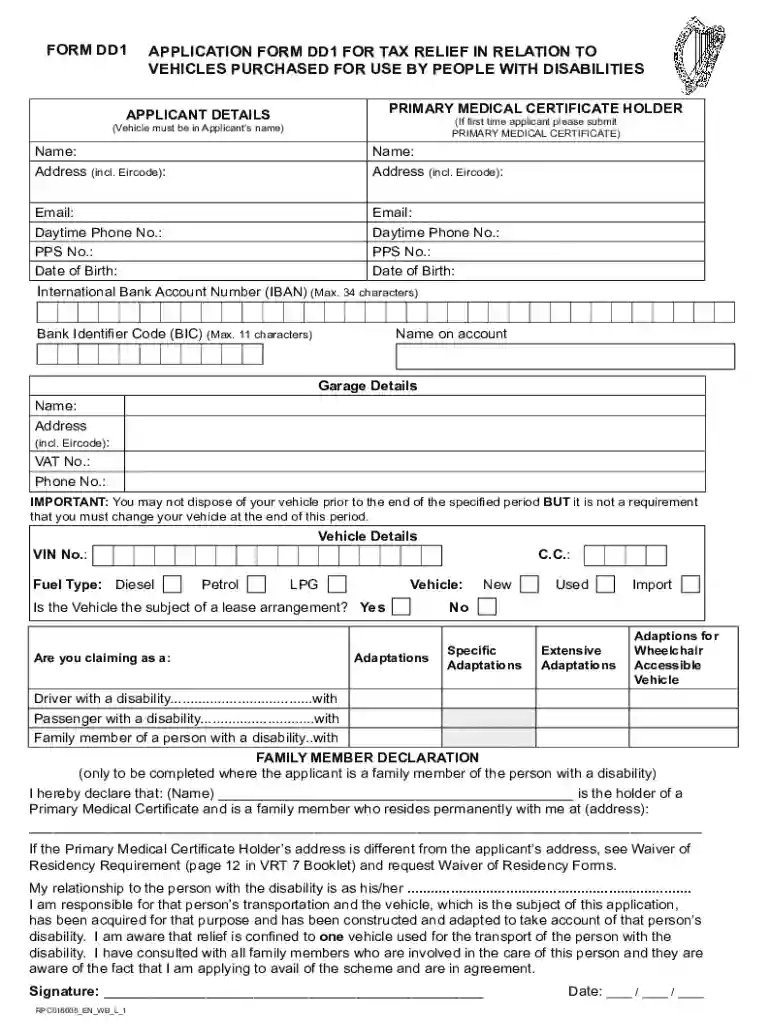
Type text, add images, blackout confidential details, add comments, highlights and more.

Draw your signature, type it, upload its image, or use your mobile device as a signature pad.

Send it via email, link, or fax. You can also download it, export it or print it out.
Online forms are digital equivalents of paper forms, designed for ease of use and accessibility. They are commonly used in various sectors, including business, education, government, and healthcare, to collect data, registrations, applications, feedback, and more. These forms are an essential part of modern digital communication, allowing users to input and submit their information over the internet securely and efficiently.
To make the most out of online forms, it's crucial to understand their functions and capabilities. Most platforms, like DocHub, provide user-friendly interfaces for seamless navigation and use.
Completing an online form involves multiple steps, which may vary slightly depending on the platform.
The use of online forms provides several significant advantages over traditional paper forms.
Several critical components are crucial for the functionality and effectiveness of online forms.
Adhering to legal standards and ensuring data security is vital when using online forms.
Online forms are versatile tools used in various contexts.
While online form submission is prevalent, alternative methods are sometimes necessary or available.
By effectively utilizing the above guidance and understanding the nuances of online forms, users can enhance their experience and ensure efficient and correct form submissions.
We've got more versions of the Ireland Disability Vehicle Tax Relief Form form. Select the right Ireland Disability Vehicle Tax Relief Form version from the list and start editing it straight away!
At DocHub, your data security is our priority. We follow HIPAA, SOC2, GDPR, and other standards, so you can work on your documents with confidence.



The program is restricted to members with an annual base-salary income of $108,000 or more. The benefits coverage is 2/3 of salary up to $12,000 per month lessRead more
on one (1) motor vehicle. The vehicle must be used primarily by or for the veteran to qualify for the exemption. You only need to apply once.


