Contract for deed 2026

Get Form
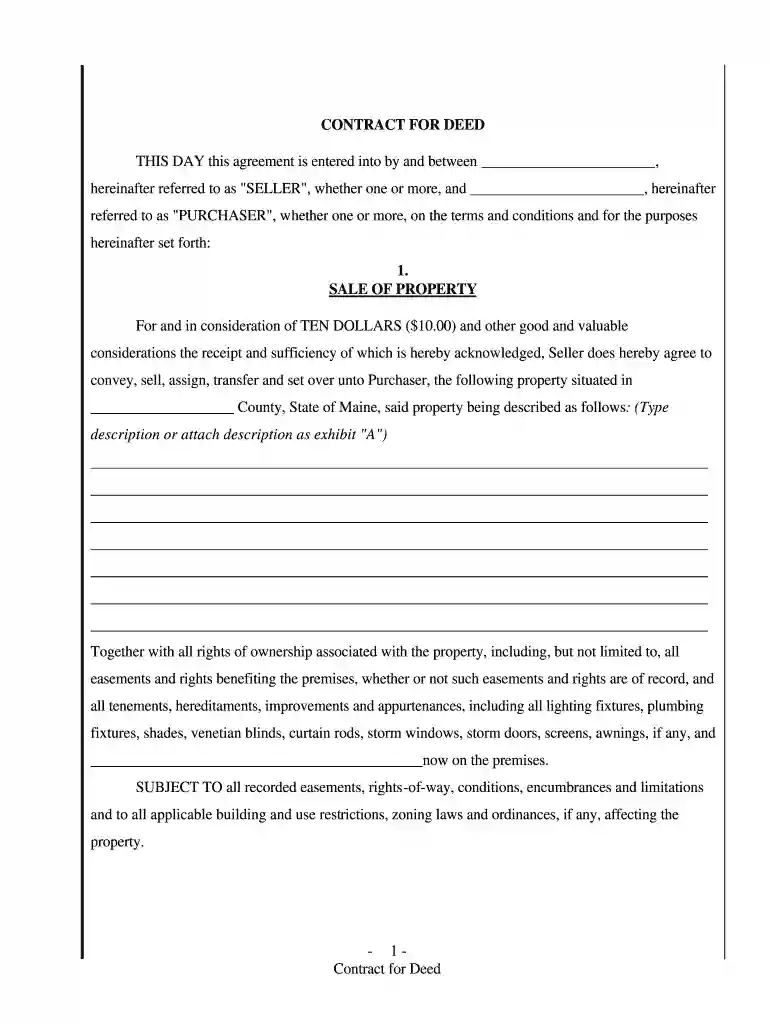
contract for deed Preview on Page 1

Here's how it works

01. Edit your contract for deed online
Type text, add images, blackout confidential details, add comments, highlights and more.

02. Sign it in a few clicks
Draw your signature, type it, upload its image, or use your mobile device as a signature pad.

03. Share your form with others
Send contract for deed pdf via email, link, or fax. You can also download it, export it or print it out.

How to use or fill out contract for deed with our platform

Form edit decoration
9.5
Ease of Setup
DocHub User Ratings on G2
9.0
Ease of Use
DocHub User Ratings on G2
  1. Click ‘Get Form’ to open the contract for deed in the editor.
  2. Begin by filling in the names of the Seller and Purchaser at the top of the document. Ensure that all parties are clearly identified.
  3. In the 'SALE OF PROPERTY' section, provide a detailed description of the property being sold, including any relevant rights and easements.
  4. Next, specify the 'PURCHASE PRICE AND TERMS'. Enter the total purchase price and select your preferred payment option (monthly installments, interest rates, etc.).
  5. Complete sections regarding maintenance responsibilities and insurance obligations. Clearly indicate who will be responsible for taxes and insurance during the contract term.
  6. Review all terms carefully, especially those related to default and remedies. Make sure you understand your rights and obligations under this agreement.
  7. Finally, sign and date the document at the bottom. If required, have it notarized to ensure its legal validity.

Start using our platform today to easily fill out your contract for deed online for free!

be ready to get more

Complete this form in 5 minutes or less

Get form

Got questions?

We have answers to the most popular questions from our customers. If you can't find an answer to your question, please contact us.
Contact us
Contract for deed is a contract for the sale of land which provides that the buyer will acquire possession of the land immediately and pay the purchase price in installments over a period of time; but, the seller will retain legal title until all payments are made.
A contract for deed would be known as a real estate contract, and is a common method to document a sale. For a purchaser, with an increased possibility of a seller default based upon the owners present default, I do not recommend using a contract. The biggest risk is that the seller remains as the legal owner.
A contract for deed, also known as a land contract, is an alternative method for financing the sale of a house or other real estate. The buyer and seller agree to an installment plan, where the buyer pays the seller directly over a period of time instead of in one lump sum when the transaction closes.
Risks of a Contract for Deed Additionally, balloon payments may be required after a certain amount of time has passed, which can also lead to financial hardship if not planned for. If disputes arise between the buyer and seller of a contract for deed property, legal recourse is limited for the party living in the home.
As the buyer under a contract for deed, you must act as the property owner during the term of the contract, even though the deed is not yours yet. This means that in a typical contract for deed, property taxes, insurance, repairs, and maintenance are paid by the buyer.

Security and compliance

At DocHub, your data security is our priority. We follow HIPAA, SOC2, GDPR, and other standards, so you can work on your documents with confidence.

Learn more
ccpa2
pci-dss
gdpr-compliance
hipaa
soc-compliance

People also ask

Legal Recourse/Protections Some states provide specific protections for contract for deed buyers, and the contract itself can provide protections if properly drafted. In the event of missed payments, some states provide buyers and sellers rights similar to traditional foreclosure protections.
Other risks include: (1) the loan remains on a Sellers credit report, (2) Seller is still liable for the loan, (3) risk of non-payment by the buyer, and (4) the buyer never goes through a formal application process like with a regular mortgage.

Related links